
What is CRM and How to Get the Most Out of It
In this article, we’ll break down what a CRM system is, how to choose the right CRM, avoid common mistakes, and get the maximum benefit from its implementation. We’ll also cover the different types of CRM systems and the advantages they bring to businesses.
What is a CRM System?
CRM stands for Customer Relationship Management. Simply put, a CRM system is a comprehensive platform for automating sales, marketing, and customer service.
But what is a CRM system in plain terms? A CRM is software designed to help manage relationships with your customers. It stores and organizes data, automates marketing campaigns (like audience segmentation, email and SMS campaigns), supports sales processes (tracking deals, scheduling calls, monitoring pipeline stages), and provides customer service tools. Ultimately, it helps companies build long-term relationships with their clients.
A Brief History and Some Numbers
The first CRM systems appeared in the late 1980s and early 1990s. Back then, they were mainly used by large companies like IBM to store customer information. In 1995, the first commercial CRM system, Siebel Systems, was launched, gaining popularity among medium and large businesses. Later, companies like Microsoft, Salesforce, Oracle, SAP, and others entered the market.
In the 2000s, CRM systems began evolving into multifunctional platforms that integrate sales, marketing, and customer support. Their capabilities expanded to include reporting tools, forecasting, and customer behavior analytics.
By the late 2000s and early 2010s, the adoption of cloud technology (Cloud/SaaS) marked a revolutionary step for CRM systems. Online accessibility lowered infrastructure costs while providing greater flexibility and scalability.
From the 2010s onward, mobile CRM apps for smartphones and tablets became common. At the same time, the development and implementation of artificial intelligence (AI) and machine learning (ML) for predicting customer behavior enabled even more personalized customer experiences and optimized business processes.
Today, CRM systems are used by companies of all sizes and industries to store and analyze customer data, automate sales processes, and boost overall business efficiency.
“The global CRM software market was valued at $63.9 billion in 2022 and is expected to grow to $145.8 billion by 2029” (source: Fortune Business Insights).
So, does CRM really play a key role in a customer-centric approach? Let’s find out in the rest of this article.
Why Your Business Needs a CRM: 6 Key Reasons
Let’s explore how a CRM system helps businesses manage relationships with clients and partners more effectively while optimizing sales and marketing team activities.
When Do You Need a CRM System?
The answer is simple: if your business is growing and it’s becoming difficult to manually keep full control over customer interactions, sales, and service requests. If leads are being lost, data is scattered, and it’s hard to evaluate team performance or forecast the success of your next promotional campaign — it’s time to implement a CRM.
Benefits of Implementing a CRM System

Still hesitating? Let’s take a look at the statistics on key KPIs after implementing a CRM system:
- A 20% increase in the number of qualified leads
- A 10% boost in conversions at the proposal stage
- A 25% reduction in the time a potential customer spends in the sales funnel
- A 32% decrease in response time from first interest to initial contact compared to industry averages
What key advantages of a CRM system drive these results? First and foremost:
Better customer insights
The ability of a CRM system to collect and analyze customer data helps improve communication and ensures a personalized approach to each customer.
Less routine work
A CRM solution automates many repetitive tasks, such as reporting and data collection. This reduces the workload for employees and allows them to focus on strategically important tasks.
More effective marketing campaigns
With a complete view of customer data gathered by the system, businesses gain a deeper understanding of their audience’s needs and desires. This is the key to identifying consumer insights and launching more effective marketing campaigns.
Sales Management and Planning
A CRM solution enables you to track the status of current and potential sales and respond quickly to changes. Its functionality also allows you to plan sales across different dimensions — by manager, by region, or within specific timeframes.
Resource Management Optimization
With CRM, business leaders can monitor employee performance, track customer communication efficiency, and control task completion. This makes it easier to allocate resources effectively and achieve business goals.
Improved Reporting and Analytics
CRM tools provide convenient reporting on sales and customers. Based on these insights, managers and business owners can make better-informed decisions.
Product Portfolio Management
The software helps plan and coordinate changes to the product portfolio — removing underperforming products, adding new ones, and improving existing offerings. This enhances the company’s competitiveness and increases customer satisfaction.
Streamlined Internal Communication
Centralized access to customer information improves collaboration between departments and prevents internal information gaps.
Types of CRM Systems
Depending on the deployment model — i.e., where the data is stored and how users access the system — CRM solutions are generally divided into cloud-based and on-premises.
Cloud CRM (SaaS CRM)
With cloud-based CRM, data is hosted on the provider’s servers and accessed via the internet. Users can work with the system through a web browser or a mobile app.
On-Premises CRM
An on-premises CRM is installed on a company’s own servers. The organization retains full control over both the infrastructure and the data.
Comparison of Cloud vs. On-Premises CRM
| Feature | Cloud CRM | On-Premises CRM |
| Access | Via the internet | Via internal network |
| Cost | Subscription (low upfront) | High initial investment |
| Security | Depends on the provider | Full control |
| Updates | Automatic | Manual, resource-intensive |
| Scalability | High | Limited |
| Customization | Limited | Extensive |
Depending on their key functionality, there are four main types of CRM software.
To begin with, let’s look at the variations of CRM systems according to their functionality and focus. The following types are distinguished:
- Operational — these systems focus on automating the operational processes of a company related to managing and storing customer information. They help collect, store, and process customer data, optimizing sales processes. By providing access to customer insights, operational CRMs improve communication efficiency and ensure higher-quality customer service.
- Analytical — these platforms allow companies to analyze customer data and identify behavioral patterns and trends. This enables more effective marketing and sales campaigns, improves customer engagement, and helps deliver better service.
- Collaborative — designed to enhance cooperation between different departments and teams, collaborative CRMs aim to ensure more effective interaction with customers across the organization.
- Hybrid — combining the features of operational, analytical, and collaborative systems, hybrid CRMs are the most widespread. They allow companies to collect and process customer data, analyze it, and foster collaboration across teams, while also improving customer service. Such systems support the full customer lifecycle — from initial data capture to post-sales support.
Classification of CRM Systems by Functionality
| Type of CRM | Main Focus | Who It Fits Best |
| CRM for Marketing | Automation of marketing campaigns; audience segmentation tools; personalized communication; advanced analytics. | Particularly useful for e-commerce, retailers, educational platforms, financial institutions, and other companies whose operations require complex multichannel communication with customers, stakeholders, or partners. |
| CRM for Sales | Advanced tools for effective lead and deal management; personalized reports and analytics. | Particularly useful for IT companies, manufacturers, distributors, educational and consulting services, developers, insurance companies, and banks. |
| CRM for Service | Automation of customer request processing and personalized communication. | Particularly useful for service companies, internet providers, telecom operators, and equipment manufacturers. |
| Hybrid CRM Systems | Comprehensive solutions offering a wide range of tools for marketing, sales, and service automation, as well as for streamlining collaboration within the team and with customers and partners. | Particularly useful for medium and large companies seeking to centralize customer and partner relationship management and improve cross-team collaboration. For example, retail chains and large agricultural enterprises. |

A vivid example of a hybrid CRM is the comprehensive SMART CRM platform. It brings together four solutions that can be deployed either together or separately:
- SMART Sales — for automating B2B sales processes, from the first contact with a potential customer to contract signing.
- SMART Customer Care — for registering and processing customer service requests.
- SMART Order Management — for registering and processing B2C orders.
- SMART Marketing — for managing omnichannel marketing communications with existing and potential customers.
SMART CRM also enables the use of modern applications, channels, and services for effective customer interaction throughout the company’s entire lifecycle. This is made possible through the platform’s available connectors, including:
- connector to Binotel telephony,
- connector to eSputnik,
- connector to GMS provider,
- connector to PayPal payment service,
- connector to Nova Poshta and Ukrposhta delivery services,
- connector to the Rozetka marketplace, and more.
The full list of connectors is available here.
CRM Functions
A modern customer relationship management system should confidently cover the essential functionality while also offering flexible options to accommodate various “nice-to-have” features tailored to specific business needs.
Core CRM Functions
- Contact Management: Enables centralized storage and organization of information about all partners and customers according to convenient logic. A modern CRM solution equips the team with tools for quick access to the database from any device, as well as the ability to easily update and expand it.
- Interaction History: Allows the collection and storage of data from every call, email, or task. Equally important are tools for setting up reminders and notifications about scheduled interactions with prospective and existing customers.
- Customer Segmentation and Offer Personalization: Provides simple and user-friendly tools to group customers based on predefined logic. This makes it possible to create personalized offers tailored to the needs of specific segments.
- Marketing and Sales Automation: A CRM system enables the creation of email templates and the automation of their distribution. It also includes tools for sending bulk messages. Additionally, it allows for automated sales funnel creation and visualization through tools that help build task flows and track execution efficiency.
- Analytics and Reporting: Includes tools for monitoring and analyzing the performance of marketing campaigns, sales, and customer service inquiries in real time. Equally valuable is the ability to generate up-to-date reports to support accurate forecasting and informed decision-making.
Additional CRM Features That Give Your Business a Competitive Edge

Let’s take a look at some of the extra features you can expect when implementing a modern CRM system.
- Marketing and campaign management, plus team performance tracking: tools for automating task assignments, monitoring their completion, and generating performance reports — along with real-time visibility into task progress.
- Collaboration tools, including built-in reminders that help plan and streamline interactions with leads, prospects, and existing customers.
- Loyalty program management: based on purchase history, a CRM can award points for purchases or generate personalized, exclusive offers.
- Dispatching: assigning tasks across employees or departments according to set parameters such as availability, expertise, order location, or customer history.
- Routing: automatic route planning and optimization, including the use of historical data analysis.
- Scheduling: interactive calendars and timetables that enable real-time task allocation, syncing client appointments with employee schedules, and generating reminders automatically.
So, if you’re in the process of choosing a CRM, start with a thorough audit of your business needs and define clear requirements for the solution. Need help with that? Ask the experts. Book a free consultation here.
How Does a CRM System Work?
Despite the variety of features, the underlying principles of how a CRM operates are the same. For example, here’s a diagram that illustrates how sales funnel automation in CRM works.
CRM as the command center for managing your business relationships with customers and partners

Key Stages of CRM Operation:
- Data collection
- Centralized storage
- Unified customer profile
- Process automation
- Analytics and reporting
Possible CRM Integrations With Other Services and Systems
Make sure the CRM you choose can connect to the other systems and tools your company uses. Specifically, this includes integration with:
- email platforms,
- social media,
- chatbots and tools for automating marketing activities, such as email campaigns and bulk SMS messaging,
- ERP systems, customer support platforms, online stores (such as Shopify and WooCommerce), payment solutions, and delivery services.
Important: According to the 2024 B2B Tech Buyer Behavior Report, more than half of respondents consider integration challenges with their current software a sufficient reason to switch vendors.
How CRM Improves Business Efficiency
By automating and optimizing key processes — from sales and marketing to service, operations, and management — a CRM system increases overall business efficiency. Let’s take a closer look at how this works.
Sales
CRM-driven automation, in the sales context, means effectively combining customer information with tools that streamline the sales process: for example, automated reminders, lead classification, segmentation, forecasting, and reporting.
By offloading routine tasks to the CRM, sales managers can focus on closing deals, while full analytics of customer interactions make it possible to personalize offers to the maximum. As a result:
- Conversion rates increase,
- The sales cycle shortens,
- The average order value grows: by analyzing purchase history, the system helps to recommend relevant add-on products or services at the right time,
- Fewer leads are lost: inquiries are captured automatically, 24/7.
Marketing
In marketing, the main advantage of using a CRM lies in combining structured customer data with powerful tools for automating campaigns, such as email newsletters, segmentation, lead nurturing, analytics, and chatbots. This enables marketers to work more precisely, faster, and more effectively.
Important: 42% of CRM users say that real-time access to data helps increase lead conversion.
Customer Service
The value of using a CRM system in customer service lies in bringing together customer data with tools for organizing support and automating service processes — such as chatbots, centralized interaction histories, AI assistants, and analytics. As a result:
- Response times decrease, while the First Contact Resolution (FCR) rate improves,
- Support becomes more personalized,
- Fewer inquiries and complaints go unnoticed, as the system automatically records all requests 24/7.
Note: 52% of companies using CRM systems consider the data analytics provided by this software to be critical for customer retention.
Operational Processes
Implementing a CRM system optimizes the team’s day-to-day operations, making processes more transparent, manageable, and cost-efficient. This enables better resource allocation and improvements in key KPIs. Specifically:
- Errors are reduced by minimizing the impact of human factors,
- Request handling speeds up thanks to response templates, automated routing, and reporting,
- Coordination across departments improves, as all units work with synchronized information,
- Employee productivity increases significantly through automation of routine tasks.
Management
A CRM system provides managers with a real-time overview of business processes. This empowers informed decision-making, control over key metrics, and the ability to respond quickly to changes. In terms of core processes, this means:
- Better planning and forecasting, since the CRM provides up-to-date analytics on customers, sales, and team workload,
- Process transparency: managers see task allocation and progress at every stage,
- Quality control: the ability to track compliance with standards and KPIs in real time,
- Faster decision-making: current data is always at hand — no need to wait for reports.
How to Choose a CRM System?
Each platform comes with its own features and benefits. However, when selecting a CRM system, it’s important to evaluate it against these key criteria:
- Functionality. Check whether the CRM includes all the features your business requires.
- Integration capabilities. Make sure the CRM can connect to the other software your company relies on.
- Cost. Compare the pricing of different CRM systems and service packages, as pricing models can vary significantly.
- Mobile access. The ability to access your CRM from a mobile device lets you track customer data and make business decisions on the go.
- Data security. Review how the CRM safeguards your business and customer data. Ensure it complies with data protection requirements, such as GDPR.
- Interface and ease of use. Choose a system with an intuitive, user-friendly interface. This will allow your team to work efficiently and boost productivity.
- Deployment type (cloud or on-premises). Decide which option best suits your needs. Cloud CRM offers access from anywhere, automatic updates, and flexibility, while on-premises CRM provides full control over data and advanced customization options but requires more resources for maintenance.

How to Implement a CRM: Step-by-Step Guide
Implementing a CRM system may seem like a complex task. However, by following a clear sequence of steps, the process can be much smoother — and, most importantly, successful. Before you begin the implementation process, we recommend reviewing these tips:
Step 1: Define your business goals and needs
Before starting the CRM implementation, identify the business goals you want to achieve and the challenges the CRM system should help solve. It’s also important to determine which business processes need automation to optimize company operations and ensure maximum efficiency.
Step 2: Choose the right CRM system
Once you’ve defined your needs, select the software that best aligns with your goals. This is exactly what we covered in the previous section on choosing a CRM system.
Step 3: Develop an implementation plan
After selecting the system and vendor, create a detailed implementation plan. The plan should include key steps, timelines, responsible parties, and the resources required. Be sure to account for user training as well as potential risks and ways to mitigate them.
Step 4: Prepare your data and configure the system
Before launching the CRM system, prepare all the data that will be imported, such as customer records, contact details, and interaction history. Make sure to clean and validate the data by removing duplicates and correcting errors to maintain accuracy and quality within the system.
Step 5: Train your users
Before rollout, train your employees to work with the system. Proper training ensures that everyone can use the CRM effectively. Training can be delivered online or in person.
Step 6: Implement the CRM system
Once the data is ready and users are trained, proceed with the CRM rollout. At this stage, it’s crucial to follow the implementation plan closely and ensure that the system is properly configured to meet your business needs.
How to Work in a CRM: 6 Practical Tips for Specialists
In this section, you won’t find complex technical instructions — only expert guidance on an approach that works universally, no matter which customer relationship management system you use, and helps you sell more.
Main Types of CRM Analysis
We’ve established that the primary purpose of a CRM system is to bring together contacts, relationships, marketing, and sales to deliver accurate, meaningful metrics and enable the team to work with up-to-date customer data — having a real-time, “360-degree” view of interactions.
Let’s break down what can be analyzed:
What You Can See in CRM Analytics
- Sales dynamics: daily, monthly, yearly,
- Sales funnel visualized as a chart,
- Team performance in real time,
- Customer base quality: number of new, retained, and lost customers,
- Effectiveness of acquisition channels.
What Is Statistics in CRM?
Statistics in CRM refers to the collection of business activity data gathered and structured by the system. In particular:
- Number of calls, meetings, and tasks,
- Percentage of deals closed and fulfilled,
- Response time to inquiries,
- Average cost of a lead or customer.
How to Work with Statistics in CRM: Practical Tips
- Define key KPIs: determine which metrics matter most to you — for example, the percentage of closed deals.
- Configure dashboards to view essential statistics in a convenient format.
- Regularly track the dynamics of key indicators.
- Analyze deviations: if numbers are dropping, identify the reasons — which lead-generation channels underperform, at what stage of the funnel leads are being lost, and whether staff actions are contributing to it.
- Use the results of this analysis: adjust marketing activities, sales department operations, or customer service efforts.
The Evolution of CRM Systems After 2024

What are the main trends in the further development of this popular software? What should we expect?
Experts believe that after 2024, Customer Relationship Management systems underwent a qualitative evolution, gradually transforming from tools for collecting and processing customer information and managing interactions into comprehensive ecosystems for managing the overall customer experience.
It was the developers’ drive to perfect each of the key areas — marketing, sales, and service — that fueled the rapid transformation of CRM.
In search of new opportunities, solutions have been reimagined as platforms that provide:
- Hyper-personalization of customer experience: leveraging generative AI (GenAI) to automatically create tailored offers based on customer history analysis.
- A single platform for managing the entire customer lifecycle: marketing, sales, and service all operate on a shared database.
- Composable no-code architecture: modern CRM systems are primarily low-code/no-code platforms that allow users to independently assemble and adapt modules, configure processes, or customize interfaces without involving developers.
- Active use of generative AI capabilities.
Fact: According to research by Market.us, by 2033 the share of CRM systems powered by GenAI will increase by more than 20% compared to 2023.
Key CRM Statistics for 2025
While some are still hesitating whether to implement a Customer Relationship Management system, others are already reaping the benefits. Here’s a look at the CRM statistics for 2025.
The impact of CRM on key KPIs
| Metric | Change attributed to CRM |
| ROI | $8.71 for every $1 invested |
| Lead conversion growth | up to 300% |
| Customer retention | +16-27% |
| Sales increase | up to 29% |
| Integrated GenAI | in up to 70% of CRMs |
| Team productivity | +10-15% |
| Experience personalization | 80% of customers prefer personalization |
Industries Where CRM Is a Necessity, Not a Luxury
Experts highlight six major industries where a Customer Relationship Management system is a critical tool to stay competitive.
Industries where CRM implementation is more than a justified investment
| Industry | Key needs driving CRM adoption |
| Retail & E-commerce | Personalized offers and improved customer retention |
| Finance & Banking | Portfolio management, regulatory transparency, omnichannel service |
| Healthcare & Pharmaceuticals | Patient–doctor coordination, service quality, communication support |
| Real Estate & Development | Lead and property management, long-term customer relationships |
| IT services, consulting & project-based business | Team coordination, SLA monitoring, customer support |
| Education | Communication management with students, parents, partners; automation of admission processes |
How do experts justify selecting these industries? Primarily due to the following specifics of their operations:
- High customer flow: without thorough segmentation and a structured approach, it is difficult to achieve the desired level of personalization and maintain strong customer loyalty.
- Complex interaction cycles: multiple touchpoints with the company and the brand.
- The need for strict oversight of customer history, SLAs, analytics, and security: ensuring processes comply with regulatory and operational standards.
Would you like to learn how a modern CRM system can boost your business efficiency? Sign up for a free consultation here.
FAQs
What is the cost of a CRM system?
The cost of a customer relationship management system for a company depends on several factors. The main components of the price are:
- License fees
- Implementation costs
- Technical support expenses
- Customization costs
License fees are the terms under which a vendor grants a company access to its software. These fees can be either recurring or one-time.
In most cases, the cost of a license depends on the number of users who will have access to the system. This could be a charge per active user or for a specific user range (e.g., up to 50 users, up to 100 users). License fees can also vary depending on the selected functionality.
The price of a CRM system for a company may also include the cost of implementation, staff training, adapting the solution to the specific business needs, and technical support.
Are there free CRMs?
Fully free systems do not exist. There are free versions of CRM systems that have a limited number of users, features, integrations, or support. Such solutions can be effective for small businesses, startups, or companies just beginning to automate sales and customer interactions, allowing them to test a CRM system before moving to paid plans.
Which CRM to choose: industry-specific vs. universal?
Industry-specific CRMs are developed for a particular sector, such as real estate, healthcare, or hospitality. They include built-in industry functions, process templates, forms, and reports tailored to that sector, reducing the need for additional customization. They are suitable for companies operating in a clearly defined industry with standard business processes. The drawbacks may include limited flexibility for customizing non-standard business processes, restricted scalability, and higher costs for specialized features.
Universal CRMs are suitable for a wide range of businesses, from startups to corporations. They offer a basic set of functions that can be adapted to any field. Their strengths include high flexibility, scalability, and adaptability to various business models. However, additional customization is often required to meet specific industry needs. They are ideal for businesses operating in multiple sectors or with complex or non-standard business processes.
How long does it take to implement a CRM?
In general, CRM implementation can take from 1 to 3 months, depending on the complexity of business processes, the number of users, the volume of data, and the need for integration with other company systems.
What is CRM automation?
CRM-driven business process automation involves using the system’s built-in tools to reduce manual operations in sales, marketing, and customer service.
Specifically, this includes automatic lead processing, task reminders, triggered email campaigns, routing service requests in customer support centers or for field service visits, generating automatic responses to inquiries, and real-time reporting.
This approach reduces errors, increases operational efficiency of teams, and enables a more personalized approach to customers.
Which tools are included in a CRM system, and which need to be integrated additionally?
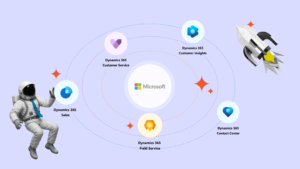
Modern systems, such as Microsoft Dynamics 365, include key tools by default for managing sales, marketing, customer service, analytics, and operational process automation.
By implementing such a system, you get: lead and deal management, customer segmentation, omnichannel communication, convenient dashboards and reporting, as well as integration with the Microsoft 365 workspace for your team (Outlook, Teams, Excel).
However, depending on business needs, additional integrations may be required, including:
- ERP systems
- E-commerce platforms
- Marketing automation tools
- IP telephony
- Chatbots
What are CRM apps?
CRM apps are extensions or modules for the base system that add specialized functionality for specific business processes, such as integration with popular payment systems, IP telephony services, and delivery services.
Several of these apps were developed by SMART business — a leading Microsoft partner.
See the full list of SMART connectors here.
What is low-code/no-code CRM?
Low-code/no-code is an approach to configuring and extending CRM capabilities without complex development.
No-code tools allow teams to create their own forms, fields, workflows, and reports using user-friendly process builders.
Low-code is aimed at IT specialists and allows the use of minimal coding to configure more complex integrations or automations, unlike no-code.
What is the difference between ERP and CRM systems?
An ERP system (Enterprise Resource Planning) is designed for comprehensive management of a company’s internal business processes. It covers financial accounting, logistics, production, human resources, and resource planning.
The main function of ERP is the centralization of data and control of key operations to ensure stability and efficiency in enterprise activities.
A CRM system (Customer Relationship Management) is a tool focused on building systematic interactions with clients and partners at all stages — from marketing and sales to post-sale service.
By collecting, structuring, and analyzing customer data, CRM enhances team efficiency, ensures transparency in communications, and supports the development of long-term relationships with the target audience.
Combined, CRM and ERP form a unified digital ecosystem: the CRM initiates customer-focused actions, while the ERP captures, processes, and analyzes the results of these actions at the operational management level.
How to configure access rights in CRM?
In most popular CRM systems, access is configured by roles and security levels: administrators determine which modules, fields, or actions are available to specific user groups.
In Microsoft Dynamics 365, this is implemented through a role-based security model and Dataverse, where access can be set not only for forms and processes but also for specific records, taking into account the company’s hierarchy and business logic.
How is customer data protected in CRM?
Customer data security is a key priority in the development of modern CRM solutions. Most popular CRM systems comply with international standards, including GDPR. Confidentiality, integrity, and availability of data are ensured through a combination of technical, organizational, and procedural mechanisms, including:
- Data encryption during transmission and storage in data centers,
- Role-based access: each employee sees only the records and functions relevant to their responsibilities,
- Audit and logging: the system tracks all changes and actions to ensure transparency and control over data modifications,
- Backup and recovery: regular backups ensure information is preserved even in case of failures,
- Protection against external threats: multi-layered firewalls, intrusion detection systems, and multi-factor authentication.
What is order protection in CRM?
Order protection in CRM systems usually refers to a set of measures that ensure safe and controlled handling of customer order information, including:
- Access control: only authorized employees can create, edit, or approve orders.
- Change audit: the system maintains a history of edits.
- Data validation: ensures entered information is correct to prevent errors or fraud.
- Automated approval rules: large orders or changes require manager or finance department approval.
- Duplicate prevention: the system detects and warns about duplicate orders.
- Secure payment integration: all payment connections use protected channels.
What useful features does CRM offer?
Modern CRM systems offer numerous features valued by businesses, including:
-
- Integration with ERP, office applications, marketing, and payment platforms,
- A unified customer database with a complete interaction history,
- Omnichannel support,
- Analytics and AI-based forecasting to evaluate customer potential and team performance,
- Low-code/no-code tools for quick process configuration without programming,
- Mobile access.
Want to find out how a CRM system can strengthen your business? Sign up for a free consultation here.