Order a demo

Blog

  • All
  • E-book
  • News
  • Success stories
  • Releases
25 min read
1 11
Lead Generation and Lead Management with AI: How to Improve Sales Efficiency

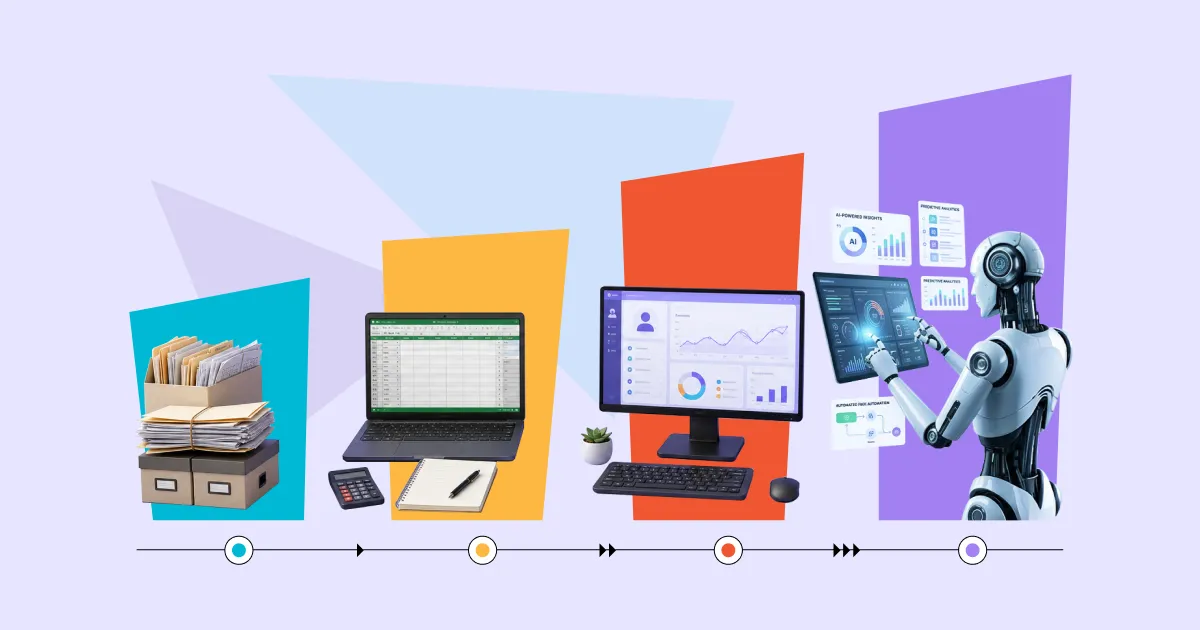
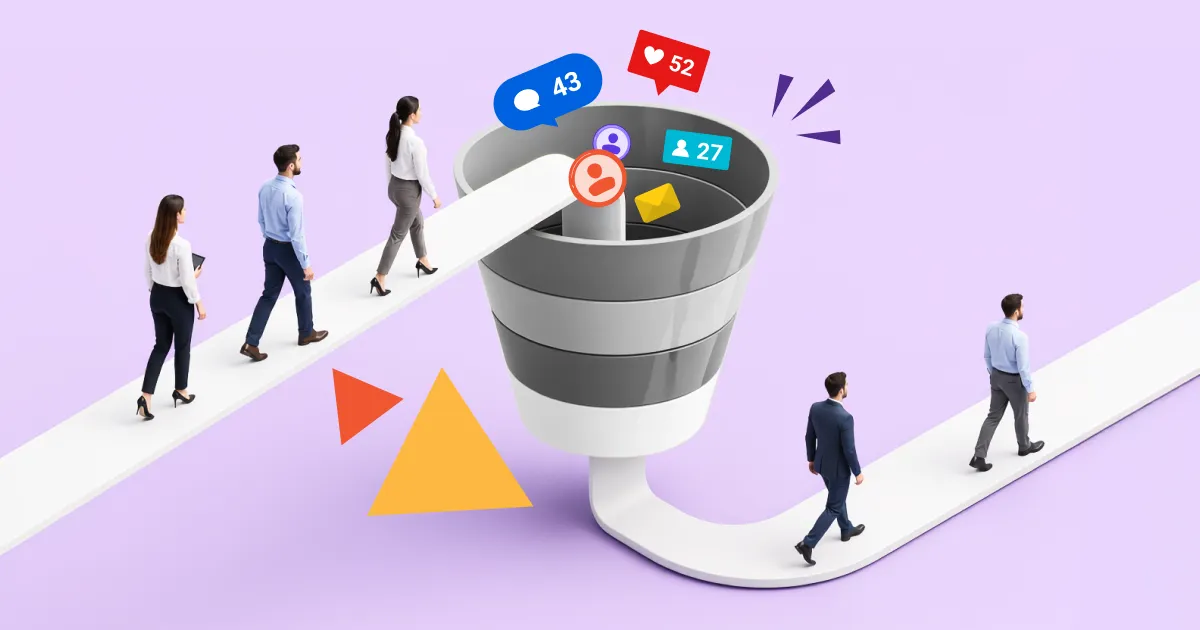
Just a few years ago, AI in sales was mainly associated with automated email writing or website chatbots. Today, the situation has evolved much further: artificial intelligence enables a complete redesign of how organizations work with leads — from contact generation and behavioral analysis of potential customers to lead scoring, routing, and follow-up automation.

At the same time, most companies still spend a significant portion of their marketing budgets on lead acquisition, while converting only a small fraction of those leads into actual deals. Not because there are too few leads, but because the process of handling them — from the first touchpoint to sales handover — remains slow, manual, and often inconsistent. According to McKinsey (State of Marketing Europe 2026), only 6% of marketing organizations have reached a mature level of generative AI adoption — and these companies are already seeing a 22% efficiency increase, with expectations to reach 28% over the next two years. Meanwhile, Gartner predicts that by 2027, 95% of sales research processes will begin with AI. This is no longer a distant trend — it is a shift happening right now.

At the same time, the buyer itself is changing. A large number of B2B buyers already use generative AI during pre-purchase research — they compare vendors, define requirements, and build shortlists even before visiting a supplier’s website for the first time. This leads to a simple conclusion: if your team still handles leads manually — spreadsheets, manual qualification, delayed follow-ups — it is reacting to decisions that have already been made, rather than shaping them. This is exactly where AI tools combined with CRM systems become a prerequisite for competitiveness, as they enable earlier lead detection, more accurate qualification, and faster responses at every stage of the funnel. That is why AI in Lead Generation and Lead Management is now a practical tool for improving marketing and sales performance.

What AI in Lead Generation and Lead Management is — and why businesses are moving from manual work to automation

Despite the evolution of CRM and automation tools, lead management in many companies is still largely manual: marketing launches campaigns, collects contacts, transfers them into the CRM, and then sales managers manually review leads, prioritize them, validate data, send follow-ups, and try not to lose potential customers somewhere between spreadsheets, emails, and dozens of tasks. The problem is that as communication channels and data volumes grow, this approach starts to break down. Teams simply cannot keep up with the signals generated by potential customers every day.

Today, AI in Lead Generation and Lead Management is no longer just a trendy add-on to CRM systems — it is becoming a core operational efficiency tool. Artificial intelligence can automatically analyze audience behavior, detect purchase intent before a transaction happens, evaluate lead quality, trigger personalized engagement workflows, and help sales teams respond much faster.

At the same time, it is important to distinguish between two processes that are often mistakenly combined into one:

  • Lead Generation — the process of generating leads and attracting new contacts into the sales funnel. It involves identifying potential customers, targeting, and collecting contacts through websites, email campaigns, advertising, forms, chatbots, or other lead generation tools.
  • Lead Management — everything that happens after a lead enters the system: qualification, enrichment of lead data, lead scoring, prioritization, routing between sales representatives, follow-up automation, and preparation for handover to the sales team.

While AI was previously used mainly to automate isolated marketing tasks, modern companies increasingly implement AI across the entire lead lifecycle — from first contact to deal closure.

In practice, AI helps businesses move from a model of “manually reacting to everything” to a data-driven approach where the system itself indicates:

  • which leads have the highest potential
  • who is ready to be contacted right now
  • which communication channel will perform best
  • when follow-ups should be triggered
  • and which contacts are not yet ready to buy

This is especially relevant in B2B environments, where sales cycles are longer and the number of customer touchpoints can reach dozens. In such conditions, AI helps reduce lead leakage between funnel stages, increase team response speed, and improve the quality of customer communication.

Moreover, modern AI tools in CRM systems can now work not only with historical data but also with real-time behavioral signals: website interactions, email engagement, product page views, content reactions, or social media activity. This approach enables a more accurate understanding of purchase readiness and helps avoid wasting resources on “cold” contacts with no real buying intent.

That is why AI in lead generation today is about giving marketing and sales more context, speed, and precision in working with leads at every stage of the funnel.

AI in Lead Generation: how to attract more high-quality leads, not just more leads

One of the most common misconceptions about AI in lead generation is that it is limited to automated contact collection or mass content creation. In reality, modern AI tools have a much deeper impact — they help businesses make the entire lead generation process more precise, personalized, and data-driven.

In practice, AI is reshaping the very approach to Lead Generation: instead of working “blindly,” companies are starting to make decisions based on behavioral signals, analytics, and predictive insights. AI within CRM systems can analyze potential customers’ actions, identify patterns, detect purchase intent, and help marketing and sales teams focus on the leads with the highest likelihood of conversion.

What is especially important is that AI does not just help generate more contacts — it improves lead quality itself. A high volume of inquiries does not automatically mean effective lead generation. If teams spend time on random or irrelevant contacts, resources are wasted even before the sales stage begins.

Better targeting and audience identification

Traditional lead generation is often based on basic parameters such as job title, industry, company size, demographics, or traffic source. However, in reality, this is no longer sufficient. Even seemingly similar prospects may be at completely different stages of purchase readiness.

AI tools can automatically identify:

  • which companies show buying intent signals
  • which users engage more frequently with content
  • which product pages are visited before making contact
  • which actions most often precede conversion

As a result, marketing teams stop working with overly broad audiences and begin focusing their efforts on the leads most likely to convert into sales.

This is especially visible in B2B marketing and, for example, in LinkedIn campaigns, where AI helps identify lookalike customer profiles, analyze behavioral patterns, and discover potential clients that previously might have been overlooked.

Personalized messaging instead of mass outreach

Another reason why AI in Lead Generation is becoming a key marketing tool is its ability to scale personalization without proportionally increasing team workload.

Modern AI solutions can automatically adapt:

  • email campaigns
  • website content
  • advertising messages
  • product recommendations
  • communication workflows

Importantly, personalization is no longer limited to simply inserting a name into an email. AI analyzes user behavior, interaction history, interests, traffic sources, previous brand interactions, and even the likely stage of the buying journey.

For example, one prospect may receive a case study on cost optimization, another — content about business scaling, and a third — an invitation to a product demo. Everything depends on the signals the system detects in each lead’s behavior.

This is why AI not only automates communication but also makes it significantly more relevant. This directly impacts email open rates, conversion rates, and the overall effectiveness of the lead generation system.

Chatbots, forms, and 24/7 automated lead capture

Another important use case of AI in Lead Generation is automating lead capture through websites, messaging platforms, and digital communication channels.

Modern AI-powered chatbots are no longer simple rule-based interfaces with buttons. They can:

  • ask follow-up questions
  • qualify leads
  • respond to common inquiries
  • collect contact details
  • trigger follow-ups
  • pass leads into the CRM or to a responsible sales manager

At the same time, AI makes the lead capture process less intrusive and more natural for users. For example, instead of long website forms, a customer can engage in a short conversation with a bot that gradually collects the necessary information.

Additionally, AI can optimize lead capture forms themselves: it analyzes which fields reduce conversion rates, which questions discourage users, and which ones improve lead quality.

As a result, businesses receive more relevant prospects with a higher probability of conversion into actual sales.

How AI helps bring order to Lead Management and prevent losing leads on the way to sales

A key challenge for many companies is not only lead generation, but what happens after a lead enters the system. Even a high-quality lead can easily be lost if the team responds too slowly, misprioritizes opportunities, or works with incomplete data. That is why AI in Lead Management is increasingly used not as a standalone automation tool, but as a way to build a more controlled, faster, and data-driven process for handling potential customers.

In practice, AI in CRM systems helps analyze lead behavior, assess purchase readiness, automatically trigger the right engagement workflows, and enable sales teams to focus on the contacts with the highest potential. For example, if a potential customer repeatedly visits a product page, opens a commercial proposal, views a case study on the website, and submits a request after a webinar, the system can automatically classify such a lead as “hot,” prioritize it in the CRM, and immediately assign a follow-up task to a sales manager. At the same time, contacts who only visited the website once without further interaction can be placed into a nurture workflow without occupying sales resources.

Automated lead qualification

In traditional processes, sales managers often spend a significant amount of time manually reviewing leads: who submitted a request, how well the company matches the ICP (Ideal Customer Profile), whether there is real interest in the product, and whether it is worth initiating contact at all. The problem is that as communication channels and lead volumes grow, this model starts to slow down sales operations.

AI allows a significant part of this work to be automated. The system can analyze data from CRM, websites, email campaigns, social media, marketing forms, chatbots, and other sources to automatically determine:

  • how well a lead matches the target audience
  • which pages or products the lead is interested in
  • whether they have interacted with content
  • the level of engagement

As a result, the sales team receives pre-qualified leads instead of a chaotic flow of requests that must be manually sorted. This is especially important in B2B sales, where the sales cycle is longer and misjudging a lead’s potential can cost the team weeks of effort.

Lead scoring and prioritization

Not all leads have equal value for a business — and this is where AI significantly transforms lead scoring. While traditional scoring models are often based on static rules such as “opened email = +5 points,” modern AI models analyze a much broader context.

The system can take into account:

  • website behavior
  • content interaction history
  • email engagement
  • traffic source
  • response speed
  • company type
  • historical data from previous successful deals

As a result, AI not only assigns lead scores automatically but also predicts conversion probability with much higher accuracy. Sales teams can clearly see which leads should be prioritized and which are still “cold.”

This is especially valuable for companies with high lead volumes, where managers cannot manually process every contact with equal attention. AI removes guesswork and helps focus resources on the most promising opportunities.

Lead routing and faster follow-up

Response speed often has a direct impact on conversion rates. If a potential customer submits a request but receives a reply only hours or even a day later, part of the interest is already lost. This is particularly critical in competitive markets where buyers are simultaneously engaging with multiple vendors.

AI enables automated lead routing and near real-time follow-up execution. A CRM system can automatically:

  • assign leads to the right sales manager
  • take into account sales team specialization (for example, if one sales manager works with enterprise clients, another with small businesses, and a third specializes in a specific product, the system automatically routes the lead to the specialist with the highest expertise in the relevant area)
  • route leads by region or product
  • trigger automated emails or messages
  • send follow-up reminders
  • determine the optimal timing for re-engagement

As a result, companies reduce speed-to-lead — the time between lead creation and the first sales response — and significantly decrease the risk of losing potential customers due to delayed communication.

In addition, AI helps make follow-ups less generic. Instead of identical messages, the system can generate personalized engagement scenarios based on lead behavior, interests, or funnel stage. This is why modern AI in CRM is ultimately about more relevant and timely communication with potential customers.

How to implement AI for Lead Generation and Lead Management: where to start and how to avoid common mistakes

One of the most common mistakes when implementing AI in lead management is starting with tool selection. A company adopts a new solution, integrates it with the CRM, configures automation — and a few months later, the results are disappointing: the AI is in place, but nothing has really changed. In most cases, the problem is not the technology. The problem is that the organization has not prepared its data, processes, or teams.

AI amplifies what already exists. If the lead management process is chaotic, automation will only accelerate that chaos. If CRM data is incomplete or outdated, scoring models will produce inaccurate results. That is why implementing AI in Lead Generation and Lead Management should be seen not as a technical project, but as a structural transformation of how a business attracts and manages potential customers.

Start with the process and define what a “high-quality lead” is

Before any AI tool can correctly evaluate or prioritize leads, you need to answer a fundamental question: what exactly defines a high-quality lead for your business?

This may sound obvious — but in practice, marketing and sales often have different interpretations. Marketing may consider anyone who leaves an email a lead. Sales may only consider those ready for a meeting this week. The real definition of a “high-quality lead” for a specific business is usually somewhere in between — and this alignment must be clearly established.

To achieve this, you should define or update your ICP (Ideal Customer Profile) and establish lead qualification criteria — for example, using BANT (Budget, Authority, Need, Timeline) or another framework that fits your sales cycle. Without this, AI will not have reliable signals to learn from or evaluate against.

At the same time, you should define key funnel stages: where a lead becomes a Marketing Qualified Lead (MQL), where it becomes a Sales Qualified Lead (SQL), and when it is ready for handover to sales. The clearer these boundaries are, the more accurately AI tools can determine each lead’s stage and trigger the appropriate next action.

Clean your data and connect your sources

AI in lead generation and lead management is only as effective as the quality of the data it receives as input. This is not an exaggeration — it is a technical reality. If your CRM contains thousands of duplicates, outdated contacts, empty fields, or inconsistent formats for the same data, any scoring or qualification model will simply not be able to perform correctly.

That is why, before launching any AI tools, it is important to conduct a data audit:

  • remove or merge duplicate contacts and companies
  • standardize field formats (job titles, industries, company sizes)
  • fill in critical missing fields

It is also essential to connect all lead sources into a single system. If website data goes into one place, social media campaign leads into another, and webinar registrations are tracked in spreadsheets, AI will not be able to build a complete view of customer behavior. This is why successful AI implementation in Lead Management starts with centralizing data in the CRM as a single source of truth for the entire team.

Companies that have already gone through this process consistently confirm that even without advanced AI models, a clean and well-structured database significantly improves lead management efficiency. AI simply scales this existing advantage.

Align marketing and sales — and formalize agreements

One of the most common hidden barriers to effective AI-driven lead generation is not technology, but the gap between marketing and sales. Two teams may use the same tool, but if their expectations and lead evaluation criteria differ, the outcome will be disappointing for both sides.

Before scaling automation, it is important to establish a shared understanding of several key points: which leads are passed from marketing to sales and when, what defines a successful follow-up and the expected response time, and how sales provides feedback on lead quality. Without this alignment, even the best AI-based scoring system will create friction between teams instead of driving efficiency.

This is also where platform choice becomes important. Companies that require deep AI integration in CRM and end-to-end visibility across marketing and sales processes often work with experienced implementation partners. For example, SMART business — a Microsoft technology partner with extensive experience in CRM and AI implementations — helps organizations go beyond selecting tools and build a fully integrated lead management ecosystem where AI, data, and team processes operate as a single system.

Ultimately, the effectiveness of AI in Lead Generation and Lead Management is not defined by the features of a specific tool, but by how well it is embedded into real business processes — and how consistently marketing and sales teams use it together.

Request a consultation

Practical tips to improve the effectiveness of AI in Lead Generation and Lead Management

Most companies that become disappointed with AI tools do not run into technological limitations — they run into operational ones. Here is what truly impacts results.

Keep your data clean — continuously, not once a year

Clean data is not a one-time project; it is an operational habit. Duplicates, outdated contacts, and empty fields all reduce the accuracy of AI models and lead to incorrect lead scoring and evaluation. It is worth setting up automatic data validation at the moment a new lead enters the CRM: duplicate checks, basic email verification, and enrichment of key missing fields. This approach helps maintain data quality without requiring manual audits every few months.

Keep lead scoring simple — but meaningful

One of the most common mistakes is building overly complex scoring models with dozens of parameters that the sales team eventually stops trusting or using. Meaningful scoring is not about the maximum number of criteria — it is about the right criteria. Focus on the signals that truly correlate with conversion in your specific sales cycle: which customer actions most often precede a deal, how many touchpoints are typically required before purchase readiness, and which channels generate the highest-converting leads. These are the inputs that should form the foundation of your scoring model — and they should be reviewed regularly as new data becomes available.

Speed of response is a competitive advantage

Speed-to-lead remains one of the strongest drivers of conversion, especially in competitive markets. AI can significantly reduce the time between lead creation and first contact — but only if routing and automation triggers are correctly configured. Check whether your funnel contains “blind spots” — moments where a lead enters the CRM but no automation is triggered and no task is assigned to a sales manager. Every such delay is a potentially lost customer.

Capture sales feedback and feed it back into the system

AI models need feedback to improve. If a sales manager sees that the system marked a lead as “hot” but it turns out to be irrelevant, this information must be fed back into the system to refine the model. Establish a simple process: sales regularly tags the quality of leads received in the CRM, and marketing uses this feedback to optimize scoring and qualification criteria. Without this feedback loop, AI will continue repeating the same mistakes.

Regularly revisit your setup — the market changes

Customer behavior, acquisition channels, and buying signals evolve over time. What worked six months ago may be less effective today. That is why AI-driven lead generation tools require regular review: at least once per quarter, you should analyze scoring accuracy, qualification precision, and the performance of automated follow-up workflows. Optimization is not a sign that something is wrong — it is a normal part of working with AI in sales.

SMART business offers a portfolio of AI and CRM solutions for companies of all sizes — from those just beginning to automate lead generation to businesses aiming to fully redesign their customer acquisition process using data and artificial intelligence.

If you are planning to scale lead generation, reduce lead leakage in your funnel, and move from manual lead handling to a structured, data-driven process, the right starting point is the architecture behind it. AI alone does not solve the problem — it starts working only when it is properly integrated into your CRM, data is clean, and marketing and sales are aligned.

It is critical not simply to “implement AI,” but to design the right configuration of tools for your specific sales cycle, lead sources, and team structure. This is where SMART business helps build a unified ecosystem where AI, CRM, and processes work in sync.

So if you want to turn leads from a chaotic flow of inquiries into a managed asset that consistently drives revenue, you can request a consultation. The SMART business team will identify bottlenecks in your funnel and design an AI and CRM configuration that works not in isolation, but as a unified growth engine for your business.

Request a consultation
10 min read
What ERP and CRM integration is and how it works — a complete guide

CRM and ERP integration is a strategic step for modern enterprises, allowing them to combine two key technological pillars into a single, cohesive ecosystem. Where does the growing popularity of this solution stem from?

The main driver of change is the problem of scattered data and the resulting lack of seamless communication between different departments. As experts from Forbes highlight in the article GenAI For Distributors: How To Transform Enterprise Architecture (2025), maintaining isolated systems creates harmful information silos. These lead to data inconsistencies, slow down decision-making processes, and significantly limit a company’s operational flexibility.

Although sales support solutions and resource management systems perform different tasks on a daily basis, it is only after integration that these barriers can be removed, fully unlocking an organization’s potential. In this article, you will learn how CRM and ERP integration works in practice, what tangible benefits it brings to a company, and how to plan its successful implementation step by step.

What is ERP and CRM integration?

In the simplest terms, CRM and ERP integration is a coherent connection between tools that support sales and customer relationships (front-office) and the operational and financial backbone of a company (back-office). Its primary goal is full data synchronization and the automation of repetitive processes. As a result, barriers between departments disappear, and information reaches the places where it is needed — instantly and without distortion.

Instead of wasting time manually transferring information between systems, sales representatives always have it at hand — up-to-date, consistent, and ready to use. Technology takes over routine work so that people can focus on what they are irreplaceable at: communicating with customers. 

What does this look like in practice?

Imagine your sales representative is finalizing details with a key client and clicks “Approve” in a mobile CRM system. At the same time, the connected ERP system automatically checks the customer’s credit limit, reserves stock in the warehouse, generates a packing order, and sends a signal to accounting to issue an invoice. All of this happens automatically — without a single additional email or phone call.

This level of data unity brings three concrete benefits to the company:

  • Faster processes — supporting operational excellence.
  • Fewer errors — which inevitably occur during manual data transfer.
  • Real-time insights — providing management with a solid foundation for making accurate decisions.

As a result, the organization responds to market changes faster than competitors who are still drowning in scattered files and slow administrative processes.

CRM vs ERP — how do these systems differ?

To properly plan information flow, it is first necessary to understand how these two systems relate to each other. Although both solutions are designed to drive business growth, the difference between them comes down to their core foundations and primary purpose.

A CRM system (front-office) is the working environment of sales, marketing, and customer service teams. It is used to track interaction history, manage quotations, and run marketing campaigns. Its role is to automate repetitive tasks and save time for sales representatives, giving them space for what technology can never replace: building and maintaining customer relationships.

An ERP system (back-office), on the other hand, is the operational and financial backbone of the entire organization. It works behind the scenes, managing logistics, supply chains, production, as well as complex accounting and HR processes.

The difference between them can be summed up in one sentence: CRM maximizes revenue, while ERP ensures the company is able to properly handle that revenue — efficiently and without unnecessary costs.

System comparison: CRM vs ERP

CRMERP
Main goalAcquiring new customers and building long-term relationships with themSmooth execution of orders and smart cost management
Key usersSales teams, marketing, customer serviceLogistics, warehouse, accounting, production
Key featuresSales funnel tracking, fast quoting, access to full interaction historyInvoicing, inventory control, delivery and resource planning
Business roleDriving growth and increasing revenueProtecting profit margins and streamlining operations

Want to expand your knowledge about these systems? Read the articles:

Benefits of CRM and ERP integration

The benefits of combining both systems go far beyond simply improving IT infrastructure. As experts from Forbes emphasize in the article The Power Of Integrating CRM And ERP: Unlocking Business Potential, integrating these environments unlocks significant business potential. Sales teams gain real-time insight into a customer’s situation, seeing not only sales opportunities but also invoice status or open service requests. This helps sales representatives avoid inappropriate upselling attempts at moments when a customer is frustrated and waiting for a technical issue to be resolved. As a result, the organization makes faster and more accurate decisions based on a complete picture of the situation.

A complete customer view — a single source of truth

The concept of a single source of truth means that employees do not need to switch between multiple applications to gain a full view of a customer. Address details, commercial agreements, credit limits, and full service history — all of it is available in one place, within CRM, without searching across other systems.

Business process automation

Integration eliminates the need for manual data entry between systems. When a sales representative marks a deal as won, the ERP system automatically generates a warehouse order or a pro forma invoice, and the information is passed to accounting without any intervention. Technology takes over routine work — people handle everything else.

Better collaboration across departments

When operational teams can see sales forecasts, they can proactively plan purchasing and production. When sales teams are aware of delivery status and potential delays, they can realistically manage customer expectations. Information stops being the property of a single department — it becomes a shared resource for the entire organization.

What data is integrated between CRM and ERP

The decision to integrate both environments requires a precise definition of which information is critical for smooth business operations. The goal is not to copy everything, but to connect the touchpoints that truly eliminate administrative routine for the team. The most commonly synchronized data groups include:

  • Customer database: detailed information about companies and their key representatives.
  • Product offering: product catalogs with pricing, discount thresholds, and individual commercial terms.
  • Product availability: current and forecasted inventory levels, visible to sales teams in real time already at the quotation stage.
  • History and finance: a complete record of transactions, order fulfillment statuses, as well as visibility into issued invoices and potential overdue payments.
  • After-sales support: customer support history, including ongoing service tickets and complaint resolution statuses.

Ways to integrate CRM with ERP

There are different methods of data exchange, and the optimal choice depends on business scale and the systems already in use. In practice, three main approaches are most commonly used:

  • Native (built-in) integrations: ready-made connections offered within a single vendor’s ecosystem. They can usually be launched and configured quickly, without the need to involve a development team.
  • API-based integration: a flexible approach. Both systems’ interfaces exchange information in real time, operating according to rules tailored to your company’s processes.
  • Middleware solutions: intermediary software acting as a central communication hub. This approach is designed for complex IT environments where data flows need to be synchronized across multiple applications simultaneously.

How does CRM and ERP integration look? Step by step

Connecting two strategic platforms is much more than just installing software. It is a transformation in the way an entire organization works. That is why this process requires a solid methodology and the support of an experienced implementation team that will guide the company through each of the following stages.

Business process and needs analysis

Work always starts with identifying where exactly information bottlenecks occur. At this stage, the project’s precise goals are defined (e.g., reducing order processing time). The implementation team also verifies which departments will experience the biggest change and plans appropriate steps to properly prepare employees for the new tools.

Data mapping and logic design

Once the processes are clear, system architects design precise information flow scenarios. They define which system becomes the single source of truth for specific records and how frequently the information will be updated — which protects the organization from chaos and the risk of overwriting critical information.

Testing, launch, and stabilization

Before new mechanisms go live in production, experts test how the systems respond to peak loads. The rollout itself is divided into phases. After completion, the process transitions smoothly into environment stabilization and hands-on training for staff.

Role of the implementation partner

Self-integrating such complex environments carries significant operational risk. An experienced technology partner ensures that the project does not end with technical success alone, but above all achieves its business objectives. A well-implemented integration frees sales teams from administrative routine — and gives them time for what no system can replace: communication with customers.

Want to check which of your current processes can be automated, how much time your sales teams could regain, and how this will impact your company’s profitability? Book a free consultation with SMART business experts.

Request a consultation

Common mistakes and challenges in CRM and ERP integration

Project experience clearly shows that issues in such large-scale operations rarely stem from technological shortcomings alone. The biggest obstacles are usually organizational and process-related. The most common mistakes include:

  • Neglecting data quality: ignoring data hygiene is one of the most serious mistakes. Automatically transferring unstructured, historical, or duplicate records causes information chaos to spread across other operational areas of the company.
  • Lack of consistent business procedures: automation only delivers value when processes are clearly defined. For example, if discount policies are interpreted differently by management and sales teams, even the most advanced technology will not deliver the expected results.
  • Ignoring the end-user perspective: designing IT architecture purely based on theoretical assumptions, without consulting the people who use the system daily, is a significant risk. Such a mistake can substantially reduce adoption of the new solution across the organization.

How SMART business supports CRM and ERP integration

Planning an operational environment requires both extensive technological expertise and a practical business perspective. Based on this approach, SMART business provides comprehensive support for CRM and ERP integration in companies. As a trusted technology partner with many years of implementation experience, the company delivers stable solutions based on the Microsoft Dynamics 365 ecosystem, which serve as a secure foundation for digital transformation.

The company’s experts go beyond system configuration — they primarily design coherent data flow between departments, carefully analyzing the structure of each organization. A deep understanding of processes and a methodology based on best practices ensure that the integration of sales and operations translates into measurable value, providing organizations with long-term security and a competitive advantage.

The SMART business team is happy to analyze your current architecture and recommend the optimal, secure path for integrating key systems. Discover how system integration can unlock the full potential of your data.

Request a consultation
21 min read
B2B Customer Service: What It Is, Best Practices, and Examples

What Is B2B Customer Service?

B2B customer service is about managing customer experience across all stages of collaboration. In a business-to-business model, service resembles a long chess game, where every move affects the future: customer retention, contract renewal, and business expansion. Rarely is everything decided in a single interaction — there are usually multiple stakeholders involved, different expectations, and a clear business context that cannot be ignored. And if this system breaks down, the customer may start looking toward other players in the market.

Put simply, B2B customer service is everything that happens after the sale and helps the client realize real value from a product or service. But context is key here. In B2B, a company works not just with a “user,” but with another business that has its own goals, processes, constraints, and internal dynamics. Modern B2B service is about consistency — about the ability to retain context, transfer it across teams, and build interactions in a way that feels like a single, seamless experience for the client.

That’s why B2B service is always more than just support. It’s about understanding how the client actually uses your product, what tasks they are trying to accomplish, and where they might get stuck. Sometimes it’s about providing a quick response to a request. Other times, it’s about offering proactive guidance that helps prevent an issue before it arises. B2B service is often confused with technical support or customer success. In reality, it sits “above” both. Support resolves specific issues. Customer success helps achieve business outcomes. Service brings it all together into a unified system of interaction where the client does not experience gaps between teams.

B2B Customer Service: Best Practices and Strategy

A large-scale study by McKinsey, covering thousands of B2B respondents across different countries and industries, reveals a key pattern: customers no longer want to interact in just one format. About one-third expect in-person contact, another third prefer remote communication, and the remaining third opt for digital self-service. In other words, there is no longer a universal approach — companies need to operate effectively across multiple channels. 

Today’s B2B customer journey spans around a dozen interaction channels — twice as many as just a few years ago. And if these channels are not integrated, service starts to break down: customers are forced to repeat information, context gets lost, and the experience becomes fragmented. It’s no surprise that the quality of the digital experience has become critical. More than half of companies willing to switch vendors directly cite poor digital service as the main reason. Specifically, 54% say that the quality of the digital experience is a decisive factor in choosing another partner. Another 51% note that the lack of a unified view of the customer across channels is a major barrier to doing business.

At the same time, the approach to growth is also evolving. Companies that build service around data and enhance it with AI tools are 1.7 times more likely to increase their market share than those that do not. 

Flexible team operating models — where employees interact with customers from different locations — also deliver measurable results: such companies are more likely to achieve revenue growth of 10% or more.

All of this leads to a simple but important conclusion: modern B2B customer service cannot be built “manually” or on fragmented tools. As the number of channels grows, customer expectations rise, and interactions become more complex, companies need a system that holds all these pieces together.

This is where CRM systems come into play — creating a unified view of the customer, preserving the context of all interactions, and enabling teams to act in a coordinated way. As a result, service shifts from being reactive to becoming a driver of growth.

Why is B2B Customer Service So Important?

In B2B, the core value of a customer is not created at the moment of sale, but throughout the entire partnership — through renewals, expansion, and additional services.

That is why the cost of failure is significantly higher here. Losing one client can mean losing years of potential revenue. Conversely, high-quality service can turn a single customer into a stable source of growth. Strong B2B customer service directly affects several critical factors:

  • Customer retention — when clients consistently receive fast, clear, and relevant support, they are far less likely to consider switching vendors.
  • Contract renewals — in B2B, continued cooperation is always based on results. Does the service solve business challenges? Does it provide measurable value and justify the investment? This is why service plays a crucial role.
  • Account growth (upsell and cross-sell) — when trust and a positive service experience are in place, clients are much more open to expanding the partnership.

But there is another nuance that is often overlooked. In B2B, service shapes the entire customer experience and effectively becomes part of the product itself. From the client’s perspective, it does not matter whether a problem stems from the functionality or from the interaction with the team — they evaluate the experience as a whole.

This is why companies that still view service merely as a cost center are gradually losing to those that see it as a growth driver. Strong service builds loyalty, reduces churn, and creates opportunities for account expansion — all of which directly impact revenue.

And this brings us back to the importance of systems and processes. It is impossible to consistently deliver a high level of service if every interaction is built “from scratch.” Companies need a model with clear processes, defined responsibilities, and access to the full customer context.

That is why B2B customer service is gradually evolving from an “operational function” into a strategic advantage.

B2B vs B2C Customer Service — Key Differences

At first glance, service may seem universal: respond quickly, solve the issue, and keep the customer satisfied. But the difference between B2B and B2C lies in the very nature of the interaction.

In B2C, everything happens faster — though not necessarily more simply. The complexity follows a different logic: massive customer volumes (as in the BROCARD case, where communication involved millions of customers), high-speed interactions, omnichannel engagement, abandoned cart scenarios, returns, triggered communications, and personalized promotional campaigns. All of this must work seamlessly, often in real time. Every interaction has to be as smooth and convenient as possible to keep customers engaged and prevent revenue loss.

In B2B, the complexity is of a different kind. There are fewer customers, but each one resembles a separate project. Multiple stakeholders are involved, decisions take longer, and requests often go beyond standard scenarios and are directly tied to the client’s business processes. Here, depth of service, communication accuracy, and strategic planning matter most, because the cost of mistakes is high and impacts both sides.

To better illustrate the difference, here is a clearer comparison of the key distinctions:

Parameter B2C B2B 
Number of customers Large scale, millions simultaneously Small number, each account is important 
Type of complexity Scale and speed Depth and strategic context 
Interaction cycle Short, fast decision-making Long, involving multiple stakeholders 
Omnichannel experience High priority, seamless channel integration Also important, but personalization takes priority 
Risk of mistakes Significant at the operational and transactional level High, can impact retention, contracts, and account growth 
Personalization Automated, segmentation-based Deep personalization based on business context and account history 

Another important difference lies in the complexity of requests. In B2C, requests are often standard: delivery, returns, payment issues. In B2B, they may involve integrations, custom configurations, or direct impact on the client’s business processes. In these cases, simply “responding quickly” is no longer enough — teams need to understand the business context behind the request.

That is why approaches that work well in B2C often fail to deliver results in B2B. B2B requires deeper collaboration, richer context, and strong coordination across teams. 

B2B Customer Service: Best Practices and Strategy

High-quality B2B customer service is not a collection of good intentions and “case-by-case” reactions. It is a system — with clear rules, roles, processes, and an understanding of what is happening with the customer at every stage. Once this structure is missing, the classic scenario begins: someone responds quickly, someone forgets, context gets lost somewhere along the way, and the client ends up repeating the same information to different people. The entire experience starts to fall apart.

To avoid this, service must be built around several core principles.

Focus on proactive and consultative communication 

One of the biggest mistakes in B2B is operating purely in reactive mode: waiting for the client to reach out before taking action.

Strong customer service works differently. It:

  • anticipates potential issues
  • takes an interest in the client’s business goals
  • initiates regular check-ins
  • focuses on delivering outcomes for the client rather than simply closing tickets

The key here is understanding why the request appeared in the first place and how to prevent it from recurring. In essence, this is a shift from support toward a consultative role. 

Organize ticket workflows, priorities, and SLAs

For the client, service starts with a simple question: “Where should I reach out, and what happens next?” If there is no clear answer, uncertainty arises — even if the team itself is performing well.

That is why it is important to:

  1. provide a clear entry point (email, portal, or form)
  2. efine who is responsible for each type of request
  3. establish priority levels and escalation rules
  4. clearly define SLAs: when the client can expect the first response and final resolution

And all of these rules should be transparent to the client.

Build self-service and a knowledge base

Not every request requires manager involvement — and that is perfectly normal. Strong B2B service always includes a self-service layer:

  • Help center — a single access point for all support materials: articles, guides, answers to common questions, and convenient search functionality.
  • FAQ — concise answers to the most common customer questions, allowing users to resolve basic issues without contacting support.
  • Onboarding materials — guides and instructions that help clients quickly understand the product and start using it effectively.
  • Videos and tutorials — step-by-step explanations in video or screencast format demonstrating how to complete specific actions in the system.
  • Customer portal — a dedicated space where clients can create requests, track statuses, receive updates, and communicate with the team.

This creates two immediate benefits: 

  1. Customers find answers faster.
  2. Teams spend less time handling repetitive questions.

However, there is an important nuance: a knowledge base only works when it is up to date and genuinely useful — not something created simply “for the sake of having one.”

Support the team with tools, integrations, and automation

Even the best processes fail if teams do not have access to the full customer context. In B2B customer service, it is critical that: 

  • the entire history of customer interactions is stored in one place
  • support teams can see what happened during sales and implementation stages
  • teams are not operating blindly

This is where several tools play a key role:

  • CRM system — a single source of truth about the customer: interaction history, context, agreements, and status
  • Ticketing and service processes — for managing requests, priorities, SLAs, and escalations
  • Communication channel integrations — ensuring email, phone, messengers, and customer portals work as a unified system rather than separate touchpoints
  • Automation — for handling repetitive tasks, routing requests, and reducing manual work
  • AI tools — for enhancing service through chatbots, automatic request classification, response suggestions, and quick access to the knowledge base.

An important point: in modern approaches, all these capabilities are increasingly implemented within a single CRM platform or a tightly integrated ecosystem, such as SMART CRM. This approach helps preserve a unified customer context, eliminate communication gaps, and create a truly seamless service experience. 

Request a consultation

B2B customer service KPIs — what to measure?

When evaluating B2B customer service, it is important to look beyond isolated metrics and combine operational, qualitative, and business indicators.

Operational KPIs: response time, resolution time, and SLAs

These are the foundations of any service operation. They include:

  1. first response time
  2. full resolution time
  3. SLA compliance

However, these metrics should always account for: 

  • the type of request
  • its complexity
  • its priority level

Because “fast” does not always mean “effective.” In many cases, solving the problem correctly is more important than simply replying within five minutes. In CRM systems, these metrics are typically combined with sales, marketing, and customer success data to create a comprehensive view of performance. You can learn more about this in the article “CRM Reporting: From Sales to Service — KPIs, Management Best Practices, Reports, and Business Analytics.” 

Quality and business KPIs: CSAT, NPS, retention, and renewals

Operational metrics show how the service team performs. But they do not answer the most important question: does the service create business value?

That is why it is equally important to track:

  1. CSAT — how satisfied the customer is with a specific interaction
  2. NPS — whether the customer is willing to recommend your company to others
  3. Contract renewals — whether the client continues the partnership through contract renewal or extension
  4. Retention — whether the customer stays with your company. This can include different forms of ongoing cooperation: even if a contract has not yet been formally renewed, a client who has not switched to a competitor is still considered “retained.” In SaaS, for example, retention may simply mean continued use of the service
  5. Account growth — whether the scope of cooperation is expanding over time.

These are the metrics that show whether customer service truly functions as a growth driver. To see how this works in practice, explore the examples featured in the article “CRM Reporting in Action: Real Dashboard Examples in SMART CRM Solutions.

B2B Customer Service Examples in Practice

In B2B customer service, there are several critical moments that effectively define customer experience: onboarding, issue resolution, and renewal preparation. This is exactly where a CRM system becomes the “framework” that keeps the entire process connected.

Example 1: Onboarding a new B2B customer

After signing a contract, the client expects not only access to the product, but also a clear and structured start to the partnership. Strong onboarding typically includes:

  • a dedicated account owner who coordinates communication
  • aligned expectations regarding the process, milestones, and deadlines
  • access to all necessary onboarding resources — such as guides, documents, and key contacts
  • a clear understanding of what happens next and what the next steps will be

Within a CRM system, this usually means the following:

  1. All agreements and onboarding steps are documented in the system.
  2. Tasks are automatically distributed across teams (sales → implementation → support).
  3. Teams can access the complete customer history even before the first support request is submitted.

As a result, onboarding becomes a structured and manageable process rather than something dependent on an individual manager’s memory.

Example 2: Handling an urgent issue on the client side

Critical situations are the moments when customer service either “sells” the company or destroys trust. In a CRM-powered B2B service model, the process typically looks like this:

  • the request is quickly logged and assigned a priority level
  • the responsible person is automatically assigned
  • escalation procedures are triggered when necessary
  • the client receives regular status updates
  • once the issue is resolved, the case is formally closed with a clear explanation provided to the client

Here, the role of CRM is critical:

  1. All requests are captured within a single ticketing system.
  2. Priorities and processing routes are assigned automatically.
  3. Teams can see previous cases, customer context, and account importance.
  4. Communication with the client is documented and does not get lost across channels.

This helps avoid situations where team members are unaware of what is happening.

 Example 3: Proactive support before renewal

One of the most common mistakes companies make is remembering the client only a month before the contract expires. Strong customer service works differently:

  • Teams discuss the client’s business goals and plans for the next period.
  • Regular check-ins are conducted to ensure all needs are being met.
  • Feedback is collected and potential issues are addressed proactively.
  • The value delivered to the client is clearly demonstrated.

Within a CRM system, this typically includes: 

  1. Automatic reminders about key milestones (for example, upcoming renewal dates).
  2. Customer analytics: activity levels, support history, and satisfaction metrics.
  3. A unified view of customer interactions shared across sales, support, and customer success teams.

As a result, renewal decisions are based on data rather than intuition. This becomes especially effective when CRM is combined with AI capabilities. For example, in a McKinsey case study, a company used artificial intelligence to evaluate deals and recommend optimal discount strategies. The data was integrated into the CRM system, giving sales teams quick access to the best options and a transparent view of every deal. For the company, this meant lower risk of errors, consistent adherence to internal pricing policies, and a 10% increase in profit. For customers, it resulted in fair and predictable offers tailored to their history, needs, and business context — without unnecessary pricing fluctuations. In this way, customer service becomes more than a reactive response mechanism. It evolves into a proactive relationship management tool that simultaneously protects the business and improves customer satisfaction. 

Across all three scenarios, CRM serves one key function — preserving and transferring context between teams and across every stage of the customer journey.

And ultimately, this determines whether customer service feels like a disconnected set of actions or a seamless, thoughtfully designed experience for the client.

How SMART CRM and AI Support B2B Customer Service

In practice, CRM and AI in B2B customer service address several specific challenges that are essential for delivering consistent and predictable customer support. For example, the SMART CRM platform offers extensive functionality that serves as the backbone of the entire B2B service model by: 

  • storing the complete customer interaction history
  • structuring data by accounts, contracts, SLAs, and requests
  • providing teams with full context in real time, without the need for “handing information over” between departments

As a result, B2B customer service becomes less reactive and fragmented. Teams can understand situations faster and provide customers with a consistent experience — regardless of the channel or touchpoint.

How it works in practice

1. A unified customer history instead of “communication scattered across different tabs” — when all interactions, such as emails, calls, tickets, comments, and more, are consolidated within the CRM, any specialist can immediately see the full picture. This eliminates a common B2B issue where customers are forced to repeat the same information to multiple managers.

2. Coordinated teamwork — sales, support, implementation, and customer success teams operate within a shared environment. SMART CRM synchronizes their activities by:

  • transferring context between stages
  • recording agreements
  • helping avoid duplicate work or lost tasks

3. SLA and service process management — the system enables teams to:

  • automatically prioritize requests
  • trigger escalations
  • track response and resolution times

This means that SLAs stop being merely “promises on paper” and become manageable processes.

4. Automation of routine tasks — repetitive activities such as ticket routing, notifications, task creation, and similar operations are handled automatically. As a result, teams spend less time on operational work and more time actually helping customers.

Request a consultation

Where AI can enhance B2B service — and what it actually changes

Today, there are several key scenarios for enhancing a CRM system focused on B2B customer service with AI capabilities:

  1. Request classification — the system automatically identifies the type and priority of a ticket, allowing the team to immediately understand what is critical and what can wait.
  2. Response suggestions — managers receive ready-made response drafts that can be adapted to the customer’s specific business context. This reduces response time and makes communication more consistent.
  3. Case summaries — AI generates concise summaries of request histories, eliminating the need to read lengthy discussion threads. This is especially important in B2B environments, where cases may continue for months.
  4. Knowledge base assistance — AI finds relevant materials (FAQs, instructions, tutorials) and suggests them in the context of a specific request. This reduces the workload on teams and increases support efficiency.
  5. Forecasting and analytics — AI helps CRM systems predict churn risks, forecast contract renewals, and identify opportunities for cross-sell and upsell.

If CRM provides structure and context, AI accelerates processing and enhances decision-making. Together, they improve the speed and quality of communication, ensure consistent SLA compliance, and make service processes more predictable for customers.

This is exactly the approach implemented by SMART business, which builds its service model on the Microsoft technology ecosystem and its own proprietary solutions.

How CRM for B2B works in practice: SMART business case studies

To make all of this less theoretical, here is how these approaches work in real B2B environments.

Seeton: managing complex sales processes and building a unified ecosystem

At Seeton, sales processes involved multiple stages: presales, approvals, implementation, and post-sales support. Part of the data was stored across different systems, which meant there was no unified customer view.

In B2B customer service, this creates a common challenge — at each stage, different teams see only “their part” of the process, causing deal context to be lost.

After implementing Microsoft Dynamics 365 Sales, all sales stages were consolidated into a single system, including financial and operational data.

As a result, customer interaction became seamless: every participant in the process has access to the full history, responds to requests faster, and avoids duplicating the work of other teams. You can learn more about the case here.

YURiA-PHARM: centralized data and control of international interactions

Before implementing CRM, interactions with customers and partners across different countries were fragmented across Excel files, email, and local documents. This complicated coordination and created risks of losing important contract-related information.

In international B2B environments, this is critical — any lack of coordination between teams directly affects service consistency.

The CRM system consolidated all data into a single environment: communication history, contracts, and partner management.

As a result, all teams work with the same information, communication gaps were eliminated, and customer management became predictable regardless of the market. You can learn more about the case here.

AM Integrator Group: flexibility and adaptation to unique business processes

The company operated with complex internal sales processes and customer interactions that did not fit standard CRM scenarios.

This reflects a typical B2B challenge — when the system limits the business instead of supporting its specifics.

The SMART Sales solution was adapted to the company’s internal logic and integrated with Microsoft 365 and Power BI, enabling unified data management, analytics, and operational processes.

As a result, the team received a single workspace with fewer manual operations, faster access to data, and transparent analytics for management decision-making. You can learn more about the case here.

Conclusion:

Today, strong B2B customer service cannot be built without a system. That is why companies investing in structured, system-driven service gain an advantage in long-term customer relationships.

If you are building a B2B customer service model and want to make it more manageable, predictable, and efficient, request a consultation, and the SMART business team will help you choose a solution tailored to your goals and the specifics of your company’s operations.

Request a consultation


6 min read
TOFU, MOFU, BOFU — three stages of the sales funnel that determine whether traffic becomes a customer base

How do you understand what a potential customer wants? How do you avoid offering a technical guide to someone who hasn’t yet recognized their need, and at the same time not lose someone who is already waiting for a concrete offer or demo? And most importantly — how do you build communication that is relevant, timely, and truly useful?

In modern marketing, understanding context is essential: what exactly the user is searching for, what level of awareness they have, and how close they are to making a decision. This is exactly what the TOFU, MOFU, BOFU model is designed for — an approach that helps align marketing activities with the customer’s journey toward purchase.

TOFU, MOFU, BOFU — how does it work in the funnel? 

TOFU, MOFU, BOFU are abbreviations that represent three key stages of the marketing funnel: from building awareness to making a purchase decision. Each of these stages requires a different approach to content, messaging, and communication channels. 

  • TOFU (Top of the Funnel) — upper level of the funnel. This is the awareness stage. The user is not yet looking for a specific solution — they are exploring a topic, gathering information, and forming an understanding of their problem. 
  • MOFU (Middle of the Funnel) — middle level. This is the consideration stage. The user now has a clearer understanding of their need and starts comparing approaches, tools, or solutions. 
  • BOFU (Bottom of the Funnel) — lower level. This is the decision stage. The user is ready to take action: choosing a vendor, product, or service, and evaluating specific offers. 

TOFU (Top of Funnel) — awareness stage 

TOFU (Top of Funnel) is the stage where a user first encounters the topic but is not yet looking for a specific solution. 

At this stage, the customer usually does not formulate queries in terms of “buy” or “order.” Their questions are much broader: “what is it?”, “how does it work?”, “why is it important?”. In other words, the user is exploring the context. 

That is why TOFU is about explanation, topic exploration, and building trust. At this stage, the brand acts not as a seller, but as a guide who helps users better understand the problem and outline possible directions for solving it. 

Stage one — what content builds awareness? 

At the TOFU stage, the main goal is to attract attention. Direct selling does not work here, as the user is not ready for it yet. 

The most effective content formats typically include: 

  • blog articles and explanations 
  • guides and basic how-to instructions 
  • definitions of terms and concepts 
  • educational content (how-to, trend explanations) 
  • social media posts and videos 

MOFU (Middle of Funnel) — consideration stage 

MOFU (Middle of Funnel) is the middle stage of the funnel, where the user moves from a general understanding of the problem to searching for specific solutions. 

At this stage, the need is already defined. The user compares approaches, tools, or products and evaluates their advantages and disadvantages. Their queries become more specific: “which option is better?”, “how do solutions differ?”, “what should I choose for my task?”. 

Thus, MOFU is about argumentation and choice. The key goal here is to help the user navigate alternatives, demonstrate expertise, and guide them toward an informed decision without direct pressure. 

Stage two — what content helps users choose? 

At the MOFU stage, content should help users navigate between available options. 

The most effective formats here are: 

  • case studies and real implementation examples 
  • product or approach comparisons 
  • webinars and expert materials 
  • eBooks or in-depth guides 
  • “how to choose” articles 

This type of content should demonstrate expertise, respond to more specific queries, and gradually build trust. 

BOFU (Bottom of Funnel) — decision stage  

BOFU (Bottom of Funnel) is the final stage of the marketing funnel, where the user is very close to making a purchase or is already ready to do so. 

At this level, the need is clearly defined. The user has chosen an approach and is now deciding on a vendor, product, or terms of cooperation. They are interested in details: pricing, functionality, case studies, reviews, and demos. 

BOFU is about specificity and trust in the solution. This is where it is crucial to remove final doubts, demonstrate practical value, and clearly explain why the user should choose you. 

Stage three — what content converts? 

At the BOFU stage, the company’s goal is to help the customer take the final step. 

The most effective formats include: 

  • product or service demos  
  • consultations  
  • landing pages  
  • customer reviews and results-based case studies  
  • special offers or promotions  

The main goal of BOFU content is conversion. 

Visual comparison: what is the difference between TOFU, MOFU, and BOFU? 

ParameterTOFUMOFUBOFU
Customer journey stage Awareness Consideration Decision to purchase 
User intent Understand the problem or learn about the topic Find and compare the most relevant solutions Choose a specific product or vendor 
Main queries “what is it”, “how does it work”, “what is it for” “which option to choose”, “comparison”, “best solutions” “price”, “reviews”, “demo”, “order” 
Content type Blog articles, guides, educational content Case studies, comparisons, webinars, reviews Demos, landing pages, commercial offers 
Search queries “what is a CRM system” “CRM for small business: comparison” “buy CRM price” 
СТА (call to action) “Read more”, “Subscribe”, “Download guide” “See more case studies”, “Register for webinar” “Request a demo”, “Get consultation”, “Buy” 

How to combine content with the customer journey: a step-by-step strategy 

To make content in the marketing funnel truly effective, it should be planned as a sequential scenario. This is where the simple logic of content mapping comes in: 

topic → funnel stage → format → CTA 

Here’s what it looks like in practice: 

  • BOFU: A user enters a query like “CRM system price” or “CRM demo” → visits a product landing page or case study page → evaluates a specific offer → CTA: “request a demo” or “book a consultation

A tricky question: how do we measure the effectiveness of TOFU, MOFU, and BOFU? 

The effectiveness of content within a marketing funnel cannot be evaluated using a single universal metric. Each stage plays a different role — and therefore requires its own KPIs. What represents success at TOFU will not be relevant for BOFU, and vice versa. 

It is important to assess how content contributes to moving the user through the funnel. 

1. TOFU — Reach and awareness: At this stage, the key metrics focus on how effectively you attract attention and generate interest. Key metrics: 

  • traffic (organic, referral, social) 
  • CTR (click-through rate) 
  • search visibility (impressions, rankings) 

2. MOFU — Engagement and consideration: At this stage, the focus is on whether the user is willing to engage further with your brand. Key metrics: 

  • number of leads 
  • registrations / subscriptions 
  • engagement (time on page, interactions, downloads) 

3. BOFU — Decision and conversion: The final stage, where the key outcome is a completed action. Key metrics: 

  • lead conversion rate (CR) 
  • number of applications or purchases 
  • revenue / sales 

This approach allows you to build a transparent system of conversion funnel KPIs and understand where exactly the company may be losing users — at the awareness, consideration, or decision stage.

The most common mistakes in TOFU, MOFU, and BOFU 

Even with a solid understanding of the TOFU–MOFU–BOFU model, companies still make typical mistakes that “break” the logic of the funnel and reduce content effectiveness. 

To help you avoid learning from your own mistakes, here are the most common ones: 

  • Lack of TOFU content (direct selling from the start): The brand tries to sell a product to users who do not yet understand their problem. As a result, engagement is low and potential audience is lost. 
  • Lack of progression between stages: Content exists in isolation: there are articles, case studies, and landing pages — but they are not connected and do not guide the user further along the journey. 
  • Inappropriate CTA: For example, “request a demo” in a TOFU article, or overly generic CTAs at the BOFU stage. This creates a mismatch between user intent and your offer. 
  • Mixed intent: When a single piece of content tries to both educate and sell at the same time. As a result, it fails to fully address either objective. 
  • One content type for all stages: For example, relying only on blog articles without case studies or commercial pages. This limits user movement through the funnel and often reduces conversion rates. 

How SMART CRM optimizes marketing strategy across funnel stages 

Effective work with TOFU, MOFU, and BOFU is, primarily, about managing data, contacts, and interactions. This is where a CRM system plays a key role, helping transform individual actions into a unified, manageable process. 

SMART CRM structures the entire user journey — from the first touchpoint to deal closure and post-sales interactions. This gives companies control over every stage of the funnel and allows them to tailor communication more precisely to real customer needs. 

TOFU — organizing first contact and data collection 

At this stage, SMART CRM: 

  • helps collect and store lead data from multiple channels 
  • tracks lead acquisition sources 
  • automatically assigns leads to managers 
  • enables analysis of TOFU activity performance 

MOFU — segmentation, lead nurturing, and communication personalization 

At this stage, SMART CRM: 

  • segments contacts based on behavior, interests, and funnel stage 
  • stores interaction history (emails, calls, content views) 
  • automates communication (email sequences, reminders, triggers) 
  • helps tailor content more precisely to user needs  

BOFU — sales support and deal closure 

At this stage, SMART CRM: 

  • provides full visibility into the pipeline and deal statuses 
  • helps prioritize opportunities and focus on “hot” leads 
  • gives access to the full customer interaction history 
  • simplifies coordination between marketing and sales 

To sum up: we’ve reached the end of this mini marketing funnel article

So, breaking down TOFU, MOFU, and BOFU is a way to understand user behavior logic and build relevant interactions with them at every step. 

In essence, the entire model comes down to a simple principle: systematic approach → better conversion → predictable results. In other words, every piece of content should have its place, role, and purpose within the overall system. 

When content, communication, and tools — including CRM — work in alignment, marketing becomes a structured and manageable process that consistently guides users from initial interest to decision, directly impacting business results. 

If you are looking for a system that optimizes your customer interactions, request a consultation, and SMART business experts will help you select and implement a relevant solution.

Request a consultation
1 min read
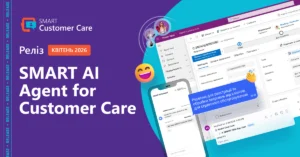
SMART AI Agent for Customer Care: Intelligent Access to Your Corporate Knowledge Base

In customer-facing operations, response speed directly impacts service quality. However, a significant portion of employees’ time is spent not on communication itself, but on searching for information — in documents, guidelines, and internal knowledge bases.

SMART AI Agent for Customer Care helps bridge this gap by providing fast and convenient access to the information employees need — without extra effort.

What This Solution Is

SMART AI Agent for Customer Care is an intelligent digital assistant that enables employees to instantly get answers to work-related questions using only internal documents, guidelines, and the corporate knowledge base.

There is no longer a need to spend time manually searching through documents. You simply ask a question in a chat, and the assistant independently analyzes corporate files, prepares a concise answer, and immediately provides a link to the source document.

How It Works

The solution integrates with a company’s internal data sources and processes requests in a conversational format.

In response to a query, the system:

  • analyzes the user’s question
  • finds relevant information in corporate documents
  • generates a concise explanation
  • provides a link to the source

As a result, employees receive ready-to-use answers without needing to manually work with documents.

SMART AI Assistant Capabilities

  • Intelligent search: instant access to information from the corporate knowledge base within the application interface.
  • RAG technology: generation of accurate answers based on up-to-date company data using generative AI algorithms.
  • Source transparency: automatic provision of direct links to original source files stored in SharePoint.
  • Multilingual support: works with Ukrainian, English, and Polish.

Business Value

SMART AI Agent enables a unified approach to working with corporate information and reduces reliance on manual data search.

As a result, businesses gain:

  • Instant access to knowledge: no need to manually search across multiple documents and folders
  • High reliability: every answer is based on internal company documents and includes verifiable source links
  • Unified workspace: seamless interaction with AI without switching between different windows and services
  • Resource optimization: increased efficiency of managers and support teams
  • Fast start: simple initial setup and quick deployment

This is especially important for service teams, where response speed and quality directly impact the customer experience.

Want to See It in Action?

Leave a request — we’ll demonstrate real use cases and tailor the solution to your processes.

Request a demo
8 min read
Sales Funnel vs. Marketing Funnel: A Strategic Guide to Conversion Architecture

In the world of digital business, terms like sales funnel and marketing funnel are often used interchangeably. This is a common mistake that reduces effectiveness, leading to inefficient budget allocation and team frustration.

Although these two systems are inseparably linked and together form the complete customer journey, they serve entirely different purposes. What is a funnel as a cohesive whole? It is the foundation of modern conversion architecture. Understanding the differences between them, and how to integrate them, is crucial for the sustainable scalability of any business.

What Is a Marketing Funnel? Top of the Funnel and Middle of the Funnel — How to Capture Attention

To fully understand the customer acquisition process, we first need to answer the question: what is a marketing funnel? By definition, it is a structure that covers the top (Top of the Funnel — ToFu) and middle (Middle of the Funnel — MoFu) stages of the buyer’s journey. This is where a potential customer first comes into contact with your company.

In the past, activities at these stages were often viewed purely as brand-building efforts. Today, this approach has changed dramatically. A report by McKinsey & Company clearly shows that a well-designed full funnel is the primary growth engine for an organization. Marketing is no longer seen as a pure expense — it has become a strategic partner to sales, directly driving financial results by delivering valuable sales opportunities.

However, before this strategic impact translates into measurable revenue, the marketing funnel must fulfill its fundamental purpose: it must capture attention and convert an anonymous audience into potential customers who show initial interest in your brand. In practice, each stage of the marketing funnel includes:

· Building awareness: Using digital marketing channels (SEO, content marketing, social media) to reach a broad audience.

· Generating interest: Encouraging users to engage more deeply with the brand, for example by downloading an e-book or registering for a webinar.

· Nurturing: Providing valuable content that builds trust and addresses the challenges of potential customers.

This process continues until the prospect is qualified as an MQL (Marketing Qualified Lead) — a contact ready to be handed over to the sales team, but not yet for a direct sales conversation. Before an MQL becomes a fully qualified SQL (Sales Qualified Lead), it requires further nurturing — and the quality of this stage determines the effectiveness of the entire funnel.

What Is a Sales Funnel and How to Generate Revenue at This Stage

Once marketing has done its job, the sales team steps in. To understand the sales funnel, we need to look at the very bottom of the buyer’s journey — the Bottom of the Funnel (BoFu). An effective sales funnel begins exactly where marketing activities end: when a generated lead (MQL) is handed over.

At this stage, the direct work of the sales team is crucial. Their task is to turn the acquired contact into an active customer. Key activities at this stage include:

· Qualification: Verifying whether the MQL actually has a budget, a need, decision-making authority, and a defined purchase timeframe — the four criteria of the standard BANT framework — thus converting it into an SQL (Sales Qualified Lead).

· Offer: Preparing a tailored solution and presenting the added value of specific services or products.

· Negotiation: Addressing objections, adjusting terms, and building a business relationship.

· Closing: Signing the contract and finalizing the transaction.

Detailed guidance on how to properly structure and optimize this stage of customer acquisition is available in our dedicated guide: A Seamless Sales Funnel: How CRM Keeps Every Lead in Focus.

What Does This Look Like in Practice? Marketing and Sales Funnels

Imagine a company that manufactures industrial machines.

  • Marketing Funnel (ToFu/MoFu): A user comes across a blog article about optimizing production costs (Awareness). They then download a free ROI calculator, leaving their email address (Interest). Marketing sends a series of nurturing emails. Eventually, the user clicks a link to request a quote — becoming an MQL.
  • Sales Funnel (BoFu): The salesperson receives a notification in the CRM with the full history (they know what the user read and which calculator they downloaded). They call to verify the need (SQL Qualification). Because basic questions are already answered, they can move straight to the details. Negotiations begin and conclude with the contract being signed.

What Is the Difference Between a Sales Funnel and a Marketing Funnel?

Understanding the difference between the marketing and sales funnels requires looking at the key operational pillars of each department. While they together form an integrated conversion funnel, their priorities are distinct. The table below clearly shows how the two funnels differ:

Marketing Funnel(ToFu & MoFu)Sales Funnel (BoFu)
ResponsibilityMarketing teamSales team
Main GoalBuild reach, generate leads (MQLs), and nurture themLead qualification (SQL), deal closing, and revenue generation
Customer Relationship"One-to-many" model (mass/segmented communication)"One-to-one” model (direct, personalized interaction)
Key MetricCost per Lead (CPL), website traffic, engagement metricsWin rate, average deal value, sales cycle length
Cost per Lead (CPL), website traffic, engagement metrics

How to Build and Integrate Both Funnels for Higher ROI: The Role of SLA and CRM

Achieving full synergy between marketing and sales (so-called smarketing) is often limited by technological and organizational constraints. Even carefully planned processes lose efficiency when key customer data is scattered across independent systems and spreadsheets. These information silos can cause marketing-generated leads to lose value or become outdated by the time they reach sales.

Breaking down silos is fundamental. Equally important is establishing an internal SLA (Service Level Agreement) between marketing and sales. This is a clear, two-way agreement: marketing commits to delivering a specific quantity and quality of MQLs, while sales commits to contacting each lead within the agreed timeframe.

To prevent budget leakage and enforce SLAs effectively, modern organizations centralize their operations on advanced CRM platforms (e.g., Microsoft Dynamics 365). These platforms act as a digital backbone, connecting the top of the funnel with hard sales data in real time. Technology is meant to save salespeople time and free them from repetitive tasks, not replace human interaction. Automating administrative processes simply creates the essential space for people to focus on high-value activities.

If you want to learn more about how such solutions are architected from the ground up, check out our article: The Microsoft Dynamics CRM Ecosystem: What It Includes and How It Works.

Summary: Build Your Own Funnel and Conversion Architecture with SMART business

Seamlessly connecting marketing and sales activities is the key to building a profitable organization. Understanding where marketing ends and sales begins allows you to guide potential customers more effectively through the entire buying journey.

To fully optimize this shared funnel and truly increase sales, you need to centralize your data. However, simply purchasing a license for advanced software will not solve operational challenges. The system must be precisely mapped to your company’s unique processes.

This is exactly where SMART business experts come in. As an official Microsoft technology partner, the team designs data flow architecture so that the system becomes an invisible assistant.

If you want to see how professional CRM implementation by SMART business experts can accelerate your sales team’s work and help them close more deals — request a consultation. We’ll show you how to perfectly align tools with your sales funnel, so the system takes over administrative routine while your team gains time for what matters most: building customer relationships and generating measurable revenue.

Request a consultation

FAQ — Marketing and Sales Funnels

What is the difference between a marketing funnel and a sales funnel?

The main difference lies in the goal and the stage of the customer journey. The marketing funnel focuses on building awareness and generating leads (MQLs), while the sales funnel is responsible for direct negotiations and converting those leads into revenue.

At what point does the marketing funnel become the sales funnel?

The transition point between the two funnels is when a qualified lead (MQL) is handed over from marketing to sales. Sales representatives then verify the contact, and if it meets the business criteria, convert it into an SQL (Sales Qualified Lead).

What are the four main stages of the full customer journey?

One of the most commonly used models is AIDA, which divides the journey into: Attention, Interest, Desire, and Action. This model covers both marketing stages (ToFu/MoFu) and the sales stage (BoFu).

Is the sales funnel more important than the marketing funnel in B2B?

Neither is more important — they are interdependent. In B2B, the decision-making process is long, so without a strong marketing funnel, sales would have no leads to engage with. At the same time, without an effective sales funnel, marketing-generated interest would not translate into revenue.

Which metrics best measure the effectiveness of a marketing funnel?

Key metrics include Cost per Lead (CPL), website conversion rate, Cost per Click (CPC), and the total number of MQLs generated within a given period.

What is the difference between an MQL and an SQL in the funnel context?

An MQL (Marketing Qualified Lead) is a contact who has shown interest in marketing content and fits the ideal customer profile. An SQL (Sales Qualified Lead) is an MQL that has been further verified by a sales representative in terms of actual need, budget, and readiness to buy.

What tools support marketing and sales funnels?

The most common tools include Marketing Automation systems (for managing campaigns and lead nurturing) and advanced CRM systems (e.g., Microsoft Dynamics 365), which unify data and automate information flow between departments.

8 min read
B2B Lead Generation — Effective Strategies and Tools for Client Acquisition

In today’s highly competitive business environment, lead generation is not just a part of marketing strategy — it is the very foundation of sustainable growth for any company. Effective B2B lead acquisition requires moving away from ad-hoc, intuition-based efforts toward a precisely planned, measurable, and continuously optimized system. The need to constantly adapt to market changes is confirmed by Gartner’s 2025 report, which shows that 64% of sales organizations revise their sales strategy two or more times per year.

This guide is a comprehensive knowledge compendium, covering the key pillars of acquiring business contacts in such a dynamic environment. We focus on three main areas: LinkedIn activities, personalized email outreach, and creating valuable content.

B2B Lead Generation — What It Means in Practice

Before diving into advanced techniques, it’s important to clarify what lead generation actually means in the context of B2B sales. In the simplest terms, a lead is an individual or company that shows preliminary interest in your product or service. However, to fully understand the process, it’s crucial to distinguish between a simple inquiry and a high-value business prospect.

A simple inquiry usually occurs by chance or represents only an initial, non-committal market exploration. In contrast, a high-value B2B lead is an organization with a real, identified business challenge, an allocated budget, and a clear intention to purchase. For this reason, precise qualification becomes a critical stage of the entire process. The scale of this challenge is well illustrated by market data: according to Volkart May analyses, 67% of sales departments identify improper lead qualification as the main reason for failing to close contracts. The key to avoiding such losses and maximizing conversion is building tight collaboration and smooth information flow between marketing and sales teams.

How to Generate Leads at the ToFu Stage? From Awareness to the First Inquiry

Understanding the customer journey is the starting point for any campaign. ToFu (Top of the Funnel) is the stage of building brand awareness. At this point, a potential client often does not yet know which tools can satisfy their organization’s needs, focusing entirely on identifying the problem itself.

The goal at the ToFu stage is solely to educate potential clients and build authority, not direct selling. Effective approaches here include expert industry reports, free e-books, and webinars.

Most Effective Methods and Strategies for B2B Lead Generation

There is no one-size-fits-all method for lead generation that works for every industry. However, by analyzing the most popular approaches, we can identify B2B strategies with the highest return on investment (ROI).

Generating Leads on LinkedIn and Social Media

In the B2B sector, LinkedIn is currently unrivaled. Effective lead acquisition on this platform is based on social selling — reaching clients directly by building trust and a strong expert brand. It’s not about mass-sending intrusive emails, but about precisely targeting accounts, engaging in industry discussions, and delivering real value to your audience. With proper segmentation, LinkedIn becomes a powerful and highly predictable client acquisition channel.

Generating Leads via Email and Personalized Outreach

Despite the growing popularity of new platforms, email remains one of the most cost-effective communication channels. B2B lead acquisition through email (typically cold emailing) has undergone a significant transformation. Mass, generic email blasts are now a quick route to the spam folder. Campaign success relies on personalization and delivering value from the very first sentence, showing the client that you understand their unique business situation.

Content Marketing and SEO — How to Attract Business Leads

While outreach involves proactive contact, content marketing and search engine optimization (inbound marketing) allow the client to initiate contact themselves. Understanding the synergy between SEO and lead acquisition enables you to reach clients exactly when they are actively searching for solutions to their business challenges. Creating specialized articles and detailed case studies is a long-term investment. It delivers high returns — building your authority as an expert and generating assets that work for your sales 24/7, shortening the client’s decision-making process.

Tools for Automating and Supporting the Lead Generation Process

Manually acquiring business contacts at scale is extremely challenging. That’s why professional lead generation tools are evolving so rapidly today, forming the backbone of modern sales departments. Which software is worth knowing and implementing?

In the B2B process, there are three key categories of systems:

  • Contact discovery systems (Lead Finders): Applications that allow you to quickly obtain email addresses and phone numbers for specific clients within the companies you target.
  • Marketing automation platforms: Advanced solutions that support the sending of email sequences and tracking potential client behavior. Using these tools, lead generation automation becomes a fully scalable and measurable process.
  • AI-powered outreach tools: Artificial intelligence is revolutionizing sales — according to Gartner, by 2030 up to 70% of routine sales tasks could be automated. Modern AI for lead generation helps analyze target audiences and create highly personalized sales message drafts. Additionally, intelligent chatbots continuously verify and qualify traffic on your website.

Remember the golden rule: technology is meant to save salespeople time and free them from repetitive tasks, not replace human interaction.

SMART CRM — Your Support in B2B Lead Generation

Even the best strategies and most advanced tools will fail if potential client data remains scattered. At the heart of every healthy client acquisition process should be a powerful CRM system.

As an authorized technology partner with years of experience, SMART business offers solutions that support the development of modern sales departments. How does SMART CRM, which we implement for our clients, help achieve better results?

  • Data aggregation: Collects lead information from multiple sources (LinkedIn, email campaigns, websites) into a single organized view.
  • Automated qualification: Using lead scoring, the system automatically assigns points to contacts for desired interactions (e.g., opening an email, downloading an e-book).
  • Response time optimization: Enables the delivery of well-prepared sales opportunities to sales reps precisely when the likelihood of closing a deal is highest.
  • Analytics: Measures the real return on investment (ROI) of each marketing campaign, clearly showing which channels actually generate revenue.
Request a consultation

Summary: How to Effectively Generate B2B Leads

Effective B2B lead generation rests on three pillars: social selling (building strong business relationships), well-planned cold emailing (where personalized emails and B2B data verification matter), and inbound marketing (e.g., educational case studies on your website). However, collecting contact data through marketing alone is not enough — effective lead nurturing is key. It engages potential clients and supports their purchasing decisions at every stage of the process. To automate lead acquisition while maintaining the highest quality (not just quantity), it is essential to use modern tools. A professional CRM system efficiently manages the B2B lead handling process and ensures predictable growth across the business segment.

By combining strategy and technology in this way, acquiring valuable leads stops being a matter of chance and becomes a measurable, repeatable process — a key to sustainable growth for both large organizations and SMEs.

Discover how SMART CRM can accelerate your sales funnel and B2B lead management. Schedule a consultation with SMART business experts and plan an optimal implementation.

Request a consultation

FAQ — B2B Lead Generation

How much does professional B2B lead generation cost?

The cost of lead generation depends heavily on the industry, the client’s position, and the channel used. In advanced B2B sectors, the price for a high-quality, qualified lead can range from a hundred to several hundred EUR. However, due to the high lifetime value (LTV) of the client, this investment typically pays off quickly.

What are the best tools for lead generation today?

It all depends on the chosen strategy. Among the most commonly used lead discovery and verification tools (Lead Finders) are Apollo.io, Lusha, and Hunter. Woodpecker is ideal for running cold email campaigns. At the core of operations, integrating all these activities, should be a powerful, scalable CRM system (e.g., based on Microsoft Dynamics 365).

How long does it take to see the first results of lead generation efforts?

The timing of results depends on the strategy used. For outbound campaigns like cold emailing or active LinkedIn outreach, the first valuable responses and meetings typically appear within 2–4 weeks. Meanwhile, inbound activities, including SEO and content marketing, are long-term processes, with measurable results usually taking 3–6 months.

What is the difference between MQL and SQL, and why does it matter?

The difference between MQL (Marketing Qualified Lead) and SQL (Sales Qualified Lead) reflects the lead’s purchase readiness. An MQL is a contact who has shown interest in marketing activities (e.g., downloading educational materials) and requires further nurturing. An SQL, on the other hand, is the same contact who, after direct verification by the sales team, is deemed ready for sales conversations, based on an identified need, appropriate decision-making authority, and available budget.

Is lead generation on LinkedIn GDPR-compliant?

Yes, lead generation on LinkedIn complies with GDPR, provided you adhere to privacy regulations. B2B activities often rely on the legitimate interest legal basis (Art. 6(1)(f) GDPR). However, it is crucial to fulfill information obligations, communicate strictly in the recipient’s professional context, and provide an easy opt-out option for further contact.

Is it worth buying ready-made B2B lead databases?

Purchasing mass, ready-made databases carries significant risk. They often contain outdated or low-quality data, which reduces effectiveness and can negatively affect email domain reputation. Additionally, using such databases may raise legal concerns under GDPR, especially if the data was collected without a proper legal basis.

8 min read
CRM for Large Enterprises (Enterprise CRM) — How to Choose a Scalable System

In a large organization with complex structures and thousands of customer relationships, standard off-the-shelf solutions quickly become ineffective. Tools designed for smaller companies often do not work well in corporate environments and can hinder further growth. According to a report by Fortune Business Insights, the global CRM market is experiencing dynamic growth — valued at nearly $113 billion in 2025, it is expected to exceed $320 billion by 2034. The main driver of this growth is large enterprises, which account for over 55% of the market by investing heavily in advanced technologies.

For this reason, a CRM for a large company must primarily ensure scalability and function as a central information management system. Enterprise-class CRM solutions integrate marketing, sales, and customer service into a single cohesive system. This allows data to flow freely between departments, reducing the risk of poor decisions and enabling strategy development based on precise data analysis.

If you want to learn more about CRM systems, read the article: What is CRM and How to Make the Most of It.

How Enterprise CRM Differs from SME CRM Systems

For small businesses, CRM is often limited to simple contact management. At the corporate level, this approach leads to fragmented data, leaving customer knowledge incomplete and dispersed.

Key features that distinguish a CRM for large companies:

  • Cross-department integration: Data from the support team is immediately available to sales teams, enabling precise upselling and cross-selling.
  • Advanced access management (RBAC): Role-Based Access Control allows strict definition of data access according to organizational hierarchy and data security policies (e.g., GDPR).
  • High process performance: Enterprise-class systems are designed to handle millions of records and complex operations without operational slowdowns.

Comparison: SME CRM vs. Enterprise CRM

SME CRMEnterprise CRM (for large companies)
Primary purpose and scopeUsually limited to basic contact management.Comprehensive customer relationship management; prevents data fragmentation across the organization.
Information flowCustomer data is often scattered and incomplete.Full cross-department integration (e.g., support shares data with sales for upselling and cross-selling purposes).
Access managementSimple permission models.Advanced RBAC (Role-Based Access Control) aligned with organizational structure and security policies (e.g., GDPR).
Performance and scaleDesigned for smaller databases.High process performance; efficient processing of millions of records and complex operations.

4 Main Challenges Large Companies Solve with a Dedicated CRM System

Before implementing a CRM in a corporation, the process should start with creating a so-called “friction map.” Instead of deploying features based on assumptions, it is essential to identify areas where manual processes or missing data generate financial losses.

Key challenges addressed by Enterprise CRM:

  1. Fragmented structure and lack of standardization: CRM unifies operational procedures across all departments, eliminating work on inconsistent spreadsheets.
  2. Lack of a complete customer view (Customer 360): Centralizing data provides the organization with a comprehensive view of every customer interaction across all communication channels.
  3. Inaccurate forecasting: Enterprise CRM leverages advanced data analytics to generate reliable sales forecasts using large datasets (Big Data).
  4. User adoption challenges: Modern systems minimize employee resistance through automation of repetitive tasks and intuitive interfaces.

Types of CRM for Large Companies — On-Premises or Cloud?

Choosing the right infrastructure model is a strategic decision. On-Premises solutions involve high costs for maintaining in-house IT infrastructure and complex update processes. In response to these challenges, more and more enterprises are opting for cloud-based CRM solutions, as confirmed by market data. According to Fortune Business Insights: “The cloud segment is expected to maintain a dominant market share of 34.69% in 2026. It is anticipated to dominate the market, achieving the highest CAGR in the coming years.”

For this reason, Cloud CRM has become the standard for the Enterprise sector. Choosing this model allows companies to:

  • Dynamically scale resources as the business grows.
  • Continuously update functionality without relying on internal development teams.
  • Ensure high levels of security provided by global vendors such as Microsoft.

Key Features and Integrations — Requirements for Enterprise-Class Software

In the system architecture of a large organization, the ability to integrate systems is critical. The core principle is to create a so-called “Golden Record” (Master Data Management) — a single, reliable source of customer data, fed by ERP systems and legacy systems.

Modern CRM software also offers:

  • Low-Code / No-Code environments: Tools such as Microsoft Power Platform enable the development of business applications, reducing the accumulation of technical debt.
  • AI-powered automation: The use of AI for advanced lead scoring and customer behavior forecasting.

Delivering such complex projects requires selecting the right technology partner. SMART business, with many years of experience in implementing Microsoft Dynamics 365 solutions, has unique expertise in designing business systems that support the digital transformation of large enterprises.

Costs of Implementing a CRM System in a Large Company

When budgeting for the investment, it is important to consider the TCO (Total Cost of Ownership) metric. The cost structure typically breaks down as follows:

  • Licenses and subscriptions: account for approximately 20–30% of the total cost.
  • Implementation, process consulting, and integrations: the key cost component, typically representing 30–50% of the budget.

It is worth noting that the cheapest implementation offers often result in higher costs in the long term — for example, due to the need to fix poorly designed architecture or incorrectly executed data migration.

CRM for Large Companies — SMART CRM

SMART CRM is an advanced solution based on Microsoft Dynamics 365 technology, forming the foundation of a secure and flexible business environment. Corporations choose this solution due to its open architecture. The SMART business team customizes the platform to fit unique and complex operational processes, ensuring alignment with the client’s IT infrastructure.

Request a consultation

CRM Implementation Example: BROCARD

A great example of this strategy in action is the digital transformation of BROCARD, a leader in the cosmetics market, which successfully integrated data for nearly two million customers using Microsoft cloud solutions.

  • Problem: Despite having a large base of loyal customers, the company faced technological limitations. Disparate systems made it impossible to build a complete customer view, while the lack of automation forced the team into time-consuming manual work. As a result, communication was mass-oriented rather than personalized, making it difficult to build deeper customer relationships.
  • Solution: The company opted for a strategic transformation by implementing the Microsoft cloud ecosystem (including Customer Insights and Sales modules). A key element was integrating all transactional and behavioral data into a single environment, along with introducing omnichannel communication tools (Viber, SMS), enabling seamless real-time customer relationship management.
  • Result: As a result of the implementation, BROCARD achieved a 360° customer view, enabling precise segmentation and automated responses to user behavior. Marketing processes became faster and more effective, turning data into increased customer loyalty and new lead generation.

If you would like to learn more about the CRM implementation case study at BROCARD, check out the full story here.

Summary: How to Choose the Best CRM System for a Large Company?

Implementing the right IT solution is a process of critical business importance. A CRM system for a large company differs significantly from simple applications, as large enterprises require an advanced architecture that not only organizes data but also prevents the creation of information silos.

To meet market challenges, companies should invest in an advanced CRM system that serves as a unified, data-driven work environment. In this context, CRM enables full automation of sales processes, effective customer relationship management, and alignment with the company’s specific needs. Integration with an ERP system is also essential, as it provides employees with access to complete customer history while ensuring data consistency and accuracy.

When selecting a CRM, it is crucial that the software ensures dynamic scalability, high security, and a cloud-based (Cloud) model. In large organizations, CRM is not just about contact management or supporting the sales team. An advanced CRM system integrates all key revenue-driving departments, supporting the development of long-term customer relationships based on data and advanced analytics tools.

When implementing a CRM system, it is also important to consider performance and the total cost of ownership (TCO). The best solutions for large companies are those that become an integral part of daily operations — supporting efficient management, streamlining sales processes, and enabling ongoing performance monitoring.

Request a consultation

FAQ — CRM for Large Companies

How can you measure ROI (return on investment) from a CRM implementation?

ROI for an Enterprise CRM system implementation is typically evaluated based on increased conversion rates, shorter sales cycles, and reduced operational costs resulting from process automation.

Who should act as the business owner of the system in a corporation?

The role of business owner should be taken on by senior management responsible for sales or marketing (e.g., CSO, CMO), working in close collaboration with the IT department or a technology partner.

How can employee resistance to CRM implementation be reduced?

Effective change management requires involving users in the implementation process and providing training tailored to their roles and responsibilities.

Is data migration from legacy systems a safe process?

Yes, provided that proper procedures are followed — particularly data mapping and cleansing — and that the process is carried out in cooperation with an experienced implementation partner.

8 min read
crm smart crm
CRM Reporting in Action: Real Dashboard Examples in SMART CRM Solutions

CRM reporting starts working when a business can clearly answer simple questions: What’s happening with sales? Where are leads being lost? How is the team performing? And what truly impacts profit? To make these answers understandable and quickly digestible, the data needs not only to be collected but also visualized — charts, tables, and KPIs make the information more tangible and help managers make decisions without unnecessary interpretation.

Calls, meetings, emails, deals, or service requests alone don’t solve anything — value appears when this data is recorded consistently and transformed into clear visual reports and KPIs within the CRM. Today, this is not a matter of convenience, but of business scalability. As the customer base grows, team workloads increase, and the number of touchpoints with each client rises.

We covered in a separate article how a CRM reporting system is built, which KPIs genuinely influence management, and how to structure analytics correctly. In this article, we focus on the practical side — how dashboards help turn these metrics into a tool for daily management.

KPIs as the Foundation for Transparent CRM Reporting

Charts and tables on dashboards are built around specific metrics: conversion rates, average check size, manager activities, or response times. This allows managers to immediately see metric trends and deviations from the plan, while the team understands which processes require focus. In this format, KPIs become a guide for daily work and systematic performance monitoring.

The SMART CRM platform by SMART business offers ready-made analytical tools for data-driven sales and service management. Built-in dashboards and Power BI integration allow managers, team leads, and operators to see the status of deals, inquiries, and SLA compliance in real time.

Submit a request

Sales Analytics in SMART Sales: A Complete Real-Time View of Deals

Example of a sales analytics dashboard in SMART Sales solution

The Power BI analytics panel integrated into SMART Sales displays key sales metrics without the need to manually gather data or consolidate reports in spreadsheets.

Managers or team leads can immediately see such key metrics as:

  • Open Total Amount — the total value of deals currently in the pipeline
  • Open Count — the actual workload on the team
  • Win Count and Win Rate — the actual sales performance

Filters allow instant adjustments to the data view:

  • Analyze sales by deal types (active, new, lost)
  • Compare results by countries and regions
  • Evaluate the performance of specific managers
  • See which lead sources actually generate deals, not just traffic

Visualizations complement the picture:

  • A histogram of deals by funnel stage shows where they get “stuck”
  • A deal map allows assessment of sales geography
  • A comparison chart of deal amounts and counts by manager helps identify differences between activity and results

The essence of this dashboard is to give managers and teams a clear understanding of sales performance, enabling:

  • Managers to see deal status in real time
  • Leaders to analyze team efficiency and lead sources
  • The company to have a single source of truth for decision-making

Service Operator Workspace Dashboard Without “Blind Spots”

Example of an operator dashboard in SMART Customer Care solution

The operator dashboard in SMART Customer Care combines analytics and the daily work plan in a single window, transparently showing:

  • A list of active customer inquiries — who contacted, with what issue, and at what stage the case is
  • Which channels generate the most requests (chat, email, phone, website)
  • Distribution of inquiries by priority — what requires immediate attention
  • Types and topics of inquiries — product issues, questions, requests for modifications, etc.

Separate activity blocks show:

  • How many tasks are currently in progress
  • Whether there are communications stuck without response or action (emails, calls, meetings)
  • Where workload is accumulating

The value of this dashboard is that the company does not operate “blindly.” It can quickly assess the situation, set priorities correctly, and maintain consistent quality in customer interactions even with a high volume of inquiries.

SLA Monitoring Dashboard for the Service Manager: Data as the Basis for Management Decisions

Example of a service manager dashboard in SMART Customer Care solution

The service manager’s workspace in SMART Customer Care focuses on monitoring SLA compliance and the quality of team performance.

The dashboard displays:

  • A line chart showing the trend in the number of new inquiries over a selected period, allowing peak workload periods to be tracked
  • A bar chart showing the distribution of cases by responsible teams and statuses
  • A chart showing the number of overdue first responses, broken down by channel
  • A pie chart indicating where final resolution of inquiries is most frequently delayed and in which categories

Detailed tables allow managers to quickly move from high-level analytics to specific cases and understand the root cause of an issue rather than simply recording the fact of a violation.

The essence of this dashboard is to transform SLA monitoring from a formal check into a live service management tool: identifying systemic failures, adjusting processes, and improving customer satisfaction based on data.

Binotel Manager Dashboard — Call Analytics in SMART CRM: Real-Time Communication Control

Example of Binotel Manager Dashboard in SMART Connectors solution

The Binotel Manager Dashboard is part of the SMART Connectors analytics, which integrates telephony directly with the CRM. In essence, it is a single workspace for analyzing calls and the quality of how they are handled by the team.

The dashboard consolidates all key data related to phone interactions with customers. The manager sees a list of calls with details: when the contact took place, whether it was successful or canceled, and which team member was responsible for handling it. This eliminates the typical question, “Who called the client, and what happened next?” A separate chart shows the number of calls by day, allowing managers to quickly assess team workload, identify peak days, and correlate them with sales or service results.

An important management block covers missed calls and related activities. The dashboard immediately highlights unprocessed calls, open tasks, scheduled contacts, or drafted but unsent messages. This helps prevent customer loss due to minor lapses in discipline.

For managers, call analytics by employee is particularly valuable. It shows who is actively working with customers and where workload distribution may be uneven. Additionally, the dashboard displays call priority levels, helping the team focus on the most critical or valuable contacts.

Overall, SMART Connectors transform raw telecom system data into clear CRM analytics, enabling managers and sales or service teams to:

  • Monitor the quality of customer communications
  • Reduce the number of missed contacts
  • Increase operator productivity
  • Optimize sales and support processes

SMART Marketing: Marketing Campaign Analytics

Example of a marketing activity dashboard in SMART Marketing solution

This dashboard within SMART Marketing provides a comprehensive view of marketing activity in Power Apps — from campaign statuses to channels, sources, and communication quality.

What it shows:

  • Campaign list with statuses — it is immediately clear which campaigns are completed, which are in progress, and which have been stopped. This helps quickly assess the state of the marketing portfolio without manual checks.
  • Campaign sources — shows which systems or platforms campaigns were initiated from, simplifying control over integrations and launch points.
  • Communication channels — email, SMS, Viber/SMS, allowing teams to see which channels are used most frequently and how activity is distributed among them.
  • Consolidated activity metrics — the number of marketing activities, tasks, email drafts, and meetings, providing an understanding of the team’s actual operational workload.

Thus, the SMART Marketing dashboard transforms fragmented campaign data into clear analytics that helps the marketing team work in a more predictable, structured, and results-oriented way.

How CRM Analytics Helps in Making Management Decisions

When all sales, service, marketing, and communication metrics are consolidated within a single CRM system, managers no longer rely on subjective reports or fragmented information from teams. Instead, they see a complete picture of processes in real time.

CRM analytics in SMART CRM enables companies to:

  • Quickly identify bottlenecks in the sales funnel and adjust stages where leads are being lost
  • Assess the actual workload of service teams and redistribute resources accordingly
  • Monitor SLA compliance and respond to deviations before they affect customer satisfaction
  • Analyze the effectiveness of marketing channels and focus the budget on those that deliver results
  • See the relationship between team activities and financial performance indicators

Thus, analytical dashboards become the foundation of daily management: they help plan, forecast, and timely adjust business processes.

Conclusion:

SMART CRM helps transform sales, service, and marketing data into clear management analytics. If you want to see the real picture of your business rather than manually compiling reports, start by reviewing your own processes.

Request a consultation of SMART business experts to transform your operations into measurable metrics and improve your team’s performance.

Request a consultation

mail
SMART CRM
Cookies

We use cookies to improve your web experience, display personalized content and analyze traffic. By clicking «Accept All», you agree to their use. To manage your settings, click Settings. Learn more about the use of cookies in the privacy policy.

Functional
Always active
The technical storage or access is strictly necessary for the legitimate purpose of enabling the use of a specific service explicitly requested by the subscriber or user, or for the sole purpose of carrying out the transmission of a communication over an electronic communications network.

Marketing
The technical storage or access is required to create user profiles to send advertising, or to track the user on a website or across several websites for similar marketing purposes.
Statistics
The technical storage or access that is used exclusively for statistical purposes
Analytics
Analytical purposes are used to measure traffic and optimize content.