Order a demo
INTEGRATIONS

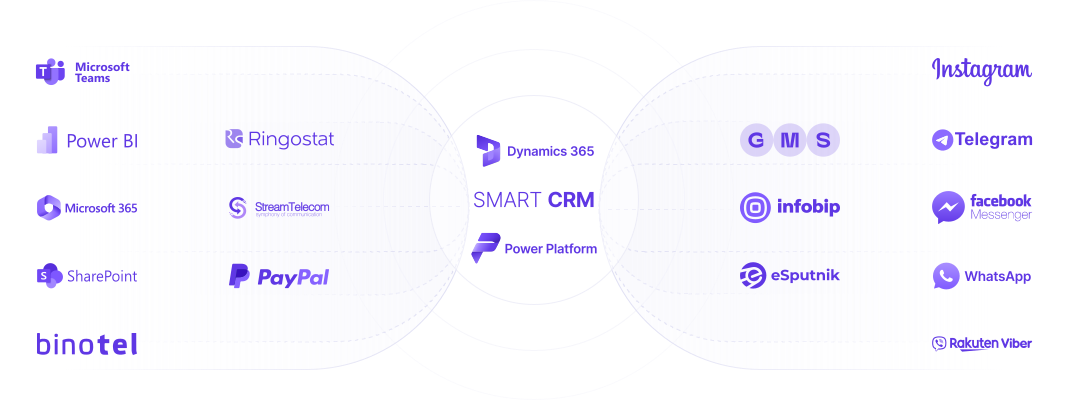
Connect the necessary applications,

messengers and services so as not to miss a single customer request
integration
Advantages

All the necessary tools in one system

connectors advantages 1

Clear documentation on CRM integration

connectors advantages 2

Easy initial setup

connectors advantages 3

Fast connector deployment

connectors advantages 4

Support and expansion of connector functionality

Functional capabilities

Features of the connector

PRICING

Select your plan

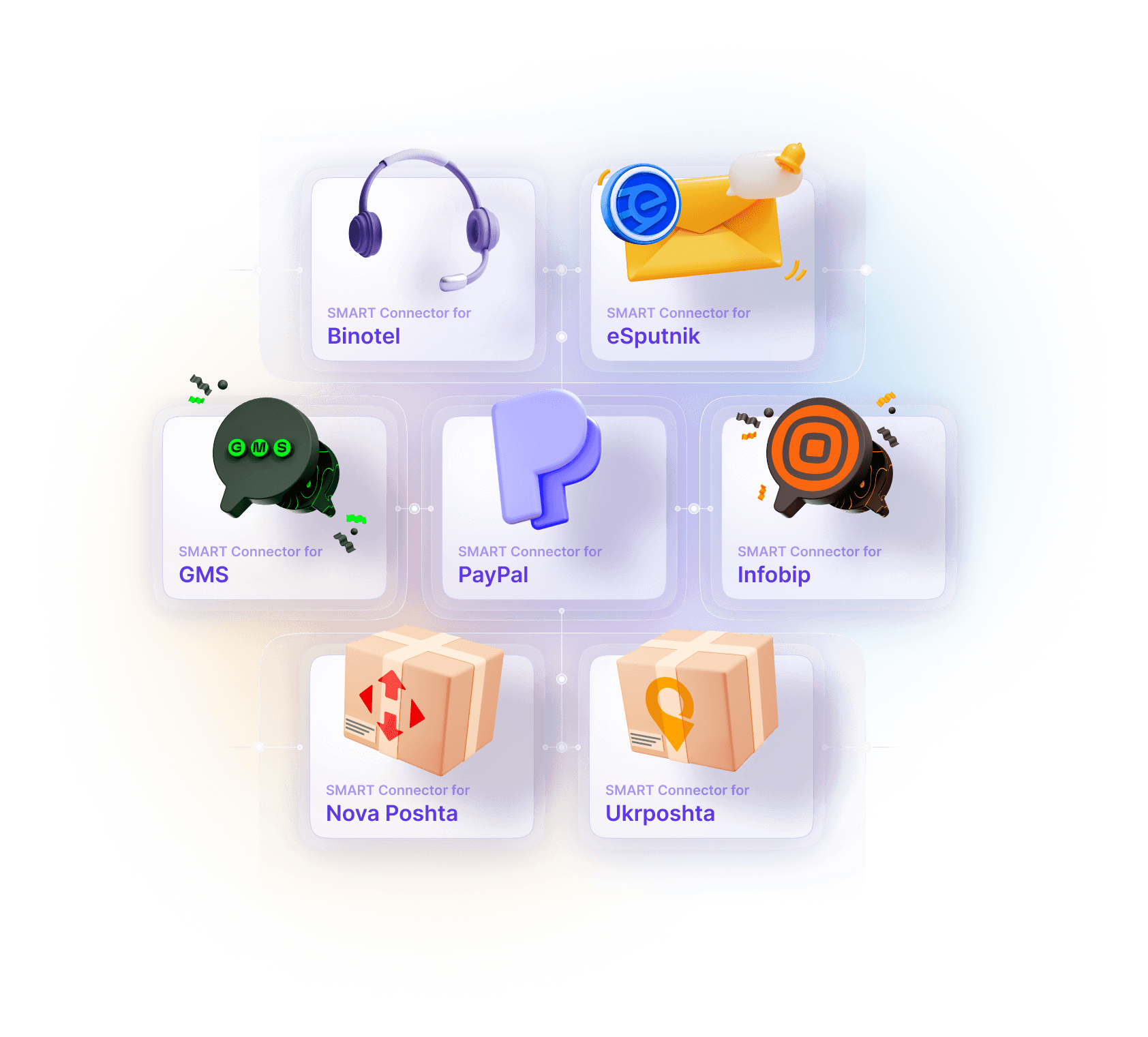
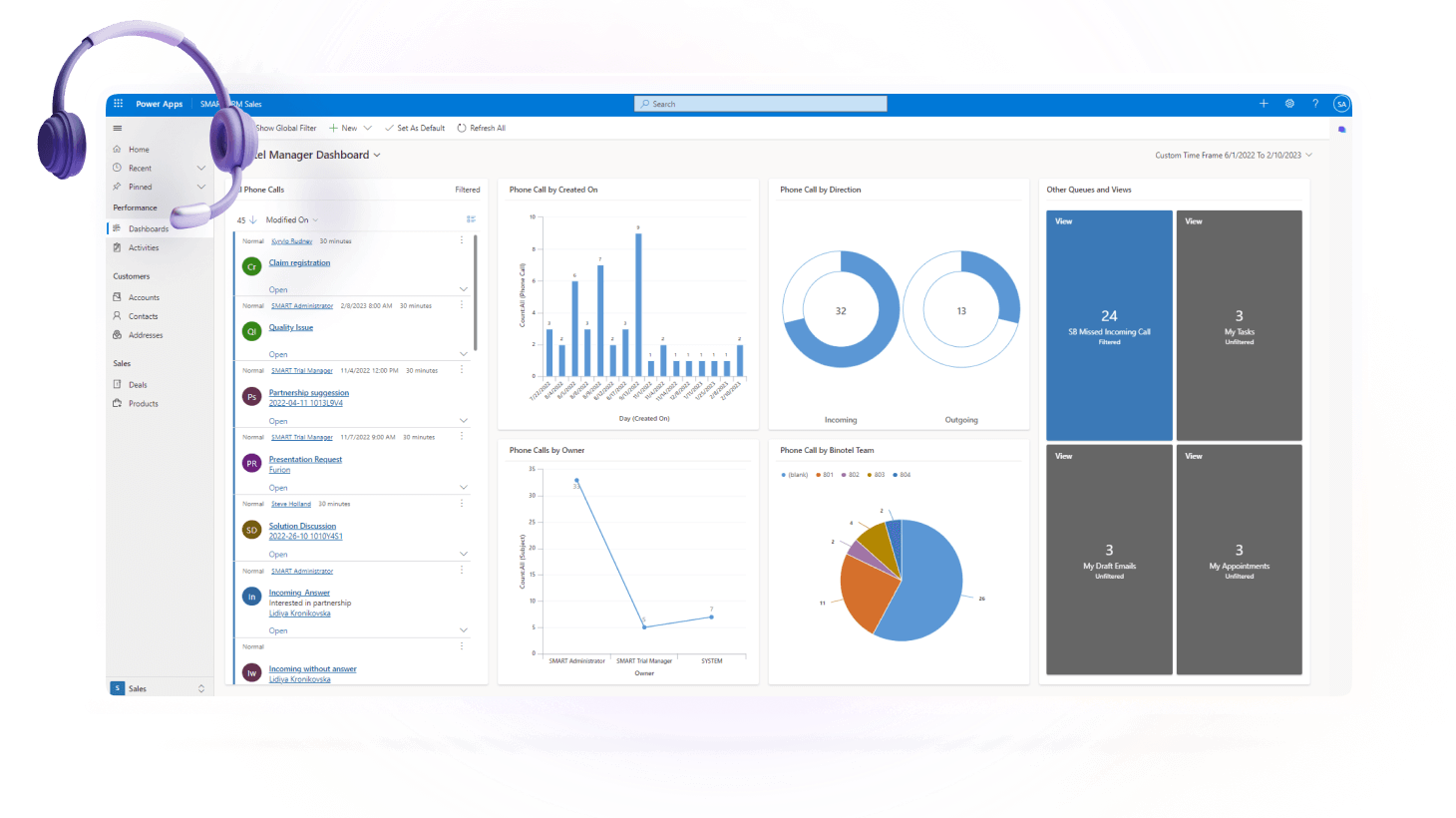
SMART Connector for
Telephony (Binotel)*
$ 150 .00
for the use of the environment per month
API connector for Binotel IP telephony that provides the ability to receive incoming calls and make outgoing calls from SMART CRM
SMART Connector for
Telephony (Ringostat)*
$ 150 .00
for the use of the environment per month
API connector for Ringostat IP telephony that provides the ability to receive incoming calls and make outgoing calls from SMART CRM
SMART Connector for
Telephony (Stream Telecom)*
$ 150 .00
for the use of the environment per month
Connector to the API of the Stream Telecom IP telephony provider that enables receiving incoming calls and making outgoing calls directly from SMART CRM.
SMART Connector for
eSputnik*
$ 100 .00
for the use of the environment per month
API connector for eSputnik that provides the ability to configure and send email newsletters
SMART Connector for
GMS*
$ 100 .00
for the use of the environment per month
API connector for GMS Ukraine to set up and send newsletters via SMS/Viber
SMART Connector for
Infobip*
$ 100 .00
for the use of the environment per month
API connector for Infobip to set up and send newsletters via SMS/Viber
SMART Connector for
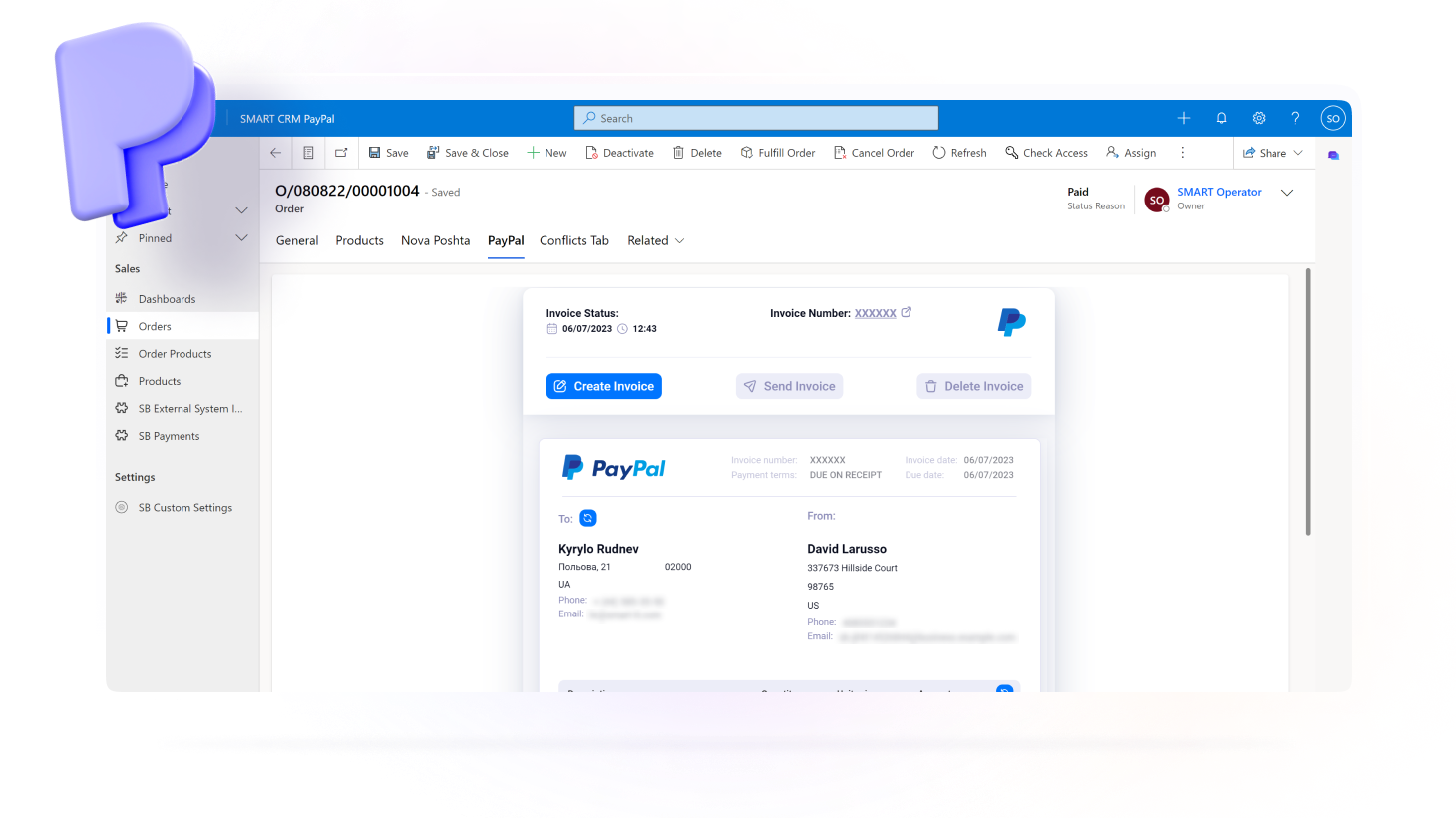
PayPal*
$ 100 .00
for the use of the environment per month
API connector for PayPal to create an invoice and provide the client with the ability to pay for it when ordering
SMART Connector for
UAPAY*
$ 100 .00
for the use of the environment per month
Connector to the UAPAY service API that enables the creation of a payment invoice for the customer directly during order processing.
SMART Connector for
Monopay*
$ 100 .00
for the use of the environment per month
Connector to the monobank service API that enables the creation of a payment invoice for the customer directly during order processing.
SMART Connector for
Przelewy24*
$ 100 .00
for the use of the environment per month
Connector to the API of the Polish Przelewy24 service for creating and allowing customers to pay invoices directly at the time of order.
SMART Connector for
Rozetka
$ 150 .00
for the use of the environment per month
A connector that enables processing of orders from the Rozetka marketplace directly in the SMART CRM or Microsoft Dynamics 365 interface.
SMART Connector for
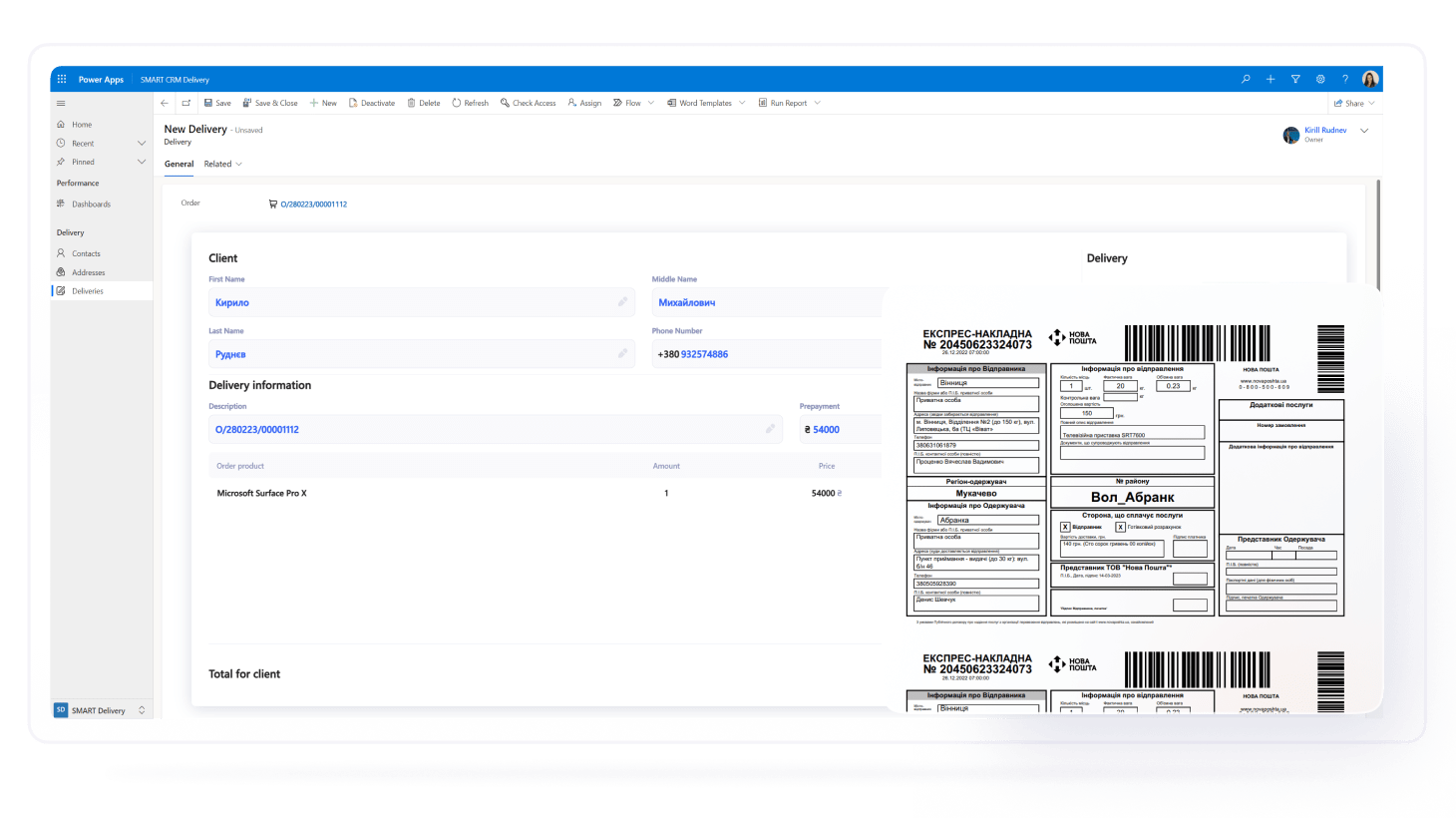
Nova Poshta
$ 150 .00
for the use of the environment per month
API connector for Nova Poshta to create a waybill and send it directly when processing an order in CRM
SMART Connector for
Ukrposhta
$ 150 .00
for the use of the environment per month
API connector for Ukrposhta to create a waybill and send it directly when processing an order in CRM
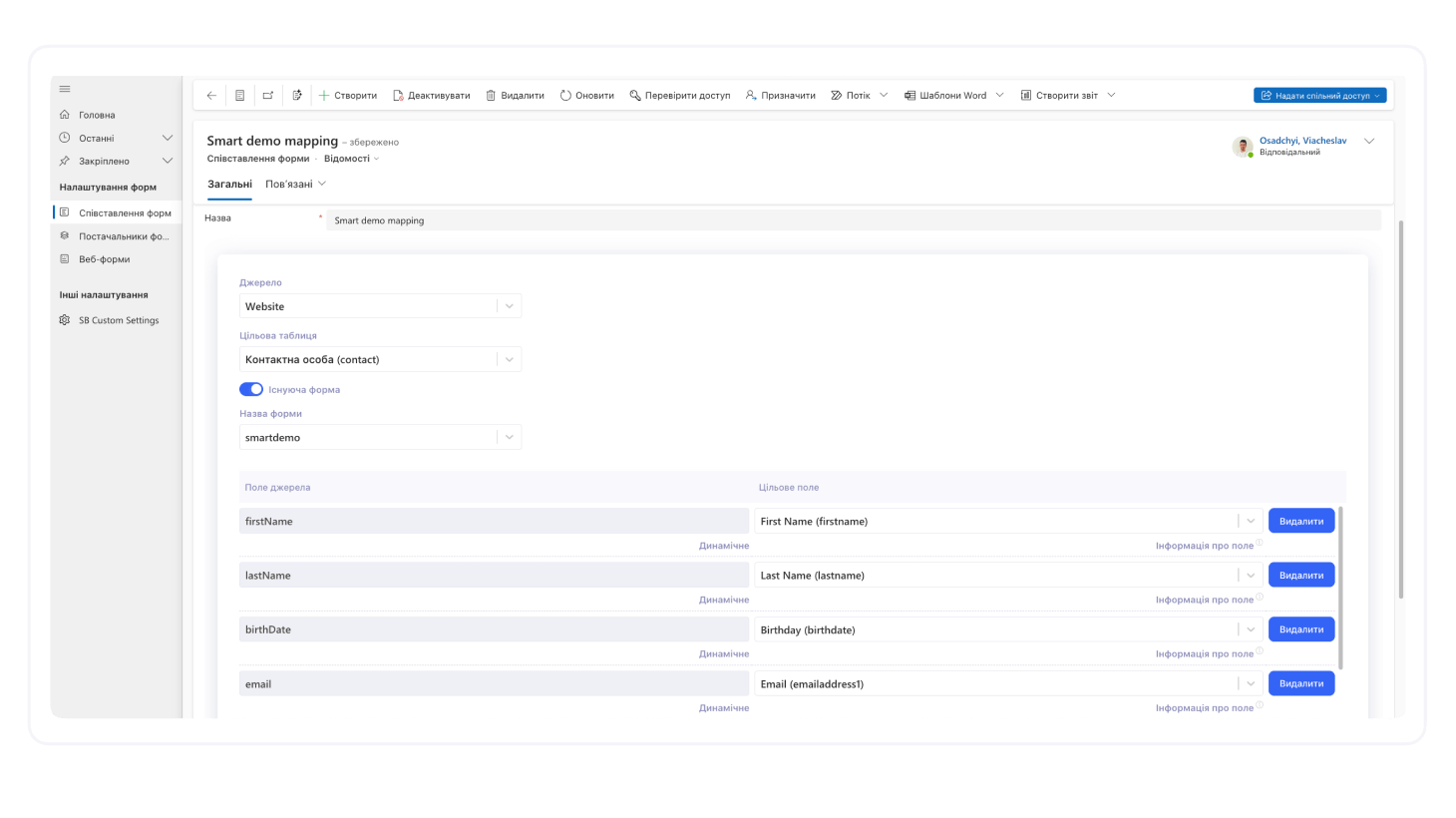
SMART Connector for
Forms
$ 200 .00
for the use of the environment per month
A connector for configuring feedback and web forms directly in SMART CRM or any Power Platform–based solution. All information submitted through the form is instantly synchronized with the CRM
SMART Connector for
InPost
$ 150 .00
for the use of the environment per month
A connector to the Polish delivery service InPost, enabling the creation of shipping waybills for customer orders directly during processing in the CRM

*The price is indicated per connector. Use of Microsoft Azure resources is required for the operation of connectors and modules.

Blog

Articles and materials

11 min read
image
How Much Does a CRM Cost? CRM System Hidden Costs

Gartner forecasts that companies’ spending on CRM systems will grow at a compound annual growth rate of 14.4%. AI capabilities, which are already expanding the possibilities for sales automation, data management, and customer interactions, will be one of the key drivers of this growth.

So, how much does a CRM system cost in practice? At first glance, the answer seems simple: just check the pricing on the provider’s website and multiply it by the number of users.

However, two companies can choose the same CRM system and end up with significantly different total budgets. One may use the basic functionality and launch the solution quickly, while the other may require complex integrations, process customization, and dedicated support. That is why in this article, we take a closer look at the full cost structure, types of licenses, and the formula you can use to calculate the actual CRM system budget.

What determines the average cost of a CRM system?

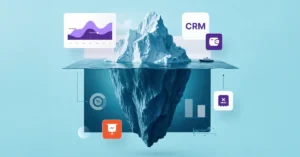
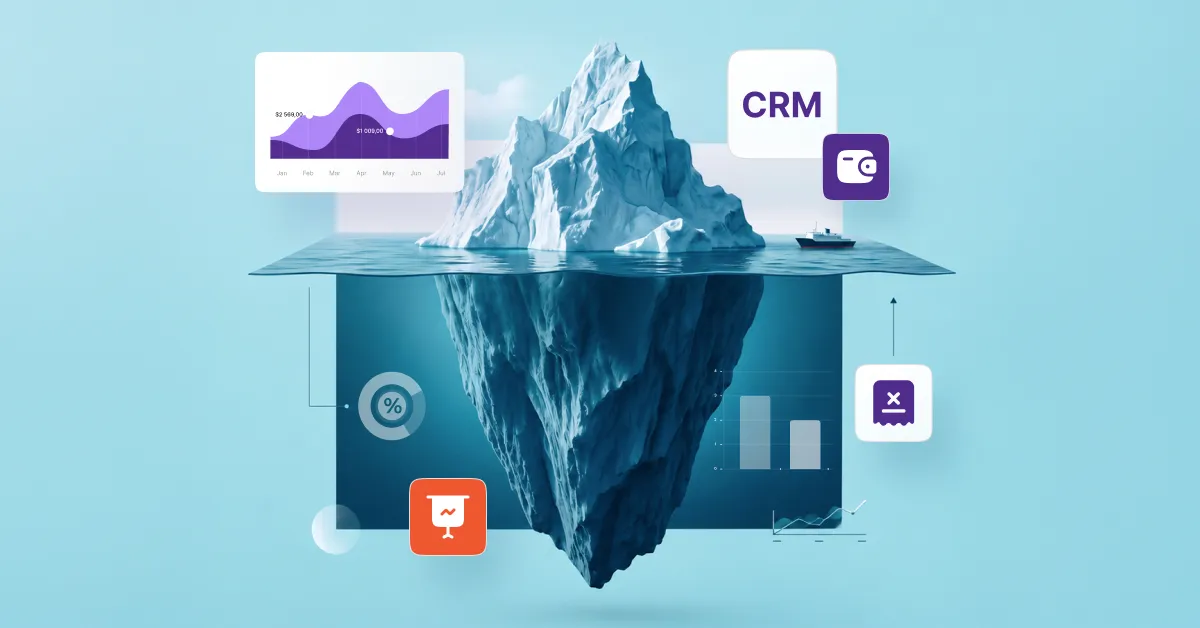
When choosing a system, companies often make a classic mistake: they focus solely on the license price. They compare plans, look at the number of users, and build their budget around a single line item in the price list. However, the initial per-user price is only the tip of the iceberg. Most costs arise during implementation, adapting the system to actual business processes, data migration, and team training.

To get a realistic picture of how much CRM costs, it is worth dividing all expenses into two categories:

Visible (obvious) costs"Hidden" (associated) costs
License or subscription: the selected pricing plan, basic CRM capabilities, standard storage capacity, and cloud or on-premises deployment model.Setup and implementation: consulting, process analysis, field customization, and development of custom automations and reports.
Product updates: access to new versions and standard fixes in accordance with the licensing terms.Data and integrations: migration and cleanup of legacy data, connection of third-party services, and expansion of storage limits.
Technical support: consultations and incident response according to the selected support package or SLA.Team-related costs: employee training, administrator preparation, ongoing technical support, and further system development.

Cloud or on-oremises CRM: How the deployment model affects system cost

One of the first factors that affects the cost of a CRM system is its deployment model. It determines the structure of expenses over the long term.

Cloud CRM

Cloud CRMs operate on a subscription model. A company pays a monthly or annual fee and accesses the system through a browser or mobile app. The subscription usually includes updates, basic technical support, and data hosting.

However, before choosing a plan, it is worth checking exactly what it covers. The following may incur additional costs:

  • Additional data storage
  • AI features and add-on modules
  • Premium technical support
  • Additional users
  • Individual integrations or API access

On-premises CRM

An on-premises CRM is installed on the company’s own infrastructure. This approach provides greater control over data and may meet internal security requirements, but it requires significantly higher upfront investment.

In addition to the license cost, the budget should account for:

  • Server hardware
  • Infrastructure administration
  • Data backups
  • System updates
  • Security protection and monitoring
Request a consultation

CRM pricing models: Per user, package-based, and usage-based costs

Even if two CRMs are cloud-based, their costs can differ significantly. The reason is that they use different licensing models.

The most common subscription models are:

ModelHow the cost is calculated
Per userThe company pays for each employee who uses the CRM.
Package-basedThe cost depends on the selected pricing plan and the set of features it includes.
Usage-basedThe budget depends on data volume, number of operations, API requests, or other usage metrics.

Before signing a contract, it is worth clarifying:

  • Is there a minimum number of users?
  • What is included in the plan, and what is charged separately?
  • Is annual billing more cost-effective than monthly billing?
  • What limits apply to data storage or the number of records?
  • Is technical support included in the license cost?

Ready-made CRM or custom CRM: Which option costs more?

After purchasing a CRM license, the system is rarely ready to use without additional configuration. The more complex a company’s business processes are, the more time is required to adapt the system.

Depending on the complexity of the project, configuration may include:

  • creating sales pipelines
  • setting up roles and access permissions
  • adding custom fields and entities
  • automating business processes
  • developing reports and dashboards

Broadly speaking, there are three approaches to CRM implementation:

Out-of-the-box SaaS CRM: Lower initial budget and faster deployment

The main advantages of this approach include:

  • a straightforward subscription pricing model
  • a ready-made set of features
  • regular updates from the provider
  • lower implementation costs

However, as the business grows, additional modules, integrations, or advanced configurations may be required, increasing the overall cost of the system.

Standard CRM with basic customization: More flexibility and higher adaptation costs

This approach allows the system to be tailored to specific workflows, including:

  • non-standard sales pipelines
  • custom fields and objects
  • unique automations
  • advanced reporting

At the same time, every additional change requires resources for analysis, development, and testing. That is why it is better to involve the vendor in these processes.

Custom CRM built from scratch: Maximum control and high long-term costs

Custom CRM development gives a company full control over the system’s functionality and architecture. This can be justified for organizations with highly specific processes or complex requirements.

However, this model involves significant costs, including:

  • system development and testing
  • security
  • technical support
  • updates following changes in the business
  • ongoing feature development

As a result, a custom CRM often has a higher initial cost. At the same time, the upfront investment provides a system that closely matches the company’s business processes and can reduce adaptation costs in the future.

Data migration, integrations, and CRM customization

For a CRM to work effectively, data must be migrated before the system goes live, its quality must be checked, and information exchange with other corporate systems must be established.

Three categories of work most often increase the budget for this area:

1. Data preparation and migration

Before data is migrated, it is typically cleaned, duplicates are removed, fields are mapped between systems, and a test import is performed.

2. Integrations

Depending on the business needs, a CRM may be integrated with:

  • ERP systems
  • corporate email and calendars
  • telephony systems
  • messaging platforms
  • marketing platforms
  • e-commerce solutions
  • electronic document management services

3. Costs of custom scenarios

Some integrations are available out of the box. However, if a non-standard data exchange scenario is required, the project may involve API integrations, development of custom connectors, or ongoing support for these solutions.

Training, adoption, and post-launch costs

Even a fully functional CRM will not deliver the expected results if the team does not adopt the new ways of working or lacks sufficient training and support. Investments in the human factor typically include:

  • user training
  • training internal administrators
  • creating user guides and a knowledge base
  • post-launch consultations
  • system updates to improve usability
  • fixing issues based on user feedback
  • configuring new business processes to align with the team’s workflows

When choosing a CRM, it is also worth clarifying whether technical support is included in the license cost or charged separately on an hourly basis or according to the terms of an SLA.

How much does a CRM system cost for small businesses and larger companies?

CRM for small business: Low entry cost, but fast-growing expenses

For small businesses, the number of users is rarely the main cost factor. It is much more important to choose a CRM that covers current processes without unnecessary functionality while allowing the system to scale without requiring a complete migration a couple of years down the road.

That is why, when estimating the budget, it is worth answering several practical questions:

  • Will you have to switch to a different plan as the team grows?
  • Are the required integrations included in the basic license?
  • Can automation be added gradually without a complete reimplementation?
  • Does the CRM support further scaling without migrating data?

For a small business, the cost of future changes often turns out to be more important than the initial license price.

Request a consultation

CRM for mid-sized companies: Higher integration, automation, and reporting costs

When a CRM stops being a tool for a single sales department and starts connecting marketing, customer service, finance, and other departments, the largest share of the budget shifts from licenses to process integration.

In practice, the factors that have the greatest impact on the CRM budget for a mid-sized business include:

  • the number of systems that need to exchange data
  • the complexity of approval workflows and business process automation
  • requirements for end-to-end analytics
  • the need for different workflows for individual departments

Enterprise CRM costs: Security, governance, and ongoing maintenance

In large organizations, a CRM evolves continuously along with the business. Organizational structures, products, sales processes, security requirements, and regulations change over time. As a result, change management becomes one of the largest ongoing cost areas.

The budget should account for:

  • ongoing feature development
  • integration of new corporate systems
  • regular review of access roles
  • maintaining performance as workloads increase
  • testing changes before updates
  • system administration and data quality management

How to estimate total CRM cost before buying

To understand the actual budget required for CRM implementation, companies assess TCO (Total Cost of Ownership) — the total cost of owning and operating a CRM over a specific period. This approach helps compare all the resources required to run the system.

A basic formula is:

Total CRM cost = one-time costs + recurring costs + potential costs over the period of use, where:

  1. One-time costs: Process analysis, implementation, configuration, data migration, integrations, and initial team training.
  2. Recurring costs: User licenses, CRM subscription, additional modules, data storage, and support.
  3. Potential costs that are difficult to predict: New configurations, additional integrations, training for new employees, and further automation development.

How to calculate a CRM budget for 12 months

The first year usually involves the highest one-time costs because the company is going through the system implementation and launch phase.

The budget should include:

  • CRM license fees
  • configuration and implementation
  • data migration
  • integrations with other systems
  • team training
  • initial consultations and technical support

At this stage, it is advisable to set aside a contingency budget for additional work. Once the system is in use, companies often need to adjust business processes, add automations, or modify reporting structures.

How to estimate CRM costs over 36 months

While the first year shows the cost of implementation, a 36-month horizon provides a better picture of the actual total cost of ownership.

The long-term budget should account for:

  • monthly or annual license fees
  • an increase in the number of users
  • upgrading to different pricing plans
  • adding new modules
  • further automation development
  • integration with new corporate services
  • administration and technical support

This is when it becomes clear whether the CRM was the right choice. If the system scales easily and does not require constant costly customization, the total cost of ownership remains predictable even as the business grows.

Request a consultation

How to reduce CRM costs without choosing the wrong vendor

Choosing a CRM should start not with comparing pricing plans or feature lists, but with analyzing your company’s processes. This is the approach recommended by analysts at Gartner: first define the project’s business goals and success criteria, and only then evaluate specific solutions.

If you are not yet sure which CRM best fits your business needs, start by answering a few key questions:

  • Which processes need to be automated today?
  • Which processes may emerge over the next 2–3 years?
  • Which systems should the CRM connect into a single ecosystem?
  • Which metrics and reports do managers need to make decisions?
  • Who will be responsible for administering and developing the system after launch?

These questions form the basis of the “Which CRM Is Right for Your Business?” quiz. Answer 12 questions to receive a preliminary recommendation on which solution path — SMART CRM or the Microsoft Dynamics 365 ecosystem — may better meet your business needs.

Take the quiz

Vendor selection checklist

Once you have identified your business needs, the next step is to assess how effectively the vendor can deliver the project. Below is a list of red flags that may indicate that the project budget could increase after you sign the contract:

  • The vendor does not analyze business processes before the project starts.
  • The commercial proposal does not specify the scope of work.
  • Integrations are only estimated after implementation.
  • Responsibility for data migration has not been defined.
  • There is no user training plan.
  • Post-launch support terms are not specified.

SMART business has 17 years of experience implementing CRM solutions tailored to specific business processes. The team works with requirements analysis, system configuration, integrations, and ongoing solution development to ensure that the CRM supports the company’s growth.

If you are planning to implement a CRM or would like an individual project assessment, request a consultation. SMART business experts will help determine the optimal system configuration, estimate the full implementation budget, and select a solution that matches your business processes and growth plans.

Request a consultation
20 min read
Visualization of the Bottom of the Sales Funnel
BoFu: How to Build the Bottom of the Sales Funnel

According to the 6sense Buyer Experience Report, nearly 80% of all B2B deals are won by companies that buyers have already chosen before their first direct interaction with the sales team. Prospects often create their shortlist and make their final decision while independently exploring content, customer success stories, reviews, and other resources that a brand makes publicly available. 1

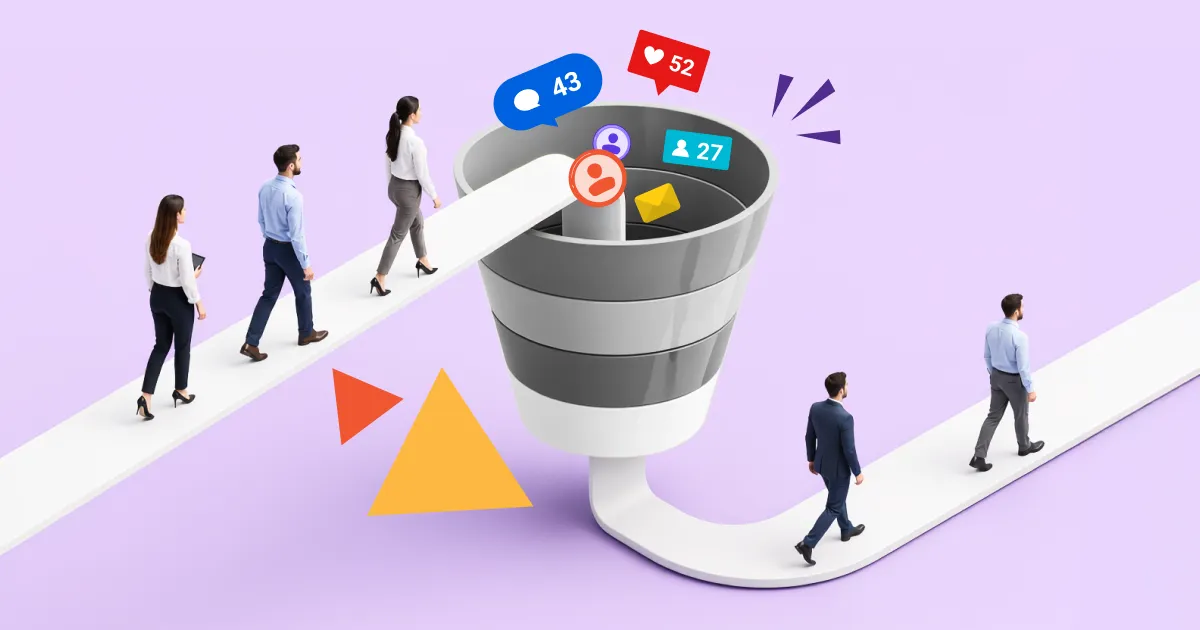
This means that by the time a prospect speaks with a sales representative, they already have a certain level of trust in the company, clear expectations about the product, and a shortlist of vendors they're willing to consider. That's why it's no longer enough to simply drive traffic, generate leads, or guide prospects through the Top of the Funnel (ToFu) and Middle of the Funnel (MoFu) stages. The most critical moment comes at the bottom of the funnel (BoFu) — when a prospect is almost ready to make a purchase but is still weighing risks, comparing alternatives, or looking for the final confirmation that they're making the right choice.

What is BoFu?

BoFu (Bottom of the Funnel) is the final stage of the sales funnel, where a prospective customer moves from evaluating options to making a purchase decision. At this stage, the goal of marketing and sales is no longer to capture attention — it's to give prospects the confidence to say "yes."

While the Top of the Funnel (ToFu) is focused on building awareness and the Middle of the Funnel (MoFu) helps prospects evaluate available solutions, the Bottom of the Funnel (BoFu) is where they make their final decision regarding a supplier, product or service.

This is why the bottom of the sales funnel serves a different purpose than the earlier stages. Instead of attracting attention or generating traffic, its primary objective is to help qualified prospects make a confident buying decision. By this point, they already understand their problem, know the available solutions, and have narrowed their list of potential vendors.

At this stage, buyers are typically asking questions such as:

  • Will this product actually solve my problem?
  • What results have other customers achieved?
  • Why is this company better than its competitors?
  • How much will it cost?
  • How risky is the implementation process?
  • Will I receive support after the purchase?

That's why effective BoFu content is built around proof, trust, and specific evidence. Customer success stories, product demos, testimonials, comparison pages, and transparent pricing often outperform another general educational article or promotional banner.

For businesses, BoFu is one of the most critical stages of the marketing funnel because it's where leads become customers. Even if a company successfully attracts traffic through SEO, paid advertising, webinars, or content marketing, a weak bottom of the funnel can result in a significant number of lost opportunities.

Conversely, a well-designed Bottom of the Funnel (BoFu) strategy can shorten the sales cycle, improve conversion rates, and generate more customers without increasing spending on traffic acquisition.

BoFu vs MoFu vs ToFu: What is the difference?

To understand how a sales funnel works, it's helpful to break it down into three distinct stages: ToFu, MoFu, and BoFu. These aren't just marketing buzzwords — they represent different levels of buyer readiness, where everything changes, from user behavior to the type of content that influences purchasing decisions.

In the classic sales funnel model, each stage plays a specific role in moving leads toward a final purchase. Simply put, it's the journey from "I just realized I have a problem" to "I'm ready to buy."

ToFu (Top of the Funnel) — The Awareness Stage

At the Top of the Funnel (ToFu), prospects are just beginning to recognize a problem or need. They're not looking for a specific product yet, and they're certainly not ready to make a purchase.

The primary goal at this stage is to attract traffic and establish the first connection with your brand.

Typical search queries include:

  • "Why are my sales declining?"
  • "How can I automate business processes?"
  • "What is a CRM?"

The most effective content at this stage includes:

  • Blog posts
  • Guides
  • Educational articles
  • Webinars

The purpose of ToFu isn't to sell — it's to generate interest and guide prospects further down the funnel.

MoFu (Middle of the Funnel) — The Consideration Stage

In the Middle of the Funnel (MoFu), prospects clearly understand their challenge and begin exploring possible solutions. Interest in a product is growing, but they haven't made a final decision yet.

This is where buyers actively compare vendors, products, and approaches available in the market to determine which solution best fits their needs.

Common search queries include:

  • "CRM systems for small businesses"
  • "ERP software comparison"
  • "1C alternatives"

Typical MoFu content includes:

  • Case studies
  • Comparison articles
  • Checklists
  • Expert guides
  • Product-focused webinars

At this stage, the priority is building trust and demonstrating expertise. Prospects aren't ready to buy yet, but they are deciding which companies are credible enough to consider.

BoFu (Bottom of the Funnel) — The Decision Stage

BoFu (Bottom of the Funnel) is the final stage, where prospects are almost ready to purchase and are choosing between one and three specific options.

At this point, general educational content is no longer enough. Buyers are looking for answers to highly specific questions, such as:

  • How much does it cost?
  • How quickly can it be implemented?
  • What are the risks?
  • Do you have case studies in my industry?
  • Why should I choose you over your competitors?

Typical BoFu content includes:

  • Detailed customer success stories with measurable results
  • Product demos
  • Free trials
  • Pricing pages
  • "Versus" comparison pages
  • FAQs designed to address common objections

This is where leads convert into customers. Ultimately, BoFu determines whether all the effort invested in ToFu and MoFu translates into actual revenue.

ToFu, MoFu, BoFu: Key differences

When comparing ToFu, MoFu, and BoFu, the biggest difference isn't just the content — it's the buyer's intent.

  • ToFu: "I want to understand my problem."
  • MoFu: "I'm looking for the best solution."
  • BoFu: "I'm deciding who to buy from."

As prospects move through the funnel, their choices become increasingly focused — from exploring a broad topic to selecting a specific solution and vendor.

This is why understanding top of the funnel vs bottom of the funnel is so important. Present BoFu content too early, and prospects won't be ready. Keep them at the ToFu stage for too long, and they'll likely choose a competitor before reaching a buying decision.

An effective marketing funnel connects all three stages into one seamless journey, where each step prepares prospects for the next and ultimately guides them toward becoming customers.

How to build the Bottom of the Sales Funnel step by step

Developing an effective BoFu content strategy isn't about creating just another set of pages on your website. It's about systematically addressing the needs of prospects who are already close to making a purchase but still need the final reassurance to move forward.

At this stage of the sales funnel, marketing shifts from nurturing awareness to removing the last barriers to conversion. This is often where the decision is made — and where a lead either becomes a customer or walks away.

Collect objections from sales and support conversations

The first step in building an effective BoFu strategy isn't content or advertising — it's data.

The most valuable source of insights for the bottom of the funnel comes from real customer interactions:

  • sales calls
  • conversations stored in your CRM
  • customer support tickets
  • demo meeting recordings

These conversations reveal the real objections that prevent prospects from making a buying decision.

Common questions include:

  • "What makes you different from your competitors?"
  • "How long does implementation take?"
  • "Will we receive support after launch?"

It's important not only to collect these questions but also to group them by theme. Together, they create a map of your prospects' concerns at the bottom of the funnel.

That map can then be transformed directly into BoFu assets such as comparison pages, FAQs, customer success stories, and product demos.

Match content with purchase intent

The second step is matching content precisely to buyer intent.

At the BoFu stage, prospects are no longer interested in general educational articles. They are looking for information that helps them make a confident purchase decision.

Each piece of content should answer a specific question:

  • objection → proof (case studies, customer testimonials)
  • comparison → side-by-side competitor comparison tables
  • pricing → a clear CTA leading to a quote or consultation

This creates a guided path to purchase, where each step naturally leads to the next. The fewer unnecessary steps between interest and action, the higher your conversion rate.

Connect BOFU with remarketing and follow-up

The final step is connecting all customer-facing channels into one cohesive system.

BoFu doesn't exist independently of marketing and sales. On the contrary, it's where these two functions overlap the most.

Three key tactics make this possible:

1. Remarketing

When someone has already visited your website, viewed a case study, or watched a product demo, remarketing can present:

  • tailored offers
  • customer stories from their industry
  • solution comparison pages

2. Email marketing

At the BoFu stage, email becomes a personalization tool by delivering:

  • case studies relevant to the prospect's business
  • responses to common objections
  • reminders about demos or consultation

3. CRM and Sales integration

At this stage, it's essential for marketing and sales to operate as a single system. That's why many organizations implement CRM solutions that enable them to:

  • track lead behavior
  • pass qualified leads directly to the sales team
  • identify exactly where each prospect is within the BoFu stage

In this context, SMART business helps organizations connect marketing and sales through CRM solutions, including SMART CRM and products built on Microsoft Dynamics 365. This creates a structured process that guides prospects through the bottom of the sales funnel and toward a purchase.

As a result, BoFu stops being simply the last stage of the funnel and becomes the point where leads turn into customers — and where all the work invested in ToFu and MoFu delivers measurable business results.

Request a consultation

How to measure BoFu performance

Evaluating BoFu performance isn't about website traffic or page views. At this stage of the sales funnel, the key question is different: how consistently and efficiently prospects become paying customers.

This is where the focus shifts from generating interest to measuring actions that directly impact conversions and revenue. Understanding how to evaluate bottom of the funnel optimization requires tracking specific metrics.

Lead-to-customer conversion

This is the most fundamental of all bottom of the funnel metrics. It shows what percentage of qualified leads ultimately become customers.

The formula is simple:

(Number of customers / Number of leads) × 100%

However, this metric reflects much more than a percentage. It is influenced by:

  • lead processing quality
  • content relevance
  • the strength of your value proposition
  • sales team effectiveness

While some drop-off is expected during the ToFu and MoFu stages, losses at the BoFu stage have a direct impact on revenue. Even a small decline in conversion can significantly affect business performance.

Demo, proposal, and closed deal performance

At this stage, it's important to identify exactly where prospects abandon the buying process.

Three critical conversion points should be analyzed:

  1. Demo → Interest Does the product demonstration build enough confidence to move the buyer forward?
  2. Proposal → Response Is the value proposition clear, and does it meet the prospect's expectations?
  3. Closed deal → Revenue What percentage of proposals ultimately become paying customers?

These metrics reveal how effectively marketing and sales work together. If there is a disconnect between the two teams, the BoFu stage is often where conversion losses become visible.

Sales cycle length and time to decision

Time is another critical performance indicator. At the BoFu stage, success depends not only on whether prospects buy, but also on how quickly they reach a decision.

The sales cycle shows:

  • how much time passes between the first meaningful interaction and purchase
  • where delays occur
  • which stage causes prospects to stall

When the BoFu process is optimized:

  • objections have already been addressed
  • information is easy to understand
  • calls to action are clear

As a result, buyers make decisions faster, reducing unnecessary delays and repeated follow-ups. This contributes directly to bottom of the funnel growth by increasing sales velocity and improving revenue predictability.

CPA, CAC, and Lead Source Quality

The final area to measure is the economics of BoFu.

Here, companies evaluate not only the number of conversions but also their cost.

  • CPA (Cost per Acquisition) measures the cost of generating a desired action or conversion.
  • CAC (Customer Acquisition Cost) measures the total cost of acquiring a new customer.

However, at the BoFu stage, lead quality is often even more important than acquisition cost. Not every lead is equally ready to buy. Organizations should analyze:

  • which channels generate the highest-intent prospects
  • which sources deliver the highest final conversion rates
  • which marketing channels generate actual revenue rather than just traffic

These insights are typically gathered using various bottom of the funnel analytics platforms that demonstrate how effective the complete marketing funnel is.

Ultimately, BoFu performance isn't measured by isolated numbers. It is evaluated as a connected sequence:

Leads → Engagement → Decision → Purchase → Customer Acquisition Cost

The more closely these elements are aligned, the more predictable revenue becomes and the stronger the bottom of the sales funnel performs.

Request a consultation

Common mistakes when building BoFu

Many prospects are lost at the very last stage of the sales funnel — when they are just one step away from making a purchase decision. In most cases, the reason is a poorly designed BoFu strategy.

Too much education, not enough decision support

One of the most common challenges in bottom of the funnel lead nurturing is continuing to educate prospects when they are already ready to buy.

At the top of the sales funnel, educational content such as blog posts, guides, webinars, and research reports is highly effective at attracting prospects and building trust. At the bottom of the funnel, however, people are no longer looking for general information about their problem — they want to understand which solution to choose and why they should choose yours.

The result: prospects fail to find answers to their final questions and move on to a competitor.

How to fix it: instead of publishing another educational article, offer customer success stories, solution comparison pages, product demos, pricing calculators, FAQs, or a consultation with an expert. These assets directly support purchase decisions and help optimize the bottom of the funnel customer experience.

Lack of proof points and objection handling

Another of the most common bottom of the funnel lead nurturing challenges is failing to provide enough evidence that the solution actually delivers results. If a company talks only about its own strengths without demonstrating real results, the level of trust drops significantly.

At the decision stage, buyers are looking for proof — not promises. They want to know what outcomes other companies have achieved, what implementation looked like, which business challenges were solved, and how long it took to see results.

The result: leads remain stuck comparing alternatives or postpone their purchase indefinitely.

How to fix it: use customer case studies, testimonials, product demo videos, implementation stories, and measurable business outcomes. Pay special attention to addressing the most common objections related to pricing, implementation risks, deployment timelines, and post-purchase support.

Weak CTAs and a contact path that is too long

Sometimes companies create high-quality BoFu content but overlook the most important part — showing users what to do next.

For example, after reading a case study or viewing a product page, a potential customer may not see a clear call to action, may be unable to request a demo quickly, or may be forced to fill out a lengthy form with dozens of fields.

The result: some potential buyers simply postpone reaching out or leave the website altogether.

How to fix it: every BoFu asset should guide users toward one specific action. That action might be requesting a product demo, booking a consultation, asking for a commercial proposal, or starting a product trial. The simpler the path to making contact, the higher the conversion rate.

BOFU disconnected from the sales team’s work

Another common problem arises when marketing and sales operate independently of one another. The marketing team creates content based on its own assumptions, while sales managers hear customers' real objections and questions every day.

As a result, BoFu content fails to address the issues that actually influence purchasing decisions.

The result: marketing continues generating leads, but the conversion rate from leads to closed deals remains low.

How to fix it: regularly collect feedback from both the sales team and customer support. These teams know better than anyone which factors prevent customers from buying, which questions come up most often, and which arguments are most effective in closing deals. The most effective BoFu is almost always created at the intersection of marketing, sales, and customer success.

A successful BoFu is a system that helps potential customers overcome doubts, get answers to their most important questions, and confidently move forward with a purchase.

The role of CRM, analytics, and a technology partner in BoFu

BoFu may look like a collection of content, landing pages, and well-crafted CTAs on paper. In reality, however, it is about something much more important: how quickly a company can recognize a customer's buying intent and respond appropriately. Without a CRM system, analytics, and close alignment between marketing and sales, the bottom of the funnel simply cannot scale.

At the decision-making stage, every user action matters: viewing a case study, opening a sales proposal, or returning to a product page. If these signals are not brought together into a single picture, BoFu becomes nothing more than a series of disconnected touchpoints instead of a manageable sales process.

CRM as the core of BoFu management

Within BoFu, the CRM system is where the entire customer journey toward a purchase is recorded — from the very first interaction to the final buying decision.

This is where sales automation becomes essential. The system not only stores customer data but also helps sales representatives identify which prospects are "hot," who is reviewing a proposal, and who has stalled because of unresolved concerns.

SMART business implements Microsoft-based CRM solutions that connect marketing, sales, and customer service into a single, streamlined customer engagement process.

SMART CRM and Microsoft Dynamics 365 ecosystem

One of SMART business's approaches is the implementation of SMART CRM, its proprietary platform built on Microsoft technologies. The solution supports the entire customer lifecycle — from the initial inquiry to repeat sales.

Within this ecosystem, businesses can leverage solutions such as:

  • SMART Sales — for automating B2B sales from lead generation to deal closure.
  • SMART Marketing — for managing omnichannel marketing communications.
  • SMART Customer Care — for handling customer inquiries and service requests.
  • SMART Order Management — for managing B2C orders.

The Microsoft Dynamics 365 ecosystem can also be implemented, including:

  • Dynamics 365 Sales — for sales management.
  • Dynamics 365 Customer Service — for customer support and service management.
  • Dynamics 365 Field Service — for field service operations.
  • Dynamics 365 Customer Insights — for customer analytics and personalization.
  • Dynamics 365 Contact Center — for efficient contact center operations.

For companies with highly specialized or non-standard business processes, SMART business takes a different approach. Instead of forcing unique workflows into an off-the-shelf solution, the team develops custom solutions that address specific CRM requirements and fit seamlessly into the company's internal business processes.

Together, these approaches — from ready-to-use platforms to fully customized solutions — provide a solid foundation that transforms BoFu from "the last few pages of a website" into a fully managed part of the business process.

Request a consultation

Analytics: Understanding what really happens before a purchase

BoFu analytics answers a simple question: why does a customer buy — or decide not to? At this stage, it is not enough to measure conversions alone. Companies also need to understand behavioral patterns, such as:

  • who reviews case studies before making a purchase
  • which pages have the greatest influence on the final decision
  • where users tend to stall before closing a deal
  • which objections appear most frequently

Once these insights are available, marketing stops relying on intuition and becomes a structured system for influencing customer decisions.

Lead nurturing automation and faster response times

One of the biggest advantages of a well-designed BoFu is speed. As soon as a lead shows signs of being ready to buy, the system should:

  • automatically assign the lead to the sales team
  • highlight the prospect's level of interest
  • recommend the most relevant next action
  • remind the sales representative about the next follow-up step

This is what automated lead nurturing looks like in practice: prospects no longer get lost between marketing and sales but move through a clearly defined path toward closing the deal.

One connected system instead of disconnected tools

In many cases, the biggest BoFu problem is not the content itself but the fact that different tools operate independently. Marketing works in one system, CRM in another, and analytics somewhere else entirely.

Modern businesses therefore focus on integration, bringing together data from advertising platforms, websites, CRM systems, and customer service into a single environment.

At SMART business, this is achieved through end-to-end process implementation and SMART Connectors that integrate multiple systems into one unified data ecosystem. This provides complete visibility into the customer journey without gaps between channels.

AI as BoFu accelerator

Another important layer is the use of AI within CRM systems. Today, AI-powered solutions can:

  • predict the probability of closing a deal
  • recommend the next best action for a sales representative
  • personalize offers for individual customers
  • automate responses to common objections

As a result, BoFu is steadily evolving from a manually managed process into one supported by intelligent automation.

Ultimately, CRM and analytics provide the foundation that allows BoFu to function as a true system rather than a collection of isolated activities. Together, they create a unified mechanism in which every lead follows a defined path and every interaction moves that lead closer to a purchase.

Therefore, if you notice that potential customers are getting stuck at the final stage of the funnel, failing to convert into buyers, or if you simply cannot determine where your leads are being lost, it is a clear sign that your BoFu strategy needs to be rethought. The same applies when marketing and sales operate separately, leaving the customer journey fragmented and difficult to manage.

SMART business helps organizations build a complete sales funnel management system — from CRM and analytics to process automation and a transparent customer journey. If you'd like to understand where your leads are dropping off, improve your BoFu conversion rates, or build a more manageable sales process, request a consultation. The SMART business team will analyze your funnel, identify growth opportunities, and strengthen your sales processes with modern technology solutions.

Request a consultation
21 min read
Visualization of effective CRM and email marketing integration
CRM Integration with Email Marketing: What You Need to Know

Email remains one of the most effective channels for customer acquisition — and the numbers back this up. According to McKinsey, email is 40 times more effective than social media at acquiring new customers. But even with this level of effectiveness, email marketing delivers its full value only when it is connected to real customer data — that is, to a CRM system.

A CRM system contains all the key information about customers: what they have purchased, when they were last active, and where they are in the sales funnel. An email platform, in turn, is responsible for sending campaigns and collecting open and click-through statistics. But these two tools often operate in parallel rather than together. Marketing does not know what happened to a lead after it was handed over to sales. Sales cannot see which emails a customer received or how they responded. Campaigns are sent to broad segments without taking into account the fact that the CRM knows much more about each contact. As a result, a company spends its budget on email marketing but realizes only part of its potential.

CRM email marketing integration solves exactly this problem. In this article, we’ll explore the benefits this type of integration offers businesses, the key functionality it should provide, how to integrate CRM with email marketing, and what mistakes to avoid.

What is CRM–Email Marketing integration?

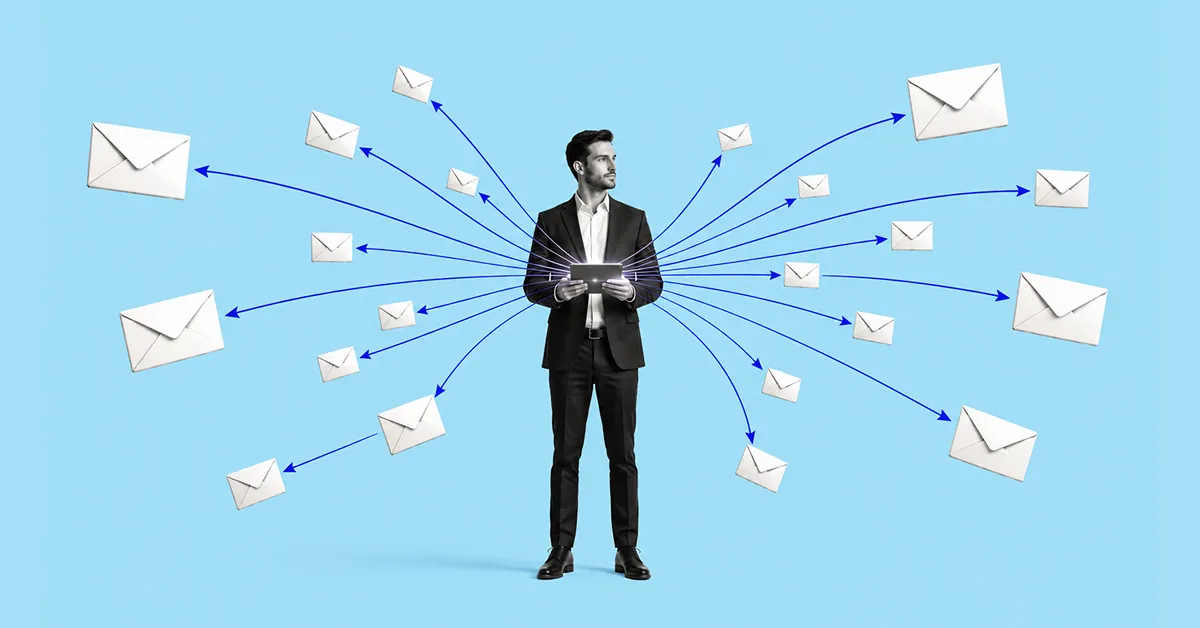
CRM and email marketing integration is the connection of two systems to enable automatic two-way data exchange. When a contact opens an email, clicks a link, or unsubscribes from a mailing list, this information is automatically updated in their CRM profile. When a manager changes a deal status or adds a note, the email platform receives a signal and can trigger the appropriate communication. Both systems work with a single database rather than each maintaining its own.

Before moving on, it is worth distinguishing between three concepts that are often confused:

  1. A CRM with a built-in email marketing module — this is a single platform where both customer data and email marketing tools are available through one interface. This approach is the simplest to set up: there is no need to synchronize data because it is stored in one place from the start. One example is Microsoft Dynamics 365 with Customer Insights – Journeys, where marketing journeys and CRM data reside on the same platform.
  2. A CRM integrated with an external email marketing platform — the company uses a separate tool for sending email campaigns, such as Mailchimp or MailerLite, and connects it to the CRM through an API or a ready-made connector. In this case, synchronization is configured separately, but when implemented correctly, both systems work with a single, up-to-date contact database.
  3. Email mailbox synchronization with a CRM — this involves connecting Gmail or Outlook to a CRM so that managers’ email correspondence is automatically recorded in the contact record. This is a useful feature for a sales team, but it is not directly related to email marketing. Here, the focus is on one-to-one correspondence rather than mass campaigns or automated journeys.
Request a consultation

CRM and Email Marketing: Why combine them?

CRM and email marketing solve different problems when used separately. A CRM system consolidates everything a company knows about a customer: purchase history, deal status, acquisition channel, manager notes, and the date of the last contact.

An email marketing platform enables businesses to communicate with their audience at scale and automate communications — launching campaigns, testing email subject lines, and tracking opens and clicks. Each of these tools is useful on its own. But when they are not connected, a company systematically misses many opportunities.

Marketing can't see that happens after a lead is handed over

Marketing generates a lead, nurtures it through a series of emails, and hands it over to sales. That is where its visibility ends. Was the deal closed? Did the customer drop out after the first call? Are they still “thinking about it” three months later? Without CRM integration, marketing has no answers to these questions — and cannot determine which email campaigns actually influence sales and which only generate opens without producing results.

Sales can't see the customer's communication history

A manager calls a prospective customer without knowing that they have already received five emails, visited the pricing page twice, and downloaded a case study. This information is available in the email marketing platform — but not in the CRM the manager works with. As a result, the conversation starts from scratch instead of building on the context that is already available.

Segmentation is based on email behavior, not actual customer data

An email marketing platform segments an audience based on what happens within the platform: who opened an email, who clicked, and who has not engaged in the past 90 days. But it does not know which of these people are already customers, who is in the negotiation stage, or who has moved to a competitor. The CRM knows this — but without integration, this data does not reach the email marketing platform. An email about a “special offer for new customers” is sent to people who have already made a purchase. A demo reminder goes to someone who has already had three meetings with a manager.

Revenue attribution remains unclear

Without a connection between the email marketing platform and CRM, it is impossible to accurately answer the question: which campaign actually influenced the deal closing? You may see that a customer opened three emails — but did those emails really push them toward a decision, or was it a manager's call or a webinar? Integration makes it possible to connect email activity with specific deals in the CRM and see which communication journeys actually convert, rather than simply look good in email campaign statistics.

That is why CRM and email marketing integration is about giving marketing and sales a shared view of the customer and enabling them to make decisions based on complete data, rather than each team working with only part of the available information.

Benefits of integrating CRM with Email Marketing

CRM and email marketing integration changes not only the technical architecture but also the very way a company works with its customers. Here’s what this means in practice.

Personalization based on real data, not assumptions

Most companies personalize email campaigns at the level of including a name in the subject line. CRM integration opens the door to a much deeper level of personalization: a customer receives an email about exactly the product they were considering during their last conversation with a manager, at the moment when it is relevant — not when a generic campaign timer goes off.

Segmentation based on customer behavior, not just email activity

When a CRM and an email marketing platform exchange data, you can segment your audience based on parameters that are not available within the email system itself: deal status, industry, company size, number of purchases, date of the last contract, and product category. This allows you to send campaigns precisely to those for whom they are relevant, rather than “everyone who hasn’t unsubscribed.”

Automation based on CRM events, not just email platform activity

Without integration, automated workflows are triggered exclusively by what happens in email: a contact opens an email and receives the next one; they do not open it and receive a reminder. With integration, any event in the CRM can become a trigger: a deal moves to a new stage, a customer signs a contract, or a manager marks a contact as “hot.” Each of these events can automatically trigger the appropriate communication — without human involvement or delay.

Sales managers see the full communication picture

When a customer’s email activity is displayed directly in their CRM record, the manager goes into a call prepared. They can see which emails the customer received, what they opened, what they clicked on, and what they ignored. This makes it possible to guide the conversation based on what is already known about the customer’s interests, rather than starting the relationship from scratch.

Clear attribution: See which campaigns actually influence sales

The connection between email campaigns and CRM data makes it possible to track the customer’s entire journey, from the first email to a closed deal. Marketing can see which communication workflows actually convert into sales rather than simply generate opens. This changes the logic behind decision-making: budget and effort are directed toward what delivers real results.

Less manual work for the team

Without integration, data is transferred between the CRM and email marketing platform manually: updating lists, removing customers whose deals have already closed from campaigns, and checking unsubscribes. Integration automates this routine — the contact database is synchronized in real time, allowing the team to spend its time on strategy rather than maintaining two parallel databases.

Compliance with data protection requirements

When a customer unsubscribes from an email campaign, this information should be immediately updated in the CRM — and vice versa. Without synchronization, there is a risk that an unsubscribed contact will receive an email from the CRM or that a manager will not know that the customer has opted out of communications. Integration makes consent and subscription management more controlled and compliant with GDPR requirements.

If you’re planning to implement a CRM or integrate it with email marketing, it’s important to choose a solution that aligns with your business processes and provides the level of automation you need. To make the selection process easier, take the free quiz from SMART business. It will help you determine which CRM system best meets your company’s needs and provides an optimal foundation for building effective customer relationships.

Key features of a good CRM–Email Marketing integration

Not every CRM and email platform integration is equally useful. The difference between a superficial connection and a full-fledged integration lies in the specific functions it supports and the direction in which data flows. Here’s what a high-quality integration should include.

Real-time two-way contact synchronization

A basic but critically important feature. A new contact added to the CRM automatically appears in the email platform with all the required fields. An unsubscribe recorded in the email system instantly updates the contact’s profile in the CRM. A change to an email address or customer status in one system is reflected in the other without manual intervention.

If synchronization is one-way or delayed, the contact databases in the two systems will gradually diverge. Marketing teams send campaigns to outdated or invalid addresses, while sales managers see CRM data that is no longer accurate.

Automatic CRM field updates based on email campaign behavior

If a customer has opened emails about a specific product three times and visited its product page twice, this behavior should be recorded in their CRM profile rather than remaining only in the email platform’s analytics. A manager who sees this activity understands that there is genuine interest and can reach out at the right time with the right message.

The same applies to negative signals: if a contact has been ignoring email campaigns for an extended period or has marked an email as spam, this is also important information for the CRM and may affect how the sales team prioritizes its work with that contact.

Triggers based on CRM events

This is one of the most valuable features of CRM email marketing automation. An event in the CRM — for example, a deal moves to the proposal stage, a customer has not responded for a week, or a contract expires in a month — automatically triggers the appropriate email workflow. Communication takes place at the right time, without a manager having to manually assign a task to the marketing team or send emails themselves each time.

Email audience segmentation based on CRM data

A full-fledged integration allows you to build segments in the email platform based on CRM fields: customer status, product category, region, company size, last purchase date, and deal type. These segments are much more accurate than those based solely on email behavior and make it possible to send campaigns to people for whom they are actually relevant.

Viewing the full email history directly in the CRM contact profile

Managers should not have to switch between two systems to understand what communications a customer has received. All sent emails, sending dates, open and click statuses should be displayed directly in the contact or deal record in the CRM. This provides full context before a call or meeting and prevents situations where a manager offers something the customer has already received and rejected in an email.

Unified analytics: from email open to closed deal

Separate analytics in an email platform show how many people opened a campaign and how many clicked. Separate analytics in a CRM show how many deals were closed that month. But neither answers the question of whether there is a connection between these two facts. High-quality integration makes it possible to track the customer journey end to end — from the first interaction with an email campaign to a closed deal in the CRM — and see which communication workflows actually influence sales.

CRM Integration with Email Marketing in Practice — Strategies and Examples

The theory becomes clearer when you see how CRM and email platform integration works in specific situations. Here are five scenarios that companies most commonly implement after setting up an integration.

Scenario 1. New lead → automated welcome sequence and manager task

A potential customer submits a request through the website. The CRM automatically creates a contact and deal, while the integration with the email platform triggers a welcome sequence: the first email arrives within a few minutes with confirmation of the request and useful materials; two days later, the customer receives an email with a case study or answers to frequently asked questions; another day later, they receive an invitation to a demo. At the same time, the CRM creates a task for the manager with a reminder to call after the second email. The manager reaches out when the customer is already warmed up rather than cold.

Scenario 2. Abandoned cart or incomplete registration → reminder sequence

A customer adds a product to their cart or starts filling out a registration form but does not complete the action. The CRM records the event, and the email platform automatically triggers a series of reminders: the first email after an hour, the second after a day, and the third after three days with a special offer or an answer to a possible objection. If the customer still does not return after the third email, the deal status in the CRM is automatically updated, and the manager receives a notification to make personal contact.

Scenario 3. Deal stage change → new nurture sequence

A deal moves from the “initial contact” stage to the “proposal sent” stage. The CRM records the change and sends a trigger to the email platform. The customer receives a series of emails designed to support their decision: testimonials from similar companies, answers to common objections at this stage, and useful implementation materials. The communication precisely matches where the customer is in the sales funnel rather than following a general email campaign calendar.

Scenario 4. Inactive customer → reactivation campaign

The CRM records that a customer has had no interaction with the company for six months: they have not opened emails, responded to calls, or moved any deals forward. A reactivation campaign is automatically triggered: the first email asks whether the topic is still relevant, the second shares product news or an updated price list, and the third contains a personal message from the manager. If there is still no response after the campaign, the contact is moved to a separate segment for long-term nurturing (gradually warming up the customer through useful content and reminders) or removed from active campaigns.

Scenario 5. After purchase → cross-sell and up-sell communication

The deal is closed, and the status in the CRM changes to “customer.” The email platform receives this signal and triggers a post-sale sequence: an email thanking the customer and providing useful getting-started materials, a feedback request a week later, and information about related products or expanded functionality a month later. All emails are personalized based on what exactly the customer purchased, with the data pulled automatically from the CRM. This scenario increases the average order value without additional effort from the manager and without the marketing team having to launch separate campaigns.

A real-world example: how CRM and email marketing integration works in retail — the BROCARD experience

To show what these scenarios look like in a real business, let’s look at the experience of BROCARD, a premium cosmetics and fragrance retailer that built a full-fledged IT ecosystem based on Microsoft Dynamics 365 solutions. Two of its scenarios particularly well illustrate what happens when CRM and email marketing truly work together.

Customer birthday → personalized offer at the right time

Previously, BROCARD manually compiled lists of customers with upcoming birthdays every month and sent everyone the same standard campaign with two offers. After CRM email marketing integration, the approach changed dramatically: instead of a mass monthly campaign, four automated scenarios were launched for different dynamic customer segments, each with its own offer based on customer status. A regular customer receives a discount promo code, while a VIP customer receives a higher-value offer. The email is sent seven days before the customer’s birthday, and the offer remains valid for another seven days after the birthday.

Result: Birthday communication became one of the company’s top three most effective marketing activities in terms of sales revenue — while being completely removed from marketers’ manual workload.

Reactivating “sleeping” customers → cascading scenario with increasing value

BROCARD uses RFM segmentation based on CRM data — grouping customers by recency, frequency, and monetary value of purchases. For customers who have not made a purchase for more than nine months, a cascading reactivation scenario is automatically triggered: the first email with a personalized offer is sent nine months after the last purchase, the next after 12 months, and the next after 15 months. The customer’s benefit increases with each step. If a customer does not respond at all for three years, they are moved to the “churn” segment and excluded from active campaigns to avoid wasting the marketing budget.

Result: One year after the cascading scenarios were launched, the “sleeping” customer segment decreased 4.9-fold, the potential churn segment decreased 3.8-fold, and the churn segment decreased 1.5-fold. Read the full BROCARD case study here.

How to integrate CRM with Email Marketing step by step

To ensure that CRM and email platform integration works properly, it needs to be set up step by step — from defining your goals and cleaning up your data to choosing an integration method and testing it.

Step 1. Define the goals of the integration

Before configuring anything, answer a specific question: what exactly should change after the integration? Will managers get access to customers’ email history directly in the CRM? Will marketing be able to segment the audience by deal status? Will triggered campaigns launch automatically when a deal moves to a new stage in the sales funnel? Clear goals determine which integration features should be prioritized and which can be configured later.

Step 2. Audit your existing data

Integration amplifies what is already in your systems. If the CRM contact database contains duplicates, outdated addresses, or missing key fields, synchronization will transfer these problems to the email platform. Before connecting the systems, clean up the database: remove duplicates, standardize field formats, and flag contacts who have not consented to email communications. This takes time, but it saves significantly more time after launch.

Step 3. Define the source of truth

One of the key decisions when integrating CRM with email marketing is determining which system is the primary one. If a contact is updated simultaneously in the CRM and email platform, which version is considered current? In most cases, the CRM is designated as the source of truth for customer data, while the email platform serves as the source for behavioral data from email campaigns. However, this decision should be made in advance and reflected in the synchronization settings; otherwise, data conflicts will occur regularly.

Step 4. Map the fields

Fields in the CRM and email platform may have different names and structures. “Customer status” in the CRM may correspond to a tag or segment in the email system. “Last purchase date” may correspond to a custom contact field. Before the technical connection is set up, create a mapping table specifying which CRM field is synchronized with which field in the email platform, in which direction, and under what conditions.

Step 5. Choose an integration method

There are several options for establishing a technical connection. A ready-made native connector is the simplest approach if your CRM and email platform officially support integration with each other. Connecting through an API provides greater flexibility but requires more extensive technical development. Integration platforms such as Zapier or Make are suitable for simpler scenarios that do not require deep two-way synchronization. The choice of method depends on the complexity of the scenarios you want to implement and your team’s technical capabilities.

Step 6. Set up your first automated scenarios

Don’t try to automate everything at once. Start with one or two scenarios that can deliver the fastest and most tangible results, such as a welcome sequence for new leads or a reactivation campaign for inactive customers. Once these scenarios are properly configured and delivering consistent results, scale up from there.

Step 7. Test the integration before full launch

Before enabling synchronization for the entire database, test the integration on a small sample. Make sure data is transferred correctly in both directions, triggers fire at the right time, unsubscribes are synchronized without delays, and fields are populated exactly as specified in the mapping. Errors discovered during testing are much less expensive to fix than those found after a full-scale launch.

Step 8. Set up monitoring and regular reviews

Integration requires ongoing maintenance after launch. Set up notifications for synchronization errors, regularly check data quality in both systems, and review the performance of automated scenarios. Customer behavior changes, products are updated, and teams grow — scenarios that worked well a year ago may need to be adjusted.

Setting up CRM and email marketing integration — from data auditing and field mapping to launching automated scenarios — requires not only technical expertise but also an understanding of how marketing and sales work together within a specific business.

SMART business is a Microsoft technology partner with many years of experience integrating CRM and marketing tools based on Microsoft technologies. The company provides end-to-end support throughout the process, from choosing the architecture and configuring synchronization to building automated scenarios tailored to specific business needs. Whether you need a simple welcome sequence for new leads or a complex cascading communication workflow with multiple customer segments and dozens of triggers, request a consultation, and the SMART business team will help implement it for your specific business processes — from initial configuration to full-scale launch.

Request a consultation
mail
SMART CRM
Cookies

We use cookies to improve your web experience, display personalized content and analyze traffic. By clicking «Accept All», you agree to their use. To manage your settings, click Settings. Learn more about the use of cookies in the privacy policy.

Functional
Always active
The technical storage or access is strictly necessary for the legitimate purpose of enabling the use of a specific service explicitly requested by the subscriber or user, or for the sole purpose of carrying out the transmission of a communication over an electronic communications network.
Marketing
The technical storage or access is required to create user profiles to send advertising, or to track the user on a website or across several websites for similar marketing purposes.
Statistics
The technical storage or access that is used exclusively for statistical purposes
Analytics
Analytical purposes are used to measure traffic and optimize content.