Gartner forecasts that companies’ spending on CRM systems will grow at a compound annual growth rate of 14.4%. AI capabilities, which are already expanding the possibilities for sales automation, data management, and customer interactions, will be one of the key drivers of this growth.
So, how much does a CRM system cost in practice? At first glance, the answer seems simple: just check the pricing on the provider’s website and multiply it by the number of users.
However, two companies can choose the same CRM system and end up with significantly different total budgets. One may use the basic functionality and launch the solution quickly, while the other may require complex integrations, process customization, and dedicated support. That is why in this article, we take a closer look at the full cost structure, types of licenses, and the formula you can use to calculate the actual CRM system budget.
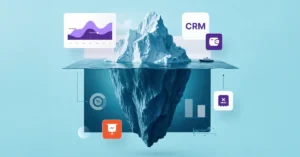
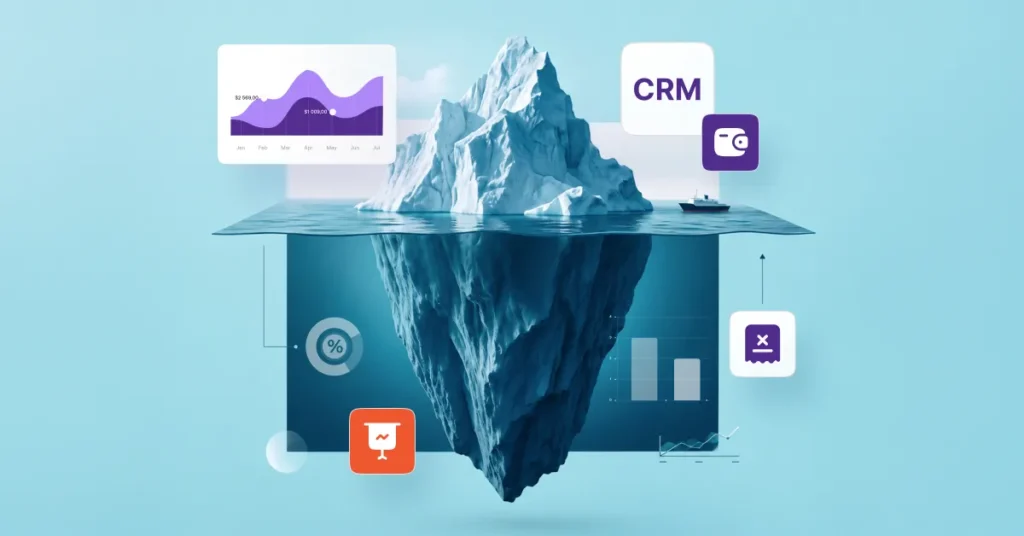
When choosing a system, companies often make a classic mistake: they focus solely on the license price. They compare plans, look at the number of users, and build their budget around a single line item in the price list. However, the initial per-user price is only the tip of the iceberg. Most costs arise during implementation, adapting the system to actual business processes, data migration, and team training.
To get a realistic picture of how much CRM costs, it is worth dividing all expenses into two categories:
| Visible (obvious) costs | “Hidden” (associated) costs |
| License or subscription: the selected pricing plan, basic CRM capabilities, standard storage capacity, and cloud or on-premises deployment model. | Setup and implementation: consulting, process analysis, field customization, and development of custom automations and reports. |
| Product updates: access to new versions and standard fixes in accordance with the licensing terms. | Data and integrations: migration and cleanup of legacy data, connection of third-party services, and expansion of storage limits. |
| Technical support: consultations and incident response according to the selected support package or SLA. | Team-related costs: employee training, administrator preparation, ongoing technical support, and further system development. |
One of the first factors that affects the cost of a CRM system is its deployment model. It determines the structure of expenses over the long term.
Cloud CRMs operate on a subscription model. A company pays a monthly or annual fee and accesses the system through a browser or mobile app. The subscription usually includes updates, basic technical support, and data hosting.
However, before choosing a plan, it is worth checking exactly what it covers. The following may incur additional costs:
An on-premises CRM is installed on the company’s own infrastructure. This approach provides greater control over data and may meet internal security requirements, but it requires significantly higher upfront investment.
In addition to the license cost, the budget should account for:
Even if two CRMs are cloud-based, their costs can differ significantly. The reason is that they use different licensing models.
The most common subscription models are:
| Model | How the cost is calculated |
| Per user | The company pays for each employee who uses the CRM. |
| Package-based | The cost depends on the selected pricing plan and the set of features it includes. |
| Usage-based | The budget depends on data volume, number of operations, API requests, or other usage metrics. |
Before signing a contract, it is worth clarifying:
After purchasing a CRM license, the system is rarely ready to use without additional configuration. The more complex a company’s business processes are, the more time is required to adapt the system.
Depending on the complexity of the project, configuration may include:
Broadly speaking, there are three approaches to CRM implementation:
The main advantages of this approach include:
However, as the business grows, additional modules, integrations, or advanced configurations may be required, increasing the overall cost of the system.
This approach allows the system to be tailored to specific workflows, including:
At the same time, every additional change requires resources for analysis, development, and testing. That is why it is better to involve the vendor in these processes.
Custom CRM development gives a company full control over the system’s functionality and architecture. This can be justified for organizations with highly specific processes or complex requirements.
However, this model involves significant costs, including:
As a result, a custom CRM often has a higher initial cost. At the same time, the upfront investment provides a system that closely matches the company’s business processes and can reduce adaptation costs in the future.
For a CRM to work effectively, data must be migrated before the system goes live, its quality must be checked, and information exchange with other corporate systems must be established.
Three categories of work most often increase the budget for this area:
1. Data preparation and migration
Before data is migrated, it is typically cleaned, duplicates are removed, fields are mapped between systems, and a test import is performed.
2. Integrations
Depending on the business needs, a CRM may be integrated with:
3. Costs of custom scenarios
Some integrations are available out of the box. However, if a non-standard data exchange scenario is required, the project may involve API integrations, development of custom connectors, or ongoing support for these solutions.
Even a fully functional CRM will not deliver the expected results if the team does not adopt the new ways of working or lacks sufficient training and support. Investments in the human factor typically include:
When choosing a CRM, it is also worth clarifying whether technical support is included in the license cost or charged separately on an hourly basis or according to the terms of an SLA.
For small businesses, the number of users is rarely the main cost factor. It is much more important to choose a CRM that covers current processes without unnecessary functionality while allowing the system to scale without requiring a complete migration a couple of years down the road.
That is why, when estimating the budget, it is worth answering several practical questions:
For a small business, the cost of future changes often turns out to be more important than the initial license price.
When a CRM stops being a tool for a single sales department and starts connecting marketing, customer service, finance, and other departments, the largest share of the budget shifts from licenses to process integration.
In practice, the factors that have the greatest impact on the CRM budget for a mid-sized business include:
In large organizations, a CRM evolves continuously along with the business. Organizational structures, products, sales processes, security requirements, and regulations change over time. As a result, change management becomes one of the largest ongoing cost areas.
The budget should account for:
To understand the actual budget required for CRM implementation, companies assess TCO (Total Cost of Ownership) — the total cost of owning and operating a CRM over a specific period. This approach helps compare all the resources required to run the system.
A basic formula is:
Total CRM cost = one-time costs + recurring costs + potential costs over the period of use, where:
The first year usually involves the highest one-time costs because the company is going through the system implementation and launch phase.
The budget should include:
At this stage, it is advisable to set aside a contingency budget for additional work. Once the system is in use, companies often need to adjust business processes, add automations, or modify reporting structures.
While the first year shows the cost of implementation, a 36-month horizon provides a better picture of the actual total cost of ownership.
The long-term budget should account for:
This is when it becomes clear whether the CRM was the right choice. If the system scales easily and does not require constant costly customization, the total cost of ownership remains predictable even as the business grows.
Choosing a CRM should start not with comparing pricing plans or feature lists, but with analyzing your company’s processes. This is the approach recommended by analysts at Gartner: first define the project’s business goals and success criteria, and only then evaluate specific solutions.
If you are not yet sure which CRM best fits your business needs, start by answering a few key questions:
These questions form the basis of the “Which CRM Is Right for Your Business?” quiz. Answer 12 questions to receive a preliminary recommendation on which solution path — SMART CRM or the Microsoft Dynamics 365 ecosystem — may better meet your business needs.
Once you have identified your business needs, the next step is to assess how effectively the vendor can deliver the project. Below is a list of red flags that may indicate that the project budget could increase after you sign the contract:
SMART business has 17 years of experience implementing CRM solutions tailored to specific business processes. The team works with requirements analysis, system configuration, integrations, and ongoing solution development to ensure that the CRM supports the company’s growth.
If you are planning to implement a CRM or would like an individual project assessment, request a consultation. SMART business experts will help determine the optimal system configuration, estimate the full implementation budget, and select a solution that matches your business processes and growth plans.