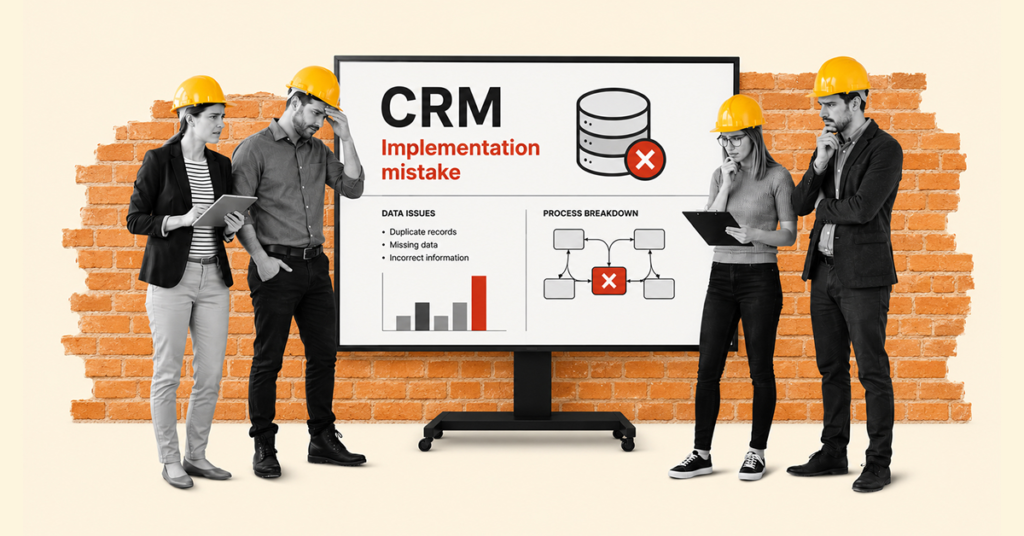
Unfortunately, mistakes made during the early stages of a CRM implementation can lead to problems with team adoption, poorer data quality, disruptions to business processes, and, in extreme cases, even a decline in sales performance. CRM implementations often expose pre-existing organizational issues, unclear processes, and gaps in data management. Choosing the right customer relationship management tool is just the tip of the iceberg. In this article, we’ll examine the most common pitfalls, look at real-world examples of unsuccessful implementations from the market, and outline practical ways to mitigate project risks. Thorough operational and financial planning is the foundation of a successful project, so we recommend reading our guide at the early decision-making stage: CRM Implementation: Stages, Costs, and Best Practices — A Complete Guide from Analysis to Launch.
Why do CRM implementations so often run into problems?
In many cases, implementation problems are caused more by organizational and process-related issues than by limitations of the software itself. A CRM system implemented without a clear business objective, a dedicated project owner, and well-organized data can quickly become just another piece of software that the team either does not use or uses in ways that deviate from the original plan. An effective CRM implementation requires treating the system not as a one-time license purchase, but as a genuine improvement to the way the company operates on a day-to-day basis.
A successful CRM implementation must therefore be based on a close alignment of three elements: people, processes, and technology. Software is just one of the pillars. If, instead of genuinely supporting the established sales process and automating tasks, a new CRM system adds unnecessary bureaucracy to employees’ workload, this critical balance is disrupted, significantly increasing the risk of project failure.
The most common CRM implementation mistakes
Since implementation failures are rarely caused by flaws in the software itself, it is worth looking at the actual reasons behind them. Below is an overview of the most serious strategic and organizational mistakes that can undermine a project’s chances of success at different stages of the implementation.
Lack of clearly defined business goals
- The problem: The company decides to implement a system without conducting a thorough analysis of its business and operational needs (e.g., reducing lead response time) and without defining a clear implementation objective.
- The consequences: Unclear priorities make it difficult to make effective project decisions, ultimately resulting in a CRM system that does not serve the company in the way management intended.
- How to avoid it: Before the project starts, define several (e.g., 3–5) measurable business goals that the system should help achieve within its first year. It is worth determining from the outset whether the priority is to optimize the sales process, reduce customer service time, or improve data visibility across departments.
Choosing a CRM without analyzing business needs
- The problem: Choosing a system solely based on price, popularity, or recommendations, without analyzing your own business processes.
- The consequences: Having to adapt day-to-day processes to the system’s limitations can lead to lower user engagement and increased resistance to change. It is important to remember that a CRM should serve the team, not the other way around.
- How to avoid it: Before you start testing different systems, map out the customer journey step by step. It is also worth using a dedicated questionnaire to determine which CRM solution is right for your business.
No project owner and unclear responsibility
- The problem: No one within the organization has full responsibility for coordinating the implementation, while decisions are spread across multiple people. This slows down decision-making and makes it harder to enforce agreed-upon actions.
- The consequences: Schedule delays, budget overruns, and communication chaos between the company and the software provider.
- How to avoid it: Appoint one person responsible for coordinating the implementation and making key decisions. Depending on the organization, this could be a Project Manager, Product Owner, or Business Sponsor.
Insufficient executive involvement
- The problem: Management approves the budget but completely steps away from the transformation, delegating everything to lower levels of the organization.
- The consequences: Lower user engagement, slower adoption of new ways of working, and a significantly reduced likelihood of project success.
- How to avoid it: Executive sponsorship must be visible — from internal communications to actively using CRM reports during management meetings. Management should communicate the goals and progress of the implementation clearly and regularly so that the entire team understands why the change is being introduced.
Poor data quality and migration mistakes
- The problem: Importing outdated, duplicated, or incorrect data into the new system. The “garbage in, garbage out” principle applies here: poor-quality input data leads to poor-quality results.
- The consequences: Sales teams lose trust in the system, while inaccurate data makes reporting, customer segmentation, and sales planning more difficult.
- How to avoid it: Thoroughly clean and standardize the database before importing it into the new environment.
Ignoring integrations with other systems
- The problem: The CRM operates in isolation from other systems used across the organization, disconnected from email, ERP, marketing automation, or accounting systems.
- The consequences: The need to manually transfer data between applications, leading to frustration and errors.
- How to avoid it: Plan key integrations as early as the system selection stage and design how data will be exchanged using available APIs or ready-made integrations.
Starting with too broad an implementation scope
- The problem: Trying to implement all available modules and features at once — the so-called Big Bang approach.
- The consequences: Users become overwhelmed and struggle to take full advantage of the CRM system.
- How to avoid it: Follow an Agile approach: start with a core functional scope covering the most important business processes, and roll out additional features in stages.
Over-customizing the CRM from the first version
- The problem: Expanding or modifying the system’s standard features from the very beginning to make it 100% compatible with old, often inefficient ways of working.
- The consequences: Difficulties updating the system in the future, enormous implementation costs, and reduced flexibility.
- How to avoid it: Use the system’s standard, out-of-the-box features wherever possible, and limit customization to processes that are unique to your competitive advantage.
Lack of training and low user adoption
- The problem: Leaving employees on their own after simply sending them an email with login credentials for the new CRM.
- The consequences: The team goes back to using Excel spreadsheets and personal notes.
- How to avoid it: Invest in hands-on training, appoint internal system champions, and create a knowledge base.
Not measuring results after CRM launch
- The problem: Treating the project as complete the moment someone clicks “Launch,” without analyzing how the system is actually being used.
- The consequences: Undetected process issues become entrenched, and the investment fails to deliver the expected return on investment (ROI).
- How to avoid it: Define success metrics (KPIs) and review them regularly with the team during the first few months after launch.
Real examples of failed CRM implementations
Stories from the market show that CRM implementation setbacks can happen even to the biggest players.
Vodafone UK
- Company context: As part of a major IT infrastructure modernization project, the UK operator was migrating 28 million customer accounts to a new integrated CRM platform linked to its billing system.
- What went wrong: The data migration process spiraled completely out of control. Incomplete and corrupted information was transferred to the new database. As a result, customer service agents lost access to account histories, which almost overnight brought the process of handling customer inquiries and resolving issues to a near standstill.
- Consequences: Thousands of customers experienced billing problems, incorrect balances, and difficulties getting their issues resolved, leading to a sharp increase in complaints. As reported by The Guardian, the operator’s failure to respond appropriately to the resulting chaos ultimately led to a record £4.6 million fine from the market regulator, Ofcom. Meanwhile, consumer rights organization Citizens Advice highlighted in its statement that the surge in complaints about Vodafone made mobile phones the most common reason for consumer intervention in the country at the time.
- Lesson for other organizations: Data migration is a critically important stage of any implementation. Rushing this phase at the expense of rigorous database testing, combined with a lack of contingency procedures for the customer service team, is a direct path to reputational damage and significant financial losses.
Hershey
- Company context: In 1999, Hershey undertook a major transformation project involving the SAP R/3 ERP system, Manugistics’ SCM solution, and Siebel CRM, which was the market leader in CRM at the time. The goal was to modernize order processing, distributor relationship management, and overall customer service just ahead of a critical period for the company — the run-up to Halloween.
- What went wrong: Instead of breaking the project down into manageable stages, the company opted for a highly risky “Big Bang” strategy, launching all the modules simultaneously. To meet the autumn deadline, the implementation was scheduled for July, while the testing phase was drastically shortened. As a result, a new and insufficiently tested working environment was rolled out to the sales and customer service teams in the middle of the year’s busiest operational period.
- Consequences: Integration problems and post-launch errors significantly disrupted wholesale order processing and deliveries. In its official 1999 financial report, the company’s management explicitly acknowledged to investors that the implementation had caused major “disruptions in customer service” as well as painful shipping delays. Sales teams lost access to reliable data, resulting in contracted orders worth $100 million not reaching store shelves, while net income in the third quarter fell by nearly 19%.
- Lesson for other organizations: A CRM implementation schedule must be carefully aligned with the company’s business cycle, and rigorous testing must never be skipped. Rather than saving the sales team’s time, an implementation carried out under time pressure damaged relationships with distributors and left sales teams unable to efficiently manage contracts. Scheduling the Go-Live date immediately before peak season is a direct path to operational, reputational, and financial disruption.
How to avoid CRM implementation mistakes
Risk mitigation starts even before you sign a software agreement. It requires disciplined change management and a focus on the fundamentals. The table below outlines the key risk areas and specific actions that can help you avoid costly mistakes.
| Risk area |
How to mitigate it |
| Lack of strategy |
Define 3 priorities (e.g. response time, upselling) and link them to CRM features. |
| Employee resistance |
Involve key business users in the tool selection and testing process. |
| Poor data quality |
Audit your databases, remove duplicates, and standardize data formats. |
| Scope too large |
Phase the project (Phase 1: key sales processes; Phase 2: automations and extensions). |
How to measure whether a CRM implementation was successful
Success is about more than delivering a project on time and within budget. The true measure of success is how effectively the organization has adopted the new technology and how much it has improved operational efficiency.
| Area |
Metric (KPI) |
What does a good result look like? |
| User adoption |
% of users logging in daily |
Example of a good result: more than 80% of the team regularly works in the system. |
| Data quality and cleanliness |
Number of duplicate accounts |
A significant reduction in inaccurate, incomplete, and duplicate records. |
| Sales efficiency |
Time to process a new lead |
Leads are assigned and processed faster than before (e.g. within an hour). |
| Business visibility |
Forecast accuracy |
CRM reports closely match actual sales results. |
The role of a CRM implementation partner in reducing project risk
Even the best software requires careful adaptation to a company’s unique processes. An experienced implementation partner helps mitigate the key risks that most often lead to project failure — from poorly defined scope and migration errors to a lack of meaningful support after the system goes live.
This is where SMART business comes in — a technology partner with many years of experience specializing in solutions based on the Microsoft Dynamics 365 ecosystem. Working with such a partner is about more than simply deploying ready-made code. It starts with an in-depth pre-implementation analysis, selecting the right tools for the scale of your business, carefully planning the migration, and building stable integrations with other systems. What’s more, a reliable implementation partner takes care of employee training and helps reduce risks through post-implementation support and regular system optimization. This gives you confidence that your CRM will genuinely automate repetitive tasks and allow your team to focus on building customer relationships.
If you’re planning to implement CRM in your company, it’s worth relying on the expertise of a partner who can guide you through the entire process, step by step.
If you’d like to learn more, request a consultation.
Request a consultation