CRM and ERP integration is a strategic step for modern enterprises, allowing them to combine two key technological pillars into a single, cohesive ecosystem. Where does the growing popularity of this solution stem from?
The main driver of change is the problem of scattered data and the resulting lack of seamless communication between different departments. As experts from Forbes highlight in the article GenAI For Distributors: How To Transform Enterprise Architecture (2025), maintaining isolated systems creates harmful information silos. These lead to data inconsistencies, slow down decision-making processes, and significantly limit a company’s operational flexibility.
Although sales support solutions and resource management systems perform different tasks on a daily basis, it is only after integration that these barriers can be removed, fully unlocking an organization’s potential. In this article, you will learn how CRM and ERP integration works in practice, what tangible benefits it brings to a company, and how to plan its successful implementation step by step.
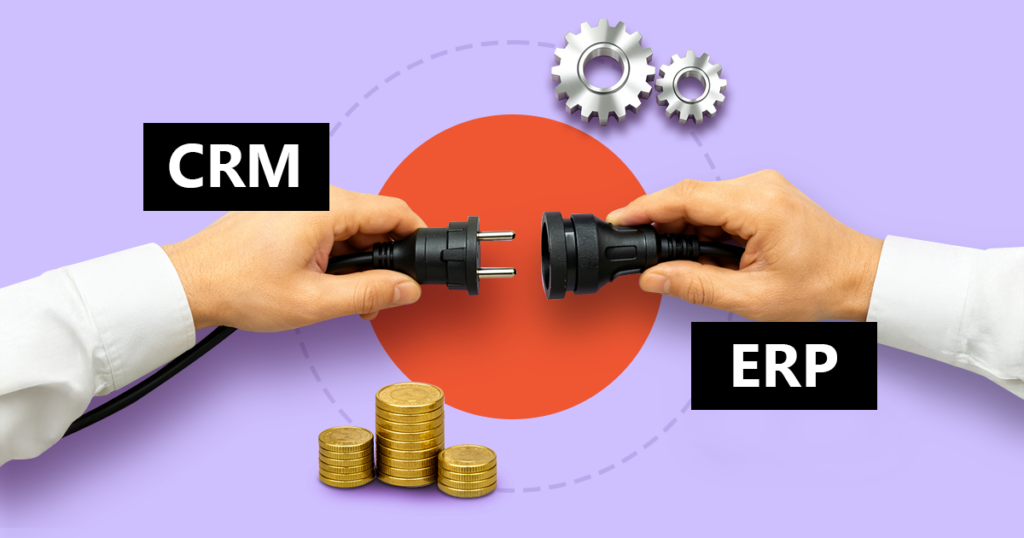
In the simplest terms, CRM and ERP integration is a coherent connection between tools that support sales and customer relationships (front-office) and the operational and financial backbone of a company (back-office). Its primary goal is full data synchronization and the automation of repetitive processes. As a result, barriers between departments disappear, and information reaches the places where it is needed — instantly and without distortion.
Instead of wasting time manually transferring information between systems, sales representatives always have it at hand — up-to-date, consistent, and ready to use. Technology takes over routine work so that people can focus on what they are irreplaceable at: communicating with customers.
Imagine your sales representative is finalizing details with a key client and clicks “Approve” in a mobile CRM system. At the same time, the connected ERP system automatically checks the customer’s credit limit, reserves stock in the warehouse, generates a packing order, and sends a signal to accounting to issue an invoice. All of this happens automatically — without a single additional email or phone call.
This level of data unity brings three concrete benefits to the company:
As a result, the organization responds to market changes faster than competitors who are still drowning in scattered files and slow administrative processes.
To properly plan information flow, it is first necessary to understand how these two systems relate to each other. Although both solutions are designed to drive business growth, the difference between them comes down to their core foundations and primary purpose.
A CRM system (front-office) is the working environment of sales, marketing, and customer service teams. It is used to track interaction history, manage quotations, and run marketing campaigns. Its role is to automate repetitive tasks and save time for sales representatives, giving them space for what technology can never replace: building and maintaining customer relationships.
An ERP system (back-office), on the other hand, is the operational and financial backbone of the entire organization. It works behind the scenes, managing logistics, supply chains, production, as well as complex accounting and HR processes.
The difference between them can be summed up in one sentence: CRM maximizes revenue, while ERP ensures the company is able to properly handle that revenue — efficiently and without unnecessary costs.
| CRM | ERP | |
| Main goal | Acquiring new customers and building long-term relationships with them | Smooth execution of orders and smart cost management |
| Key users | Sales teams, marketing, customer service | Logistics, warehouse, accounting, production |
| Key features | Sales funnel tracking, fast quoting, access to full interaction history | Invoicing, inventory control, delivery and resource planning |
| Business role | Driving growth and increasing revenue | Protecting profit margins and streamlining operations |
Want to expand your knowledge about these systems? Read the articles:
The benefits of combining both systems go far beyond simply improving IT infrastructure. As experts from Forbes emphasize in the article The Power Of Integrating CRM And ERP: Unlocking Business Potential, integrating these environments unlocks significant business potential. Sales teams gain real-time insight into a customer’s situation, seeing not only sales opportunities but also invoice status or open service requests. This helps sales representatives avoid inappropriate upselling attempts at moments when a customer is frustrated and waiting for a technical issue to be resolved. As a result, the organization makes faster and more accurate decisions based on a complete picture of the situation.
The concept of a single source of truth means that employees do not need to switch between multiple applications to gain a full view of a customer. Address details, commercial agreements, credit limits, and full service history — all of it is available in one place, within CRM, without searching across other systems.
Integration eliminates the need for manual data entry between systems. When a sales representative marks a deal as won, the ERP system automatically generates a warehouse order or a pro forma invoice, and the information is passed to accounting without any intervention. Technology takes over routine work — people handle everything else.
When operational teams can see sales forecasts, they can proactively plan purchasing and production. When sales teams are aware of delivery status and potential delays, they can realistically manage customer expectations. Information stops being the property of a single department — it becomes a shared resource for the entire organization.
The decision to integrate both environments requires a precise definition of which information is critical for smooth business operations. The goal is not to copy everything, but to connect the touchpoints that truly eliminate administrative routine for the team. The most commonly synchronized data groups include:
There are different methods of data exchange, and the optimal choice depends on business scale and the systems already in use. In practice, three main approaches are most commonly used:
Connecting two strategic platforms is much more than just installing software. It is a transformation in the way an entire organization works. That is why this process requires a solid methodology and the support of an experienced implementation team that will guide the company through each of the following stages.
Work always starts with identifying where exactly information bottlenecks occur. At this stage, the project’s precise goals are defined (e.g., reducing order processing time). The implementation team also verifies which departments will experience the biggest change and plans appropriate steps to properly prepare employees for the new tools.
Once the processes are clear, system architects design precise information flow scenarios. They define which system becomes the single source of truth for specific records and how frequently the information will be updated — which protects the organization from chaos and the risk of overwriting critical information.
Before new mechanisms go live in production, experts test how the systems respond to peak loads. The rollout itself is divided into phases. After completion, the process transitions smoothly into environment stabilization and hands-on training for staff.
Self-integrating such complex environments carries significant operational risk. An experienced technology partner ensures that the project does not end with technical success alone, but above all achieves its business objectives. A well-implemented integration frees sales teams from administrative routine — and gives them time for what no system can replace: communication with customers.
Want to check which of your current processes can be automated, how much time your sales teams could regain, and how this will impact your company’s profitability? Book a free consultation with SMART business experts.
Project experience clearly shows that issues in such large-scale operations rarely stem from technological shortcomings alone. The biggest obstacles are usually organizational and process-related. The most common mistakes include:
Planning an operational environment requires both extensive technological expertise and a practical business perspective. Based on this approach, SMART business provides comprehensive support for CRM and ERP integration in companies. As a trusted technology partner with many years of implementation experience, the company delivers stable solutions based on the Microsoft Dynamics 365 ecosystem, which serve as a secure foundation for digital transformation.
The company’s experts go beyond system configuration — they primarily design coherent data flow between departments, carefully analyzing the structure of each organization. A deep understanding of processes and a methodology based on best practices ensure that the integration of sales and operations translates into measurable value, providing organizations with long-term security and a competitive advantage.
The SMART business team is happy to analyze your current architecture and recommend the optimal, secure path for integrating key systems. Discover how system integration can unlock the full potential of your data.