The Microsoft Dynamics CRM Ecosystem: What It Includes and How It Works
Statistics from the HostingAdvice analytics platform show that using a CRM system can reduce a company’s core expenses by an average of 23%. That’s why more and more organizations are rethinking their approach to customer relationship management, looking for tools that combine analytics, automation, and scalability. One name that frequently tops these searches is “MicrosoftDynamicsCRM.”
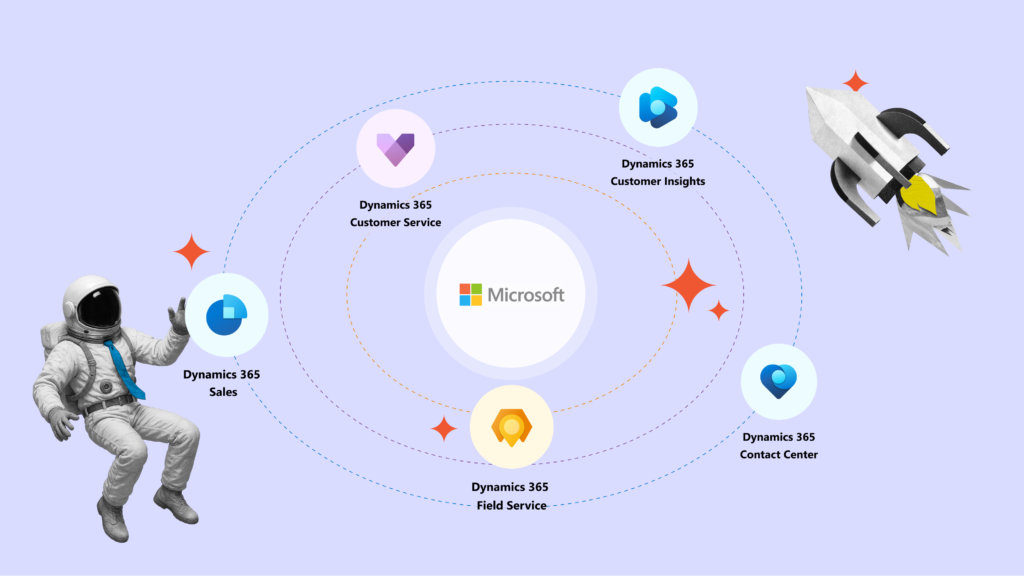
However, this is where businesses often encounter a surprise: there is no standalone system by that name. In fact, what it refers to is a suite of individual Microsoft Dynamics 365 solutions designed to optimize sales, marketing, customer service, and other areas. These solutions form a unified CRM ecosystem thanks to a single database and seamless integrations.
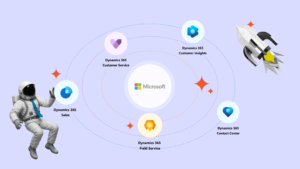
As of October 2025, the Microsoft website lists the following tool stack under the “CRM” category:
The Microsoft Dynamics CRM suite is constantly evolving: artificial intelligence is being integrated, modules are merged or transformed, their functionality changes, and the logic of their interaction expands. That’s why, to achieve maximum efficiency in CRM processes, businesses need to find the optimal configuration of these solutions.
Microsoft partners are also actively developing the ecosystem of this CRM platform by creating local connectors and industry-specific solutions tailored to the specifics of local markets. With more than 16 years of experience implementing Microsoft Dynamics 365 products, the SMART business team has created a guide to help you understand the functionality of key Microsoft Dynamics CRM solutions and build configurations that best meet your business needs.
Practical Advantages of Microsoft Dynamics CRM in Customer Engagement
In 2025, Forrester named Microsoft a leader in The Forrester Wave™: Customer Relationship Management ranking. And in 2024, Microsoft topped Gartner’s Magic Quadrant for companies offering sales automation solutions. Microsoft CRM solutions have earned this popularity thanks to the following functional advantages:
360°View
Microsoft Dynamics 365 CRM solutions allow you to consolidate all customer interactions — from marketing, sales, and service — into a single system.
UnifiedDataPool
Microsoft solutions support a unified data pool through Microsoft Dataverse, reducing the need for complex integrations between separate systems and saving time and resources.
ArtificialIntelligence(Copilot)
Microsoft Dynamics CRM modules include generative AI capabilities and agents that help automate repetitive tasks, improve recommendations, analyze data, and more.
PersonalizedCustomerExperience
These solutions enable businesses to customize customer interactions across multiple channels — chat, email, social media, phone — while considering previous inquiries and customer preferences.
Real-TimeAnalyticsandDecision-Making
Integration with Power BI provides up-to-date insights into sales, service, and marketing metrics in real time.
ScalabilityandFlexibility
Microsoft Dynamics 365 CRM solutions are suitable for both small businesses and large enterprises. The system can be scaled, new modules added and adapted to industry or local requirements. The subscription model allows you to align costs with business growth.
SecurityandCompliance
Microsoft ensures adherence to security, regulatory compliance, and privacy standards. Solutions based on Microsoft Dynamics 365 CRM are deployed on Microsoft’s cloud infrastructure, which holds a wide range of certifications (ISO 27001/27701, SOC 1/2/3, etc.) and tools to support compliance with GDPR, HIPAA, DORA, and other regulations. Actual compliance depends on system configuration, security processes, and client policies.
Dynamics 365 Sales: Automating the Sales Process
Dynamics 365 Sales is a solution designed to manage the sales process at every key stage: lead identification, qualification, relationship development, proposal creation, and deal closure. The system is built around leading methodologies such as SWOT (Strengths, Weaknesses, Opportunities, Threats) and SPIN (Situation, Problem, Implication, Need-payoff), helping sales managers work strategically without wasting resources on repetitive tasks. Dynamics 365 Sales offers the following functionality:
AIAnalyticsandReal-TimeInsights — The system provides managers and executives with relevant customer information exactly when they need it and suggests actions to move deals toward closure.
SalesEngagement — Tools like Sales Accelerator, Sequences, and Focused View standardize the sales process, helping teams efficiently manage leads, contacts, and opportunities.
WorkflowIntegration — Dynamics 365 Sales integrates seamlessly with Microsoft 365, Teams, and Outlook, consolidating all sales-related communication in one system.
OptimizedUX — Microsoft recently introduced a new interface based on Fluent UI Components and accelerated the loading of all record forms by 40%, improving navigation and overall user experience.
CustomerOrganizationalCharts — Visualizing deal structures with key stakeholders, decision-making roles, and relationship status helps managers build more accurate engagement strategies.
FlexibleProcessConfiguration — Features like automatic lead and opportunity assignment to teams, creating multiple opportunities from a single lead, and exporting segments from a unified database allow sellers to manage deals quickly and efficiently.
An additional advantage of the solution is the integrated Microsoft Copilot. Artificial intelligence acts as a virtual assistant with the following benefits:
AutomaticMeetingandEmailSummaries — Copilot summarizes key discussion points, identifies buyer intent, budget, and timeline, and suggests next steps.
SWOTandSPINClientAnalyses — AI automatically generates a concise strategic profile of the client based on data from internal (CRM) and external sources.
IntelligentRecommendationsinOutlookandTeams — Copilot suggests responses, generates follow-ups, drafts emails, logs activities in CRM, and personalizes communication.
IdentifyingGrowthOpportunitiesinEngagement — AI analyzes messages, documents, and CRM data to detect gaps in customer needs and provide managers with actionable recommendations.
ContextualAnalytics — Copilot displays information about key stakeholders directly in Microsoft 365 Chat, Outlook, or Teams.
Case Study — Pharmaceutical Company YURiA-PHARM
YURiA-PHARM, one of the leaders in the Ukrainian pharmaceutical market, chose Dynamics 365 Sales to support its rapid growth and business expansion. Implementing the solution helped structure work with international partners, make contract management transparent, and streamline collaboration between teams — directly impacting the company’s key performance indicators. Learn more about the implementation in YURiA-PHARM’s success story.
Case Study — System Integrator SEETON
Another example of Dynamics 365 Sales effectiveness is Seeton. This leading system integrator in Ukraine and Azerbaijan needed a CRM capable of covering the full and complex sales cycle — from tenders to post-project support. Dynamics 365 Sales helped them achieve complete process transparency, build clear analytics, and optimize risk management.
Dynamics 365 Customer Insights combines the capabilities of the former Dynamics 365 Marketing and Customer Insights into a single platform. This tool helps companies collect, unify, and analyze data from all sources — CRM, ERP, websites, contact centers — and create a complete customer profile in real time.
The result: accurate segmentation, personalized communications, and effective marketing campaigns thanks to the following functionality:
UnifiedCustomerProfile(360°): The system builds a consolidated customer profile by merging data from all channels in real time.
IntelligentSegmentation: Marketers can instantly create audience segments based on behavior, lifecycle stage, and customer preferences.
CustomerDataPlatform(CDP): The solution’s technological foundation enables data synchronization across all business systems and departments.
CampaignAutomation: Insights generated by the solution can immediately be turned into targeted promotional campaigns without additional integration.
SmartEventManagement: The system automates the entire communication cycle — from participant registration (including waitlists) to sending reminders and post-event emails, considering each contact’s time zone.
UnifiedDataEcosystem: Dynamics 365 Customer Insights integrates with Microsoft Fabric OneLake — a modern platform for data storage and analytics. This ensures all customer data from CRM, marketing, sales, and support is consolidated in one database, optimizing analytics.
Copilot: Configure customer scenarios in real time and use Copilot to gain new insights, create audience segments, and generate personalized content.
Case Study — BROCARD: Personalizing Communication with Two Million Customers
Seeking a deeper understanding of its audience, retailer BROCARD chose Dynamics 365 Customer Insights — a platform that delivers flexible segmentation and high-level customer base analytics. Thanks to Microsoft CRM, the company reduced its “inactive” customer segment by 4.9 times, the potential churn segment by 3.8 times, and the churn segment by 1.5 times. Learn how these results were achieved in the success story.
Dynamics 365 Customer Service: Delivering Flawless Customer Support
Dynamics 365 Customer Service is a solution that enables companies to provide comprehensive, personalized, and fast support for customers within a single platform. It supports both B2B and B2C service models, addresses the needs of partners, dealers, and internal departments, and helps reduce time spent on routine tasks thanks to the following functionality:
360°CustomerInteractionView: A complete picture of customer history, preferences, communication habits, and data from ERP or other systems — all in one window — so agents can quickly understand the context and deliver personalized support in real time.
IntelligentCaseRouting: The system automatically directs requests to employees with the right expertise, considering priority, topic, and communication channel.
AdvancedAnalyticsandQualityManagementTools: The solution uses employee performance metrics, SLA monitoring, and sentiment analysis to identify and resolve issues before customers notice them, leveraging built-in IoT signals and alerts.
Self-ServicePortal: Customers can access knowledge base articles, create support tickets, and use chatbots to reduce the load on support agents.
Integration: The solution integrates with Microsoft Teams and unified admin dashboards, allowing businesses to customize the workspace to their needs.
Built-InCopilot: AI in Dynamics 365 Customer Service helps draft responses to customers, summarize and translate their requests when needed, and suggests knowledge base articles and similar cases based on context. The advantage is that Copilot ensures a seamless, convenient, and personalized service experience for customers regardless of their location, language, or preferences.
Case Study — UIA (Ukraine International Airlines)
To improve the efficiency of handling customer inquiries, UIA sought a solution that would centralize all passenger requests and ensure control at every stage of processing.
Implementing Dynamics 365 Customer Service enabled the company to create a unified system for logging, registering, and monitoring requests in real time. As a result, UIA optimized its support operations, accelerated response times, and increased transparency in customer service processes.
Dynamics 365 Field Service: Optimizing On-Site Service Operations
Dynamics 365 Field Service helps companies deliver high-quality service directly at the customer’s location. This solution combines intelligent scheduling and mobile tools to ensure field teams operate efficiently and service continuity is maintained. Its main advantage is that it not only resolves issues but also helps prevent them. The platform is suitable for managing customer equipment maintenance as well as internal technical infrastructure — for example, in large manufacturing or energy companies. The system offers the following functionality:
SmartSchedulingofServiceVisits: Automatically assigns work orders to specialists based on workload, qualifications, location, and route.
UnifiedWorkOrderManagement: Handles creation, assignment, tracking, and analytics of work orders in real time.
MobileAppforTechnicians: Provides an intuitive interface with schedule updates, instructions, and customer service history.
PreventiveMaintenance: Automatically creates recurring tasks for equipment checks to prevent failures and downtime.
InventoryandProcurement: When integrated with ERP systems, automates inventory tracking and processes for supply requests, returns, and material usage.
PerformanceAnalytics: Analyzes completed work orders against plans, response times, and technician workload to optimize scheduling for maximum productivity.
IoTSupportandProactiveService: Integrates with IoT devices for equipment monitoring; if an issue is detected, the system automatically creates an incident ticket and schedules a technician visit.
BillingandTimeTracking: When integrated with ERP, the CRM solution automatically generates invoices based on completed work and materials, factoring in travel and on-site time.
Copilot: AI in Field Service generates work summary reports, analyzes data from field specialists, and helps segment and process requests faster.
Case Study — Ausgrid, Australian Energy Distributor
Ausgrid is one of the largest electricity providers in Australia, serving over 4 million consumers. A Microsoft partner implemented Dynamics 365 Field Service for Ausgrid to improve the efficiency of its field teams and minimize manual processes. By integrating the system with Dynamics 365 Customer Service, Ausgrid automated visit scheduling, equipped technicians with mobile tools, and gained real-time, transparent analytics. This helped reduce errors, accelerate task completion, and enhance customer service quality. Learn more in Microsoft’s case study.
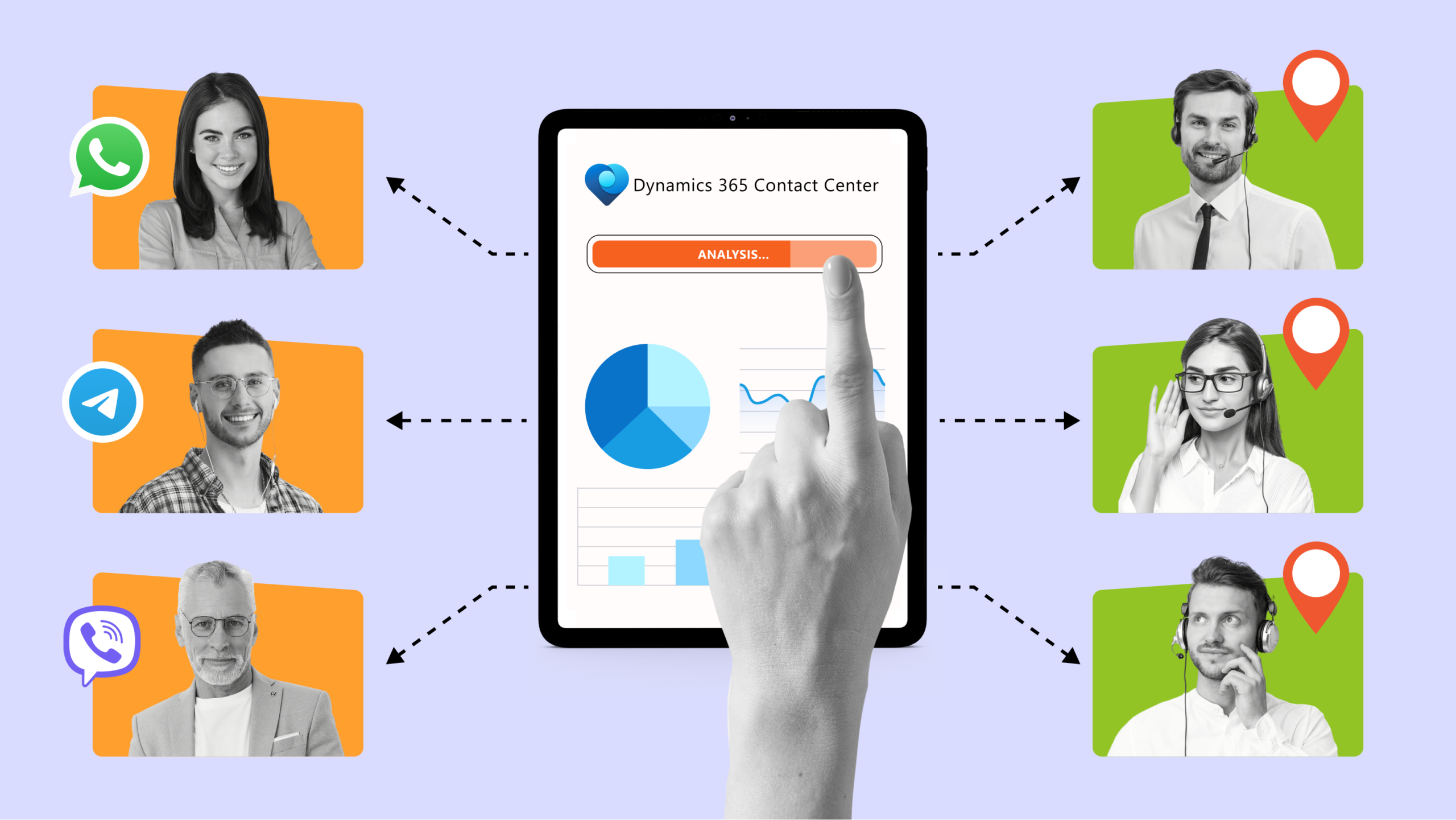
Seamless customer service starts with the right point of contact. Dynamics 365 Contact Center is an intelligent cloud solution for omnichannel support that combines telephony, chat, messaging apps, and SMS into a single platform. It can be integrated as part of the Dynamics 365 Customer Service suite or used as a standalone solution. Designed for professional contact centers, it delivers scalability, process automation, and deep CRM integration, boosting agent efficiency and customer satisfaction through the following functionality:
FullCloudTelephony: Built on Microsoft Teams and Azure Communication Services, it supports scaling voice and chat channels without third-party solutions.
OmnichannelInteraction: All inquiries from telephony, chat, email, and messaging apps appear in a single agent console, providing a 360° view of customer history.
IntelligentRouting: Automatically assigns cases to the most relevant agent based on skills, language, rating, and prior experience.
AdvancedSelf-ServiceOptions: Integrated AI agents and IVR scenarios powered by Nuance and Microsoft Copilot Studio allow customers to get answers without an operator.
Real-TimeAnalytics: Built-in Power BI dashboards track contact center workload, agent performance, and key KPIs.
DeepIntegrationwithMicrosoftEcosystem: Native integration with Dynamics 365 Sales, Customer Service, and Customer Insights ensures a unified customer profile and accurate data synchronization.
Copilot: Embedded AI provides automatic call and chat summaries, real-time prompts for agents, draft responses based on knowledge base articles, and previous customer interactions.
Case Study — Lenovo: Boosting Agent Productivity by 15%
Lenovo, one of the world’s leading manufacturers of computer hardware and IT solutions, provides customer support in over 180 countries. The company implemented Dynamics 365 Contact Center and Dynamics 365 Customer Service to enhance its Premier Support operations and improve customer engagement quality. By integrating Copilot and generative AI capabilities, Lenovo automated case handling, introduced omnichannel support in nine languages, and provided agents with real-time prompts and summaries. As a result, productivity increased by 15%, and average case handling time dropped by 20%. Learn how these results were achieved in Microsoft’s success story.
Microsoft Dataverse: A Common Data Language for the Entire Company
Let’s return to the term “Microsoft Dynamics 365 CRM”: as we’ve seen, it’s not a single system but a suite of separate solutions. So, how can these solutions be seamlessly combined into a unified CRM system for a company’s business processes? Microsoft Dataverse serves as that shared platform for all CRM solutions, ensuring consistent data storage, processing, and synchronization across departments—sales, service, marketing, and logistics.
Each department works in its own role-based interface with the necessary functionality, but all share the same database. This means that changes made by one team are automatically reflected for others—within the access rights granted according to employee roles.
Dataverse also stores business logic, system relationships, and configurations, so all Microsoft solutions — from Dynamics 365 Sales to Field Service — integrate easily while remaining consistent. In other words, Dataverse is the common “data language” that enables a company to operate as a single organism.
Pricing for Microsoft Dynamics 365 CRM
The cost of Microsoft Dynamics CRM solutions is based on license fees and primarily depends on the number of users who will have access to the system. This can be billed per active user or for a specific range of users (e.g., up to 50, up to 100).
License fees also vary depending on the selected CRM functionality. Microsoft Dynamics 365 offers different licensing models: you can choose a basic package or advanced options with additional features (information current as of Fall 2025):
SolutionName
LicenseType
IncludedFeatures
Price
Dynamics365Sales
Professional
Basic sales process automation, Microsoft 365 integration, reporting, dashboards
$65/month per user, billed annually
Enterprise Edition
Advanced sales automation and AI-driven analytics with extended customization
$105/month per user, billed annually
Premium
Everything in Enterprise plus additional preconfigured AI solutions for sellers and managers, Sales Qualification Agent
$150/month per user, billed annually
Dynamics365CustomerInsights
Single License
Unified customer data source, enrichment functionality, personalized interactions with potential and existing clients
$1,700/month per tenant, billed annually OR $1,000/month for customers with 10+ Dynamics 365 licenses
Dynamics365CustomerService
Professional
Basic customer service features: self-service, case management, knowledge base
$50/month per user, billed annually
Enterprise
Advanced customer service features for personalized support, team efficiency tools, and process optimization
$105/month per user, billed annually
Premium
Extended solution with integrated contact center and ready-to-use AI agents
$195/month per user, billed annually
Dynamics365FieldService
Contractor
Engaging contract field service specialists for work orders, including mobile app access
$50/month per user, billed annually
FieldService
Comprehensive field service solution with step-by-step instructions and real-time remote expert support
$105/month per user, billed annually
Dynamics365ContactCenter
Contact Center
Comprehensive solution for voice and digital channel communication
$110/month per user, billed annually
Customer Service Premium
Extended customer service solution with integrated contact center and AI agents
$195/month per user, billed annually
SMART business — Your Trusted Partner for Implementing Microsoft Dynamics 365 CRM
SMART business, an authorized Microsoft partner with over 16 years of experience and the trust of more than 1,250 clients worldwide, provides expertise in selecting the optimal solution from the Microsoft Dynamics CRM ecosystem, as well as system implementation and ongoing support to maximize business process efficiency.
SMART business follows the Microsoft Sure Step methodology, ensuring predictability, transparency, and control at every stage of implementation. This approach gives businesses clear timelines, a predictable budget, and solutions that can scale as the company grows.
Implementation Options for Dynamics 365 CRM Offered by SMART business:
Out-of-the-BoxSolution
Ideal for companies whose business processes are close to standard. In this case, the system is deployed quickly, the team receives training for confident use and gains the ability to configure CRM independently through low-code/no-code tools.
CustomizedSolution
If your business has unique processes, Dynamics 365 CRM can be flexibly adapted to them. SMART business helps determine which of the five Dynamics 365 solutions best meets your goals and calculates the scope of work for a clear understanding of resources and costs.
In addition to vendor services, SMART business also offers its own solution for implementation — SMART CRM. This is an alternative to Microsoft Dynamics 365 CRM, built on Microsoft technologies, and easily integrates with your company’s existing business processes.
FAQ — Frequently Asked Questions About Microsoft Dynamics 365 CRM
HowisDynamics365CRMdifferentfromERPsystems? CRM manages customer relationships, helping businesses build effective sales, marketing, and service processes.
ERP, on the other hand, covers internal processes such as finance, manufacturing, logistics, and HR, enabling centralized management of these operations.
CanMicrosoftCRMbecustomizedformybusiness? Every solution in the Dynamics 365 CRM ecosystem allows you to create custom fields, forms, business processes, automations, and rules without coding using Power Platform. In addition, SMART business provides customization services at any level—from basic configurations to complex integrations and automations.
Doesitsupportlow-code/no-codedevelopment? Microsoft Dynamics 365 CRM supports a low-code/no-code approach. With tools like Power Apps, Power Automate, and Copilot, companies can quickly build automations and integrations without programming.
Howisdatasecurityensured? Microsoft provides enterprise-grade security: role-based access control, encryption, user activity auditing, and compliance with international security standards. All data is transmitted through secure channels and backed up in Microsoft-certified data centers.
DoesDynamics365CRMintegratewithotherMicrosoftproducts? For example, Outlook, Teams, Power BI, Word, Excel, and Entra ID work within a unified ecosystem. CRM synchronizes through built-in connectors — requiring only a corporate Microsoft account.
DoesDynamics365CRMintegratewithothersystems? It supports ready-made connectors and custom connector development using open APIs. Dynamics 365 CRM solutions can integrate with SAP, Oracle, Mailchimp, HubSpot, Slack, Zoom, Zendesk, ServiceNow, and more — or you can build custom integrations via Power Platform.
IsthereamobileversionofCRM?
Yes. Mobile apps for iOS and Android are available, featuring offline mode, push notifications, and full customer management functionality.
DoesCRMintegratewithNovaPoshtaandUkrposhta? SMART business has developed SMART Connectors that integrate Dynamics 365 with Nova Poshta, Ukrposhta, InPost, as well as payment services like PayPal, UAPAY, plata by mono, and Przelewy24.
DoesCRMintegratewithRozetka?
Yes. With the SMART Connector for Rozetka, marketplace orders can be processed directly in Microsoft Dynamics 365 modules.
Isemployeetrainingavailable?
Yes. SMART business provides user training and quick-start materials.
DoesMicrosoftDynamicsCRMincludeCPQ?
Not For example, Dynamics 365 Sales does not have a full CPQ (Configure, Price, Quote) module that automates product selection, pricing, and quote generation. However, the system includes several built-in CPQ features that can be combined and extended.
Still have questions about Microsoft Dynamics 365 CRM or ready to implement one of the solutions? Submit a request for a free demo, and SMART business experts will gladly consult you:
Do you want to understand if SMART CRM for solving your tasks?
Do you want to understand if SMART CRM for solving your tasks?
Thank you for your request!
We will contact you at the specified phone number as soon as possible and provide the calculation data
Thank you!
You have successfully subscribed to the SMART CRM newsletter
SMART CRM
SMART
SMART Connectors
SMART
SMART Modules
SMART
Cookies
We use cookies to improve your web experience, display personalized content and analyze traffic. By clicking «Accept All», you agree to their use. To manage your settings, click Settings. Learn more about the use of cookies in the privacy policy.
Functional
Always active
The technical storage or access is strictly necessary for the legitimate purpose of enabling the use of a specific service explicitly requested by the subscriber or user, or for the sole purpose of carrying out the transmission of a communication over an electronic communications network.
Marketing
The technical storage or access is required to create user profiles to send advertising, or to track the user on a website or across several websites for similar marketing purposes.
Statistics
The technical storage or access that is used exclusively for statistical purposes
Analytics
Analytical purposes are used to measure traffic and optimize content.