Best CRM Systems in 2026: Which One Should You Choose?
In 2026, a CRM system serves as the central hub for managing business processes. It is a comprehensive operational platform that coordinates marketing, service, and analytics. CRM functionality continues to evolve: AI modules are being introduced, processes are automated, and BI integrations are optimized. Businesses quickly adapt to this new level of technological maturity — and just as quickly begin to expect more from their CRM systems.
At the same time, companies face an important decision: which system should they choose for their first implementation or to replace legacy software? The choice is complicated by the fact that the number of solutions on the market has long exceeded the actual needs of most businesses. According to forecasts, the global CRM market is expected to reach approximately $88.7 billion in 2026 — a figure that represents hundreds of platforms with similar functionality but different operating logic.
So how do you choose a solution that truly fits your company’s needs? In this article, we present a ranking of the most popular CRM systems, a comparative table of their key capabilities, and practical selection criteria tailored to different types of businesses.
CRM Ranking 2026: How It’s Formed and How to Make Sense of It
Typically, information used to compare business solutions is based on customer satisfaction and market presence. However, when creating an overall CRM ranking, platforms should be evaluated according to a set of practical criteria:
Salesandservicefunctionality: How well the CRM supports the full customer lifecycle (pipeline management, leads, deals, and customer support). The more complete the functionality, the fewer third-party apps you’ll need to connect.
Processautomation: Whether the system allows you to set rules, triggers, and workflows without constant human intervention. This is essential for saving team time and reducing the likelihood of errors in daily operations.
Reportingandanalytics: Whether the CRM provides standard and custom reports, KPI tracking, and forecasting — enabling companies to make data-driven decisions rather than relying on intuition.
Integrations: The platform’s ability to connect with ERP systems, marketing platforms, telephony, e-commerce, and BI tools. The more integrations available, the easier it is to unify all business modules.
Easeofuse: How clear and intuitive the interface is. This directly affects how quickly employees can start working effectively in the CRM.
Scalability: Whether the system can grow alongside the business without losing performance. It’s important that the platform can handle increasing data volumes and expanding teams.
Pricingmodel: Whether licensing is transparent, if essential features are included in basic plans, and how much implementation costs. This helps assess how cost-effective the CRM will be for the company.
Best CRM Systems of 2026: Functionality, Purpose, and Demand
Currently, the market offers businesses roughly 700 different CRM solutions. In this section, we present a selection of the seven most successful and frequently mentioned CRM systems in 2026 rankings, along with their advantages, disadvantages, and recommended use cases.
Advantages: Deep integration with the Microsoft ecosystem (Microsoft 365, Teams, Power Platform, Azure), high scalability, flexible process customization, advanced analytics and AI capabilities via Copilot. It’s a reliable and convenient system that can be assembled like a modular toolkit to form a solid foundation for automating processes in any business.
Disadvantages: More complex licensing logic compared to “classic” CRMs, may require upfront architecture and process planning, especially for large-scale implementations.
Whoit’sfor: Medium and large companies already using Microsoft products and needing a modular, scalable CRM ecosystem.
SMARTCRM is a system developed by SMART business. The solution’s functionality includes AI-driven automation, flexible adaptation to business processes, and integration with the company’s existing IT ecosystems. SMART CRM is built on Microsoft technologies (which makes it convenient to combine with other solutions within the ecosystem) but is more affordable than Microsoft Dynamics 365. The solution offers four modules designed to address different business needs: SMART Sales, SMART Marketing, SMART Customer Care, and SMART Order Management.
Advantages:
360-degree customer view
Easy integration with other services
Built-in analytics and AI automation
Creation of omnichannel communication with existing and potential customers
Convenient tools for task and team management
Availability of a mobile version and cloud access
Flexibility and scalability
Whoit’sfor: small and medium-sized businesses, as well as large teams with complex sales cycles.
SMART CRM is optimal if your business deals with large volumes of data, requires automation, and needs adaptation to specific processes without coding (low-code/no-code). Thanks to its flexible architecture, it scales well and supports a hybrid operating model (online/offline).
Salesforce is well known in the global CRM market, but it is difficult to call it universal. Its scalable architecture is best suited for large companies that require flexible customization of sales, marketing, service, and analytics processes.
Advantages: very deep customization for specific industry requirements, advanced AI capabilities (Einstein), and a wide range of integrations and applications via AppExchange.
Disadvantages: high cost and implementation complexity; an interface that may seem complicated for users without professional technical expertise.
Whoit’sfor: large companies with well-developed sales infrastructure.
#4 HubSpot CRM
HubSpotCRM is often referred to as the gold standard for teams with limited technical resources. It is recognized as one of the most intuitive platforms, without complex configurations. Currently, HubSpot offers customers an “all-in-one” approach that combines marketing, sales, and service processes within a single system.
Advantages: ease of use, well-designed UX, integrated marketing and analytics, free starter plan.
Disadvantages: more advanced features can be expensive in professional-tier packages.
Whoit’sfor: startups and small to medium-sized businesses where fast implementation and an intuitive interface are essential.
#5 Pipedrive CRM
Pipedrive is known as a sales-focused CRM with convenient deal pipeline visualization and a quick start. It is simple and user-oriented, which makes it genuinely easy to use. The main drawback is that the system remains relatively manual and somewhat lags behind the pace of automation progress (some popular integrations may be introduced later than the broader market or aligning the functionality of new modules may take additional time).
Advantages: minimal setup time, intuitive interface, strong focus on solving sales tasks.
Disadvantages: limited marketing and service capabilities without additional integrations (for example, the lack of built-in email marketing tools).
Whoit’sfor: small companies and sales teams primarily focused on closing deals.
#6 Zoho CRM
ZohoCRM offers a broad set of features for process automation and deep integration with other business applications within the Zoho suite. Initially, the system was marketed as a more affordable alternative to Salesforce with comparable functionality.
Disadvantages: the interface may feel overloaded, and some features require training.
Whoit’sfor: companies with mid-sized sales operations that want a powerful CRM with room for expansion.
#7. Freshworks CRM
Freshworks CRM offers a wider range of functionality and a more user-friendly interface than Zoho. However, user reviews note that the rapid expansion of features sometimes makes the system feel bulky and not always fully refined.
Advantages: fast implementation and easy onboarding, built-in AI features, good balance between price and capabilities.
Disadvantages: less customization compared to large enterprise platforms; additional fees may apply for customization and the rollout of new features.
Whoit’sfor: small and medium-sized businesses that value speed of launch.
At a Glance: CRM Ranking 2026 Comparison Table
CRMSystem
BestFor
PrimaryPurpose
AutomationLevel
Implementation
EntryBarrier
MicrosoftDynamics365CRM
Mid/ Enterprise
Sales, service, marketing, analytics
High
Partner-led
High
SMARTCRM
SMB / Mid / Enterprise
Sales, service, analytics
High
Partner-led / Hybrid
Medium
Salesforce
Mid / Enterprise
Sales, marketing, service
High
Partner-led
High
HubSpotCRM
SMB / Mid
Sales, marketing
Medium
Self-implementation
Low
Pipedrive
SMB
Sales
Low
Self-implementation
Low
ZohoCRM
SMB / Mid
Sales, service
Medium
Self-implementation / Partner-led
Low/Medium
FreshworksCRM
SMB / Mid
Sales, service
Medium
Self-implementation
Low/Medium
H2 Key Selection Criteria: How to Determine Whether a CRM System Is Right for Your Company
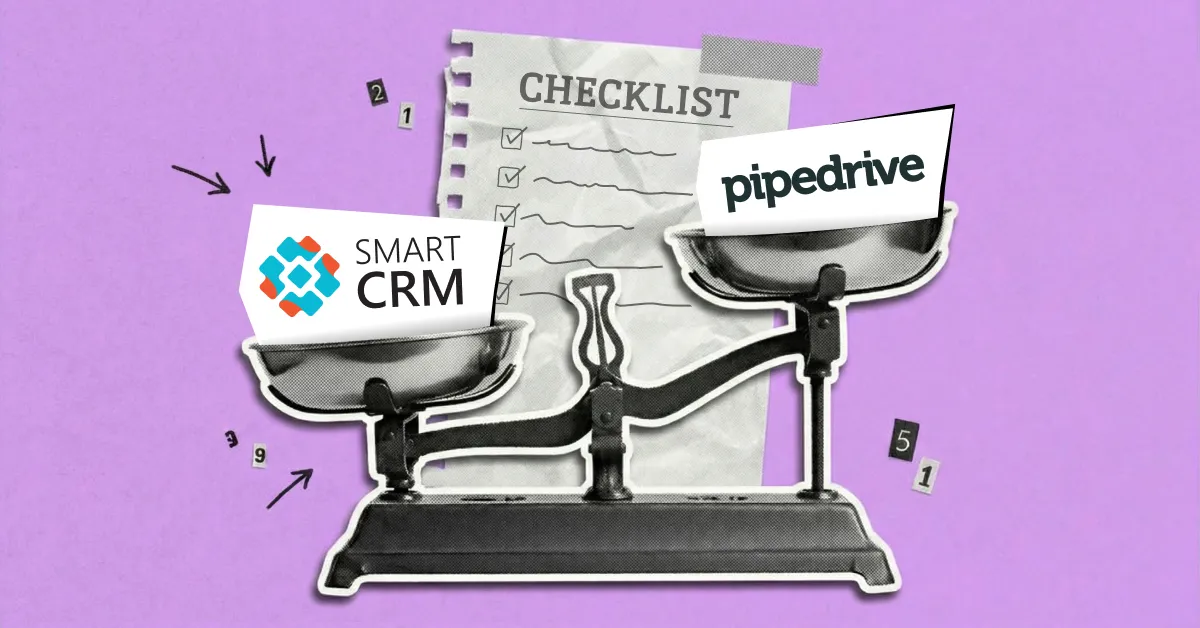
Image of scales where the “SMART CRM” solution outweighs the “Pipedrive” solution
It is important to note that a ranking does not provide a universal answer to the selection question. Even a top-rated CRM may prove ineffective if its logic does not align with a company’s internal processes. That is why lists of “best solutions” should be combined with an analysis of your own business processes, user roles, and strategic goals.
Key CRM selection criteria:
Teamsizeandstructure
A CRM for a team of five managers and one for an organization with multiple sales departments represent entirely different scenarios. The larger the team, the more critical roles, access rights, change control, and system scalability become.
Processtype:sales,service,orboth
As shown in the ranking, some CRMs excel at managing sales pipelines, while others are stronger in service support and handling customer requests. If your business operates with long sales cycles or post-sale service processes, the system should support these at the core solution level rather than through add-on modules.
Complexityofpipelinesandbusinesslogic
A simple linear pipeline and multi-level scenarios with multiple decision points require different levels of CRM flexibility. It is important to assess whether the system allows you to configure stages, transition conditions, and exceptions without complex additional customization.
Reportingandmanagementanalytics
A CRM should effectively transform data into management decisions. If plan-vs-actual tracking, forecasting, KPI monitoring, or analytics by team and region are critical for you, these capabilities should be evaluated from the outset.
Processautomation
Manual work can quickly become a bottleneck as a business grows. It is worth assessing which actions the CRM can automate: for example, task creation, reminders, status updates, notifications, and workflow triggers without manager involvement.
Integrationswithothersystems
A CRM rarely operates in isolation. The seamless integration with ERP systems, accounting software, marketing platforms, telephony, or e-commerce directly affects data consistency and team efficiency.
Datamanagement,security,andaccessrights
For companies with a clear hierarchy and strict data control requirements, it is important that the CRM supports flexible access configuration, change history tracking, and clear responsibility boundaries between roles.
Before making a final decision on a CRM solution for your company, it is worth documenting answers to a few simple questions:
Which processes need to be automated first?
How many people will realistically be using the system one year after implementation?
What reports does management need for decision-making?
Which systems must the CRM be integrated with from day one?
How critical is the future development and expansion of the solution?
Common Mistakes When Choosing a CRM System: What to Watch Out For
CRM rankings can make navigating the market much easier, but if used incorrectly, they can sometimes create false expectations. The key problem usually isn’t with the solutions themselves, but with the mistakes a company makes when selecting software:
Comparingfeatureswithoutconsideringprocesslogic
In most CRM rankings, systems appear equally functional: pipelines, automation, analytics, integrations. However, during implementation, it often becomes clear that the technical logic behind these processes differs significantly.
For example, Pipedrive handles basic deal management scenarios well, but for complex, multi-level processes, it eventually requires manual work or third-party integrations. In contrast, SMARTCRM or the MicrosoftDynamics365CRM ecosystem allow process logic to be adapted to the business with minimal changes.
Tip: Before choosing a CRM, model your actual business processes in the system or a test environment — check whether the CRM supports your scenarios “out of the box.”
Focusingonlicensesinsteadoftotalimplementationcost
Rankings often compare CRMs based on entry cost, but they don’t show the real expenses after launch. For instance, HubSpotCRM looks attractive due to its free trial, but when scaling marketing, automation, or analytics, the cost of professional packages can rise disproportionately fast.
In corporate solutions like Salesforce or MicrosoftDynamics365CRM, the main expenses are usually not the licenses themselves, but designing the architecture, integrations, and customization.
Tip: Evaluate not only the initial license cost but also the projected expenses for customization, integrations, and maintenance over the next 1–2 years.
IgnoringCRMadoptionbytheteam
A functionally strong system doesn’t guarantee real usage. For example, Salesforce offers extremely deep customization, but without training and a clear process design, users often perceive the system as complex, which can lead to resistance and reluctance to use it.
Meanwhile, HubSpotCRM or FreshworksCRM benefit from a simple interface and quick onboarding, which is critical for small teams or businesses without internal IT resources.
Tip: Evaluate the system’s ease of use for your team, run a pilot implementation, and provide thorough user training.
LackofdistinctionbetweenB2BandB2Cscenarios
Many CRM rankings evaluate systems universally, even though B2B and B2C requirements differ significantly. For example, ZohoCRM or FreshworksCRM work well for mass sales and standard processes, but for complex B2B deals with multiple roles, long cycles, and approval stages, businesses quickly encounter limitations. This is where SMARTCRM or MicrosoftDynamics365CRM stand out, as they allow building processes around roles, access rights, and advanced analytics.
Tip: Identify your business type (B2B, B2C, or hybrid) and check whether the CRM supports the necessary scenarios, including roles, access rights, and analytics.
Misjudgingthecomplexityofdatamigration
Migrating historical data — contacts, deals, activities — remains one of the riskiest stages of a CRM project but is rarely reflected in rankings. For ecosystem solutions, migration is usually planned as a separate stage with prior data preparation. In “lightweight” CRMs, this process often looks simpler on paper, but real limitations become apparent during import.
Tip: Before implementation, clarify how the CRM handles large volumes of historical data and plan migration as a separate project with a test import.
CRM System Rankings 2026: Summary and Final Choice
The 2026 CRM rankings show that there’s no one-size-fits-all solution — instead, there are platforms better suited for specific business types:
Smallbusinessesandstartups usually choose CRMs with a low entry barrier, quick launch, and minimal customization needs.
Growingsalesteams need CRMs with flexible pipelines, task automation, and basic management analytics.
Service-orientedbusinesses focus on request handling, SLA tracking, client history, and transparent communications.
B2Bcompanieswithlongdealcycles look for solutions that support complex approval scenarios, roles, and multi-level analytics.
Enterpriseorganizations typically choose a CRM as part of a larger IT ecosystem, integrated with ERP, BI, and corporate services.
Regardless of business size, it’s advisable to conduct a brief process analysis and form a basic implementation plan before making a final CRM choice. SMARTbusiness, a vendor with 17 years of experience in business automation solutions, can assist you with this.
If you want to select a system tailored to your company’s needs, submit a request, and SMART business specialists will be happy to help.
Do you want to understand if SMART CRM for solving your tasks?
Do you want to understand if SMART CRM for solving your tasks?
Thank you for your request!
We will contact you at the specified phone number as soon as possible and provide the calculation data
Thank you!
You have successfully subscribed to the SMART CRM newsletter
SMART CRM
SMART
SMART Connectors
SMART
SMART Modules
SMART
Cookies
We use cookies to improve your web experience, display personalized content and analyze traffic. By clicking «Accept All», you agree to their use. To manage your settings, click Settings. Learn more about the use of cookies in the privacy policy.
Functional
Always active
The technical storage or access is strictly necessary for the legitimate purpose of enabling the use of a specific service explicitly requested by the subscriber or user, or for the sole purpose of carrying out the transmission of a communication over an electronic communications network.
Marketing
The technical storage or access is required to create user profiles to send advertising, or to track the user on a website or across several websites for similar marketing purposes.
Statistics
The technical storage or access that is used exclusively for statistical purposes
Analytics
Analytical purposes are used to measure traffic and optimize content.